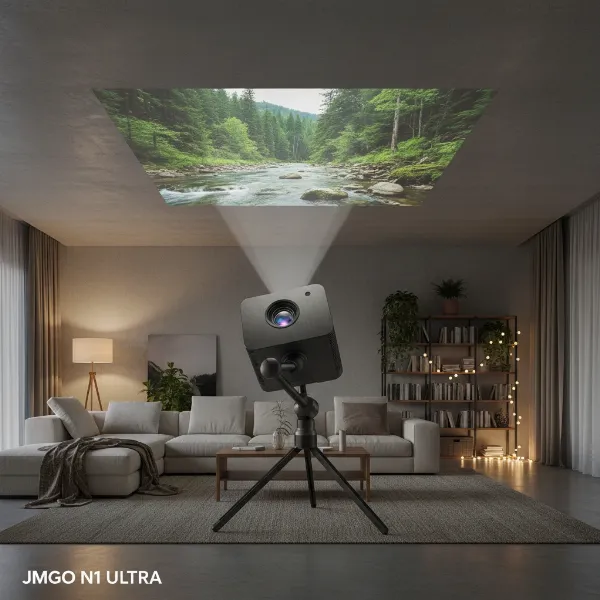
Investing in a projector opens up a world of immersive entertainment and professional presentations. Whether it’s for cinematic home viewing, intense gaming sessions, or impactful business meetings, your projector is a significant asset. Just like any sophisticated electronic device, however, a projector requires diligent care to maintain its peak performance and ensure it serves you for years to come. This comprehensive guide will walk you through practical maintenance tips, helping you safeguard your investment and maximize its lifespan.
Understanding Projector Lifespan: Why Maintenance Matters
A projector is a marvel of engineering, comprising delicate components such as its lens, light source, cooling system, and filters. Each of these plays a critical role in delivering the crisp, vibrant images you expect. Over time, factors like dust accumulation, excessive heat, and improper handling can degrade these components, leading to reduced image quality, frequent malfunctions, and ultimately, a shorter operational life. Proactive maintenance isn’t just about fixing problems; it’s about preventing them, ensuring consistent performance and delaying costly replacements.
Essential Daily and Weekly Projector Care
Regular, simple actions can make a huge difference in your projector’s longevity. Integrating these habits into your routine will protect your device from common wear and tear.
Cleaning the Exterior and Lens
|
Our Picks for the Best projector in 2026
As an Amazon Associate I earn from qualifying purchases.
|
||
| Num | Product | Action |
|---|---|---|
| 1 | HAPPRUN Native 1080P Bluetooth Mini Projector, Full HD Portable Outdoor Movie Projector with Built-in Speaker, Compatible with Smartphone, HDMI, USB, AV, Fire Stick, PS5 for Home, Bedroom, Outdoor Use |

|
| 2 | Epson Pro EX11000 3-Chip 3LCD Full HD 1080p Wireless Laser Projector, 4,600 Lumens Color/White Brightness, Miracast, 2 HDMI Ports, USB Power for Streaming, Built-in 16W Speaker |
|
| 3 | [3500 ANSI/ Official Apps/65W Audio] Outdoor 4K Projector with WiFi and Bluetooth, Auto Focus, Auto Keystone Smart Projector Support DoIby Audio, 2026 Upgrade GO2 Short Throw Projector with 360°Stand |
|
| 4 | Projector-4K with WiFi and Bluetooth:[3500 ANSI/60W Dolby Audio/Official Licensed Apps], Outdoor-Projector with Smart OS 2.0 & AI Auto Focus,ONOAYO ONO5Pro 2.0 Smart Movie Projector for Indoor/Outdoor |
|
| 5 | 1500 ANSI Official Licensed Google TV Smart Projector, HAPPRUN 4K Full HD Home Theater with Auto Focus, Dolby Sound, Wi-Fi Bluetooth, Built-in Apps, Compatible with Phone & PC, Indoor & Outdoor Use |
|
| 6 | Aurzen Roku TV Smart Projector with Wifi and Bluetooth, Roku Streaming Experience Built-in, 1080P FHD, DoIby Audio, Auto Focus & Keystone, Zoom, Movie Portable Outdoor Mini Projector, White |
|
| 7 | Epson Pro EX9270 Wireless 1080p 3LCD Projector 4,100 Lumens Color and White Brightness, Apple AirPlay, Miracast, Stream from Phone or Laptop, 2 HDMI Ports, 1.6x Optical Zoom, Built-In Speaker |
|
| 8 | [Built-in Official Apps/4K Support] Smart Outdoor Projector with WiFi and Bluetooth, 800ANSI Movie Projector, DoIby Audio with Dual Speaker, Auto Focus w/ YouTube&PrimeVideo Proyector, Upgrad P62 Pro |
|
| 9 | 【Officially-Licensed APP & Native 1080P】Thinnest 1.81\" Smart Mini Projector with WiFi and Bluetooth, Auto Focus & Keystone Portable Outdoor Projector, VOPLLS 4K Support Home Movie Projector |
|
| 10 | 【Official Licensed Google TV】4K Smart Projector with WiFi and Bluetooth, VOPLLS Outdoor Projectors with Dolby/Auto Focus, Portable Movie Phone Wireless Gaming Wifi Proyector for Bedroom/Home/Celling |
|
Dirt and dust are the projector’s silent enemies, capable of reducing image clarity and stressing internal parts. Use a soft, dry microfiber cloth to gently wipe down the projector’s outer casing weekly. For the lens, which is the gateway to your image quality, exercise extreme caution. Never touch the lens with bare hands, as oils can leave smudges and damage anti-reflective coatings. Instead, use a specialized lens cleaning cloth or optical cleaner, wiping gently in a circular motion. This prevents scratches and ensures your visuals remain sharp and pristine.
Ensuring Proper Ventilation
Projectors generate significant heat, and efficient heat dissipation is paramount. Always place your projector in an area with ample space around its air vents—ideally, at least 12 inches of clearance on all sides. Avoid confined spaces like enclosed TV cabinets unless they are specifically designed with proper ventilation. Never block the airflow with books, cables, or other objects, as restricted ventilation can cause internal components to overheat, drastically shortening their lifespan.
Proper Shutdown Procedures
It might seem trivial, but how you power down your projector directly impacts its health. Always follow the manufacturer’s recommended shutdown procedure, typically by selecting “Power Off” from the system interface. This allows the internal fans to run a crucial cool-down cycle, protecting the light source and other circuits from residual heat damage. Resist the urge to unplug the projector directly from the wall while it’s still operating or immediately after switching it off, as this can interrupt the cooling process and cause premature wear.
Using Eco Mode
Many modern projectors offer an “Eco Mode” or “Economy Mode” setting. Activating this mode slightly reduces the light output, which in turn lowers power consumption and heat generation. While it might result in a minor decrease in brightness, Eco Mode can significantly extend the life of your projector’s lamp (if applicable) and other internal components. For everyday viewing or situations where maximum brightness isn’t essential, utilizing Eco Mode is a smart choice for longevity.
Deeper Dive: Monthly and Quarterly Maintenance
Beyond daily care, some tasks require less frequent but equally important attention. These checks ensure deeper operational health and prevent long-term issues.
Cleaning Air Filters
Air filters are your projector’s first line of defense against dust entering its sensitive internal mechanisms. Over time, these filters can become clogged, restricting airflow and leading to overheating. Make it a habit to check and clean your projector’s air filters monthly, or every 30-60 days, especially in dusty environments. Most filters can be cleaned with a vacuum cleaner or by using compressed air. If a filter appears damaged or beyond effective cleaning, replace it promptly to maintain optimal airflow.
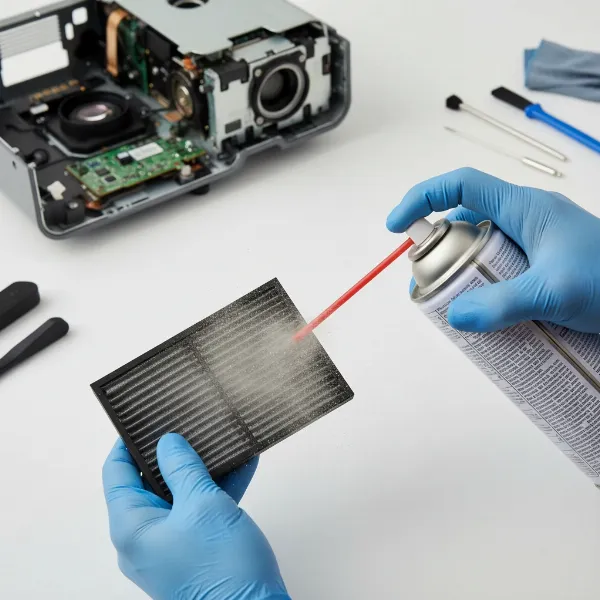 Close-up of a hand cleaning a projector air filter with a compressed air can, showing dust being removed from the mesh.
Monitoring Lamp Hours
For projectors utilizing traditional lamps, the light source has a finite lifespan, typically ranging from 2,000 to 5,000 hours. Most projectors feature a built-in lamp hour counter in their settings menu. Regularly monitor this counter and plan for a lamp replacement before it reaches its recommended maximum usage. Proactive replacement ensures consistent image quality and prevents unexpected burnout during critical use. Always use an original manufacturer-recommended replacement lamp for compatibility and safety.
Checking for Firmware Updates
Just like your computer or smartphone, projectors—especially smart models—often receive firmware updates. These updates can introduce new features, improve performance, and patch security vulnerabilities. Periodically visit your projector manufacturer’s website to check for available firmware updates and follow their instructions carefully for installation. Keeping your projector’s software up-to-date ensures it operates at its best and prolongs the life of its intelligent components.
Environmental Control
The environment in which your projector operates and is stored profoundly impacts its health. Always keep your projector in a cool, dry, and clean space. Avoid areas with high humidity, which can lead to condensation and internal damage, or direct sunlight exposure, which can cause internal temperatures to rise unnecessarily. If you’re storing the projector for an extended period, place it in a dust-free location, ideally within its original packaging or a protective cover, to shield it from environmental aggressors.
Advanced Tips for Maximizing Projector Longevity
Beyond routine care, a few advanced strategies can provide an extra layer of protection and extend your projector’s operational lifespan significantly.
Surge Protectors
Power fluctuations and sudden surges can be detrimental to any electronic device, including your projector. To protect your investment from unpredictable electrical events, always plug your projector into a high-quality surge protector. This device acts as a buffer, absorbing excess voltage and preventing it from reaching and damaging your projector’s sensitive internal circuitry. It’s a small investment that offers substantial peace of mind.
Avoiding Frequent On/Off Cycles
While it’s good practice to power down your projector when not in use, constantly turning it on and off in quick succession can actually stress the light source and internal electronics, particularly in lamp-based models. If you anticipate using the projector again within a short period (e.g., within an hour or two), it might be better to leave it in standby mode rather than performing a full shutdown and restart. This minimizes the thermal shock experienced by the lamp and other components.
Careful Handling and Storage
Projectors are not designed to be moved frequently, especially when they are hot. If you need to relocate your projector, always turn it off and allow it to cool completely before moving it. For portable projectors or units that are frequently transported, invest in a dedicated padded carrying case. This protects the device from physical impacts, vibrations, and dust, ensuring its delicate components remain intact during transit and storage.
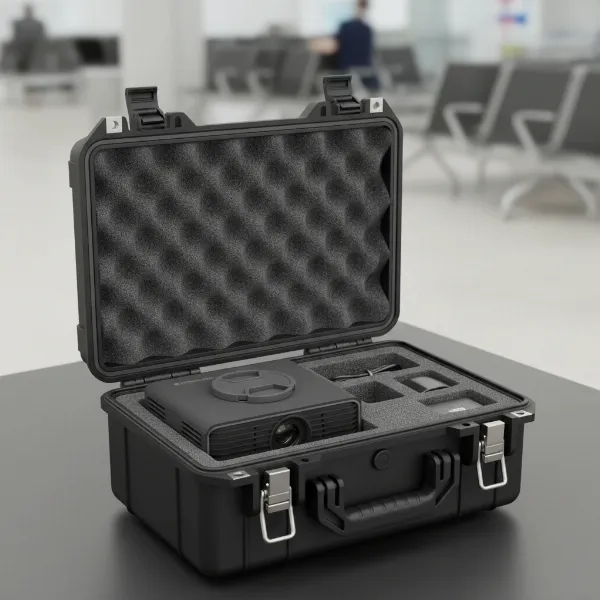 A sleek portable projector nestled securely within a durable, padded protective carrying case, ready for transport.
Professional Servicing
While much of projector maintenance can be done by the user, an annual professional servicing can catch potential issues before they become major problems. A qualified technician can perform thorough internal cleaning, inspect components for wear, calibrate settings, and update firmware more comprehensively. This expert attention can significantly extend your projector’s life and ensure optimal performance over the long run, particularly for high-end or critical-use models.
Lamp-Based vs. LED/Laser Projectors: Maintenance Differences
The type of light source in your projector plays a critical role in its maintenance requirements and overall lifespan. Understanding these differences can help you tailor your maintenance approach.
Lamp-Based Projectors
Traditional projectors rely on high-intensity discharge lamps. These lamps are powerful but have a limited lifespan (typically 2,000 to 5,000 hours) and degrade over time, leading to dimmer images. Their primary maintenance concern is heat management, as excessive heat significantly shortens lamp life. Regular lamp replacement is a fact of life for these models, and proper cool-down cycles are crucial.
LED Projectors
LED (Light Emitting Diode) projectors use an array of LEDs as their light source. LEDs generate significantly less heat than traditional lamps and boast much longer lifespans, often up to 20,000 hours or more. This means no lamp replacements are needed, drastically reducing maintenance efforts and costs. While they still require proper ventilation and cleaning, their solid-state nature makes them inherently more durable and less prone to sudden failures related to the light source.
Laser Projectors
Laser projectors represent the cutting edge of projection technology. They use lasers as their light source, offering incredible brightness, vibrant colors, and an astonishingly long lifespan, often exceeding 30,000 hours. Like LED projectors, laser models eliminate the need for lamp replacements. They maintain brightness more consistently over their operational life and are generally the lowest-maintenance option among the three, requiring only basic cleaning and ventilation management.
Comparative Maintenance Needs
Here’s a quick comparison of the maintenance aspects for different projector types:
| Feature | Lamp-Based Projectors | LED Projectors | Laser Projectors |
|---|---|---|---|
| Light Source Lifespan | 2,000 – 5,000 hours | Up to 20,000 hours | Up to 30,000+ hours |
| Lamp Replacement | Required | Not required | Not required |
| Heat Management | Critical | Important | Important |
| Power-Down Cycle | Crucial (for lamp cooling) | Important (for component cooling) | Important (for component cooling) |
| Brightness Degradation | Noticeable over time | Minimal over time | Very minimal over time |
| Maintenance Effort | Moderate to High | Low to Moderate | Low |
Troubleshooting Common Projector Issues
Even with the best maintenance, you might encounter occasional issues. Knowing how to quickly address them can save you time and prevent minor annoyances from escalating.
If your projector’s image appears blurry, first check the focus ring on the lens; it might simply need adjustment. If the blur persists, a dirty lens or accumulation of dust on internal optical elements could be the culprit. Overheating, often indicated by the projector shutting down unexpectedly or displaying a warning message, typically points to blocked air vents or a clogged air filter. Ensure all vents are clear and clean your filters. A noticeable reduction in brightness, especially over time, usually signifies an aging lamp in lamp-based projectors, signaling it’s time for a replacement. For LED and laser projectors, reduced brightness might indicate a faulty internal component, requiring professional diagnosis.
Conclusion
Your projector is more than just a piece of equipment; it’s a gateway to immersive experiences and effective communication. By embracing a routine of careful cleaning, ensuring optimal ventilation, managing power cycles correctly, and understanding the nuances of your projector’s light source, you can significantly extend its operational life. Proactive maintenance not only preserves image quality but also protects your investment, ensuring countless hours of reliable performance. Which maintenance tip will you implement first to safeguard your projector?
Frequently Asked Questions
How long do projector lamps usually last?
Traditional projector lamps typically last between 2,000 and 5,000 hours, depending on the model and usage. LED and laser light sources, however, offer significantly longer lifespans, often reaching 20,000 to 30,000 hours or more, virtually eliminating the need for lamp replacement.
Is Eco Mode really effective?
Yes, Eco Mode is highly effective for extending your projector’s life. By slightly reducing brightness, it lowers power consumption and heat generation, which significantly prolongs the lifespan of the lamp (in lamp-based projectors) and other internal components while saving energy.
Do laser projectors require maintenance?
Laser projectors still require some maintenance, primarily cleaning and ensuring proper ventilation, similar to any electronic device. However, they do not need lamp replacements, making them considerably lower maintenance than traditional lamp-based projectors and offering consistent brightness over their long lifespan.
Can I clean the lens with regular tissue?
No, you should never clean a projector lens with regular tissue, paper towels, or abrasive cloths. These materials can scratch the delicate anti-reflective coatings on the lens. Always use a soft, lint-free microfiber lens cloth or a specialized optical cleaning solution designed for camera equipment.
What’s the best way to store a projector?
The best way to store a projector is in a cool, dry, and dust-free environment. If it’s not in use for an extended period, place it in its original packaging or a dedicated protective case to shield it from dust, humidity, and accidental physical damage.
How often should I clean my projector’s air filter?
You should clean your projector’s air filter monthly, or every 30-60 days, especially if you operate it in a dusty environment. Regular cleaning prevents dust buildup that can restrict airflow, cause overheating, and potentially damage internal components.