Choosing the right projector screen is as crucial as selecting the projector itself, fundamentally impacting your viewing experience. As you delve into the world of home theater or presentation setups, one of the most common dilemmas you’ll encounter is whether to opt for a gray or a white screen. This decision isn’t merely aesthetic; it profoundly affects how images are displayed, particularly regarding contrast. Understanding the nuanced differences between these two popular screen types is key to unlocking the full potential of your projection system.
Understanding Projector Screens and Contrast
A projector screen serves as the canvas for your projected images, designed to reflect light from the projector back to the viewer efficiently and uniformly. However, not all canvases are created equal. The material and color of a projector screen play a pivotal role in determining image quality, especially its contrast.
Contrast in projection refers to the discernible difference between the brightest whites and the deepest blacks an image can display. A high contrast image appears more dynamic, with greater depth and detail, while low contrast can make visuals look flat and washed out. The screen’s ability to handle ambient light and reflect projected light directly influences this critical aspect of picture quality.
White Projector Screens: The Bright and Vibrant Choice
White projector screens have been the traditional standard for decades, largely due to their straightforward approach to light reflection. They are designed to reflect all colors of light equally, aiming for a neutral and bright image.
Advantages of White Screens
|
Our Picks for the Best projector in 2026
As an Amazon Associate I earn from qualifying purchases.
|
||
| Num | Product | Action |
|---|---|---|
| 1 | [3500 ANSI/ Official Apps/65W Audio] Outdoor 4K Projector with WiFi and Bluetooth, Auto Focus, Auto Keystone Smart Projector Support DoIby Audio, 2026 Upgrade GO2 Short Throw Projector with 360°Stand |
![Check [3500 ANSI/ Official Apps/65W Audio] Outdoor 4K Projector with WiFi and Bluetooth, Auto Focus, Auto Keystone Smart Projector Support DoIby Audio, 2026 Upgrade GO2 Short Throw Projector with 360°Stand on Amazon](https://projectorcam.com/wp-content/plugins/amazon-tables/assets/images/buy.png)
|
| 2 | 1500 ANSI Official Licensed Google TV Smart Projector, HAPPRUN 4K Full HD Home Theater with Auto Focus, Dolby Sound, Wi-Fi Bluetooth, Built-in Apps, Compatible with Phone & PC, Indoor & Outdoor Use |
|
| 3 | [Built-in Official Apps/4K Support] Smart Outdoor Projector with WiFi and Bluetooth, 800ANSI Movie Projector, DoIby Audio with Dual Speaker, Auto Focus w/ YouTube&PrimeVideo Proyector, Upgrad P62 Pro |
|
| 4 | Epson Pro EX9270 Wireless 1080p 3LCD Projector 4,100 Lumens Color and White Brightness, Apple AirPlay, Miracast, Stream from Phone or Laptop, 2 HDMI Ports, 1.6x Optical Zoom, Built-In Speaker |
|
| 5 | Projector-4K with WiFi and Bluetooth:[3500 ANSI/60W Dolby Audio/Official Licensed Apps], Outdoor-Projector with Smart OS 2.0 & AI Auto Focus,ONOAYO ONO5Pro 2.0 Smart Movie Projector for Indoor/Outdoor |
|
| 6 | 【Official Licensed Google TV】4K Smart Projector with WiFi and Bluetooth, VOPLLS Outdoor Projectors with Dolby/Auto Focus, Portable Movie Phone Wireless Gaming Wifi Proyector for Bedroom/Home/Celling |
|
| 7 | Aurzen Roku TV Smart Projector with Wifi and Bluetooth, Roku Streaming Experience Built-in, 1080P FHD, DoIby Audio, Auto Focus & Keystone, Zoom, Movie Portable Outdoor Mini Projector, White |
|
| 8 | 【Officially-Licensed APP & Native 1080P】Thinnest 1.81\" Smart Mini Projector with WiFi and Bluetooth, Auto Focus & Keystone Portable Outdoor Projector, VOPLLS 4K Support Home Movie Projector |
|
| 9 | Epson Pro EX11000 3-Chip 3LCD Full HD 1080p Wireless Laser Projector, 4,600 Lumens Color/White Brightness, Miracast, 2 HDMI Ports, USB Power for Streaming, Built-in 16W Speaker |
|
| 10 | HAPPRUN Native 1080P Bluetooth Mini Projector, Full HD Portable Outdoor Movie Projector with Built-in Speaker, Compatible with Smartphone, HDMI, USB, AV, Fire Stick, PS5 for Home, Bedroom, Outdoor Use |
|
White screens are celebrated for several compelling reasons. Firstly, they deliver maximum brightness and color accuracy. Their highly reflective surface ensures that nearly all light from the projector is sent back to the viewer, resulting in images that are often perceived as brighter and more vibrant. This high reflectivity also contributes to faithful color reproduction, as the screen does not inherently alter the color temperature of the projected light.
Secondly, white screens typically offer wide viewing angles. They distribute light evenly across their surface, ensuring that viewers positioned off-center experience a consistent picture with minimal brightness or color degradation. This makes them versatile for rooms with flexible seating arrangements or larger audiences.
Finally, white screens are generally more cost-effective than their gray or specialized counterparts. Their widespread availability and simpler manufacturing processes contribute to a more accessible price point, making them an excellent entry-level option for many setups.
Disadvantages of White Screens
Despite their advantages, white screens come with specific limitations. Their biggest weakness is their susceptibility to ambient light washout. In rooms with uncontrolled or even minimal ambient light, the white surface reflects this unwanted light along with the projected image. This dilutes the dark areas of the picture, causing blacks to appear gray and significantly reducing overall contrast.
Consequently, white screens often exhibit lower perceived black levels in environments that aren’t perfectly dark. Since the screen reflects all light, it cannot “create” black; rather, black is merely the absence of projected light. When ambient light interferes, the screen reflects it, making true blacks impossible to achieve.
Ideal Use Cases for White Screens
White screens truly shine in dedicated dark home theaters where ambient light can be completely controlled. In such environments, with dark walls and ceilings, the projector’s full contrast capabilities can be realized, producing rich blacks and brilliant whites. They are also ideal for projectors with excellent native contrast ratios that can already produce deep blacks, as the white screen will not artificially enhance them but rather allow the projector’s true performance to come through.
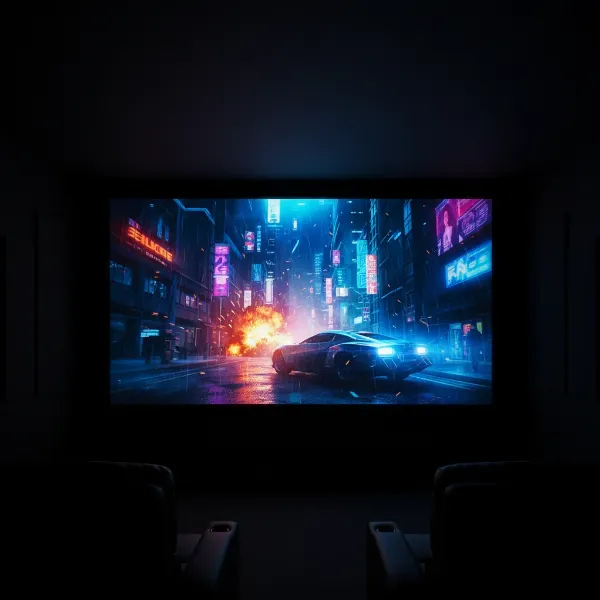 A bright, vibrant image projected onto a white screen in a completely dark home theater.
Gray Projector Screens: Enhancing Contrast in Challenging Environments
Gray projector screens emerged as a solution to the contrast limitations faced by white screens, particularly in rooms with ambient light. Their tinted surface is designed with a specific goal: to improve the perception of black levels.
Advantages of Gray Screens
The primary advantage of gray screens is their improved perceived contrast and deeper black levels, especially with ambient light. The gray tint absorbs some of the ambient light that hits the screen, preventing it from reflecting back to the viewer. By effectively lowering the baseline “black” level of the screen, the difference between the darkest and brightest parts of the image becomes more pronounced, thus boosting perceived contrast.
Many gray screens incorporate Ambient Light Rejecting (ALR) technology, which specifically uses optical layers to absorb light from off-axis sources while reflecting light directly from the projector. This makes them exceptionally effective in maintaining image quality in bright rooms, minimizing washout and enhancing clarity.
Furthermore, gray screens can be beneficial if your projector is overly bright. A very bright projector in a dark room can sometimes cause eye strain or “wash out” colors. A gray screen can temper this brightness slightly, making the image more comfortable to view without sacrificing too much vibrancy.
Disadvantages of Gray Screens
The benefits of gray screens often come with trade-offs. The gray tint, by design, absorbs some of the projector’s light, leading to reduced peak brightness and color vibrancy. Whites might not appear as pure or “pop” as much as they would on a white screen, and overall colors can seem slightly less vivid. Some cheaper or older gray screens have been criticized for “demolishing” the white segments of the image.
Poorly designed gray screens can also introduce subtle color shifts, altering the intended color temperature of the image. While modern ALR gray screens are engineered to minimize this, it’s a factor to consider.
Lastly, gray screens, especially those with advanced ALR technology, are generally more expensive than basic white screens. The specialized materials and optical coatings contribute to a higher manufacturing cost.
Ideal Use Cases for Gray Screens
Gray screens are the go-to choice for rooms with uncontrolled or moderate ambient light, such as living rooms, multi-purpose media rooms, or conference spaces where dimming all lights isn’t always feasible. They help maintain a viewable and enjoyable image even when some room lights are on or natural light is present. They are also well-suited for projectors with lower native contrast ratios, as the screen itself helps to enhance the perceived contrast, making the image appear more dynamic.
“For environments where absolute darkness isn’t an option, a gray screen can be a game-changer. It acts like a filter, absorbing stray light to give you a much more engaging picture than a white screen could in the same conditions.” – Dr. Eleanor Vance, Display Technology Specialist
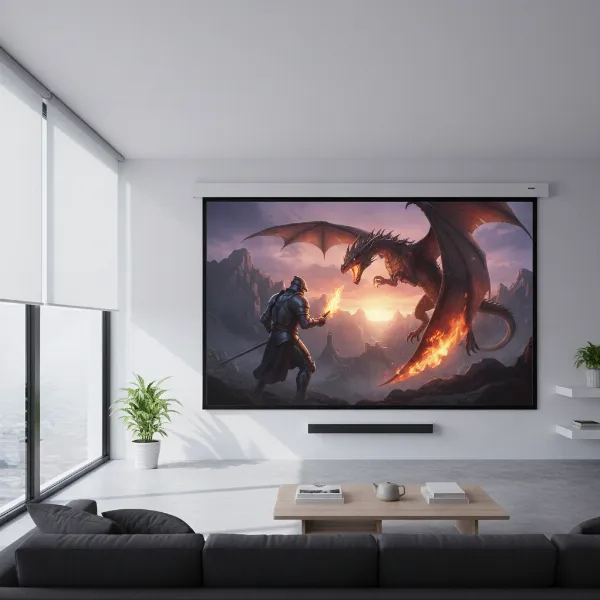 A clear, high-contrast image on a gray projector screen in a living room with some ambient light.
Key Factors to Consider When Choosing Your Projector Screen
Selecting the ideal projector screen requires a holistic approach, considering your viewing environment, projector capabilities, and personal preferences.
- Ambient Light Control: This is arguably the most critical factor. If you have a dedicated, fully dark room, a white screen is often superior. If your room has windows, light-colored walls, or you frequently watch with some lights on, a gray or ALR screen will provide a significantly better experience.
- Projector Brightness & Contrast Ratio: A very bright projector (high lumens) might perform well on a gray screen, helping to temper its intensity and deepen blacks. A projector with an already excellent native contrast ratio might benefit more from a white screen in a dark room to maximize overall dynamic range. Projectors with lower contrast can get a boost from gray screens.
- Room Aesthetics & Wall Color: Light-colored walls and ceilings can reflect projected light back onto the screen, washing out the image even in a seemingly dark room. A gray screen can mitigate this reflective interference more effectively than a white screen.
- Budget: Standard white screens are typically the most affordable. Basic gray screens are a step up, while high-performance ALR gray screens represent a significant investment.
- Viewing Content: For critical color work or cinematic purists with a perfect dark room, white might be preferred. For general entertainment, sports, or gaming in a living room environment, the contrast enhancement of a gray screen often outweighs the slight loss in peak brightness.
Making the Right Choice: A Summary
The decision between a gray and white projector screen ultimately hinges on your specific viewing conditions and priorities. Neither is universally “better”; rather, each excels in different scenarios.
| Feature | White Projector Screen | Gray Projector Screen |
|---|---|---|
| Primary Benefit | Maximum brightness, accurate color reproduction | Enhanced perceived contrast, deeper blacks |
| Ideal Lighting | Dedicated dark rooms, full ambient light control | Rooms with moderate/uncontrolled ambient light |
| Black Levels | Dependent on projector & room darkness, can wash out | Deeper, more consistent due to ambient light absorption |
| Peak Brightness | Higher, vibrant whites | Slightly lower, whites may appear less bright |
| Color Fidelity | Excellent, neutral reflection | Good, but can have subtle shifts if not high quality |
| Cost | Generally lower | Generally higher (especially for ALR) |
| Projector Match | High-contrast, high-lumen projectors | Lower-contrast projectors, any projector in bright rooms |
If your primary goal is to achieve the brightest, most color-accurate image possible in a perfectly dark, light-controlled environment, a white screen is your best bet. If you regularly deal with some ambient light and prioritize deeper black levels and enhanced contrast in those conditions, a gray screen—especially an ALR variant—will likely provide a more satisfying and immersive viewing experience.
Conclusion
Navigating the choice between gray and white projector screens boils down to understanding their fundamental properties and aligning them with your unique setup and viewing habits. White screens offer unadulterated brightness and color fidelity in controlled darkness, while gray screens, particularly those with ambient light rejecting technology, are champions of contrast and clarity in real-world, imperfectly lit environments. The “better” screen is not a universal truth, but rather a personal optimization that balances your projector’s capabilities with your room’s characteristics and your visual preferences.
What kind of viewing environment do you currently have, and what are your priorities for image quality? Thinking through these questions will guide you to the perfect screen for your home or office.
Frequently Asked Questions
Does a gray screen really make blacks darker?
Yes, a gray projector screen works by absorbing some of the ambient light in the room. Since projectors cannot “project” black (black is merely the absence of light), a darker screen surface helps to maintain the black level by reducing the amount of stray light reflected back to your eyes, making the black areas of the image appear deeper and richer, thereby enhancing perceived contrast.
Will a gray screen make my image too dim?
A gray screen does absorb some of the projected light, which can result in a slightly dimmer overall image compared to a white screen in a perfectly dark room. However, for many modern projectors with ample lumen output, this slight dimming is often a worthwhile trade-off for the improved contrast and reduced washout that gray screens offer in rooms with ambient light.
Can I use a white screen in a room with some ambient light?
While you can use a white screen in a room with some ambient light, it’s generally not recommended if image quality and contrast are important to you. Ambient light will reflect off the white surface, washing out dark areas of the image and significantly reducing the perceived contrast. A gray or ALR screen is usually a much better option for such conditions.
Are Ambient Light Rejecting (ALR) screens always gray?
Most high-performance Ambient Light Rejecting (ALR) screens have a gray or dark tint. This darker base color is a key component in their ability to absorb off-axis ambient light, thus maintaining contrast and black levels in brighter environments. There are some ALR screens that appear white head-on but are technically engineered with light-absorbing properties.
Which screen is better for watching movies in a dark room?
For watching movies in a truly dark, light-controlled room (like a dedicated home theater), a high-quality matte white screen is often considered ideal. It allows the projector to display its full brightness and color accuracy without any interference from the screen material itself, ensuring vibrant colors and deep blacks as intended by the filmmaker.