Have you ever dreamt of transforming your living room into a true cinema, where epic widescreen blockbusters fill your entire vision without distracting black bars? For decades, filmmakers have utilized anamorphic lenses to capture the grandeur of the silver screen, delivering a captivating, immersive experience. Now, this very technology is available for your home theater, offering a profound upgrade for movie enthusiasts. This article will delve into the world of anamorphic lenses, explaining how they work, their benefits, and what you need to know to achieve that authentic cinematic magic in your own space.
Understanding Anamorphic Lenses: What Are They and How Do They Work?
At its core, an anamorphic lens is an optical device designed to manipulate the aspect ratio of an image, enabling a wider field of view than traditional spherical lenses. In filmmaking, these lenses horizontally “squeeze” a wide image onto standard film or a digital sensor during capture, allowing more horizontal information to fit within the frame. When played back, a corresponding anamorphic lens on the projector optically “de-squeezes” the image, restoring its original widescreen aspect ratio and filling a wider screen [cite: 1, 4, 3 (how they work with projectors)].
For home theater projectors, which typically have a native 16:9 (1.78:1) aspect ratio, an external anamorphic lens is placed in front of the projector’s primary lens. When playing a movie with a wider aspect ratio like 2.35:1 or 2.40:1 (often called Cinemascope), the projector digitally stretches the image vertically to fill its 16:9 chip. This results in a vertically stretched image with no black bars. The anamorphic lens then optically compresses this vertically stretched image horizontally, restoring the correct geometry and displaying the widescreen film across your entire 2.35:1 or 2.40:1 screen without any black bars on the top or bottom [cite: 3 (how they work with projectors), 1 (how they work with projectors)].
The Allure of Widescreen: Why Anamorphic Lenses Transform Your Viewing
The most immediately noticeable benefit of an anamorphic lens setup is the elimination of “letterboxing”—the black bars that typically appear at the top and bottom of your screen when watching widescreen movies on a 16:9 display. By effectively stretching the image to fill a wider screen, anamorphic lenses create a truly immersive experience that mirrors commercial cinemas.
> “Anamorphic cinema-format projection dramatically improves the brightness and clarity – the visual performance – of your entire home theater movie experience.” – Shawn Kelly, Founder of Panamorph Cinema Format Conversion Lenses [cite: 2 (benefits)]
Beyond aesthetics, anamorphic lenses offer significant performance advantages. They maximize the utilization of your projector’s pixel panel. Instead of using a portion of the pixels to display black bars, every pixel is dedicated to the active movie content. This effectively delivers a brighter and sharper image, as the light output is concentrated onto the cinematic aspect ratio rather than being wasted on unused black areas [cite: 2 (benefits), 4 (how they work with projectors), 5 (how they affect throw ratios)]. For 4K projectors, this means you utilize the full 4K resolution for the film, rather than a digitally scaled down version. This dedicated pixel usage results in a higher perceived resolution and overall image fidelity. [cite: 2 (benefits)]
Furthermore, anamorphic lenses can impart a distinct cinematic quality to your images. Filmmakers often choose anamorphic lenses for their unique optical characteristics, such as elliptical bokeh (the shape of out-of-focus light sources) and signature horizontal lens flares, which contribute to a heightened sense of realism and grandeur [cite: 5, 1 (benefits)]. These subtle yet impactful visual elements enhance the emotional storytelling and immerse viewers deeper into the film’s world. [cite: 2 (benefits)]
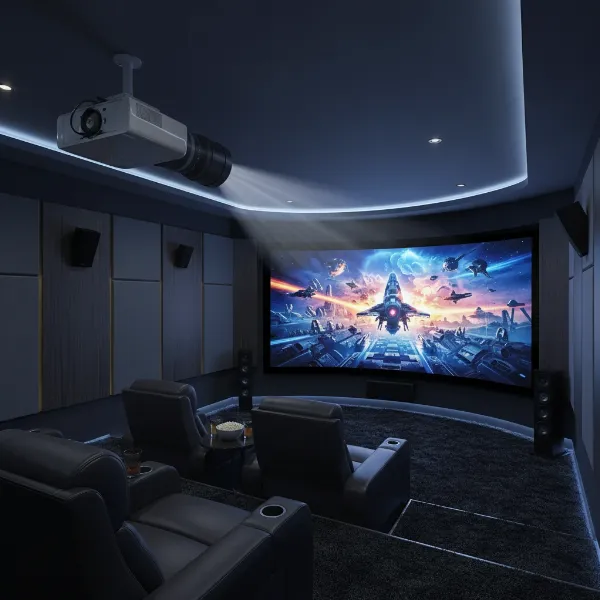 A high-end home theater projector with an anamorphic lens attached, projecting a widescreen movie onto a large screen with no black bars, showcasing the immersive cinematic experience.
Types of Anamorphic Lenses for Home Theater
Anamorphic lenses for home theater projectors generally fall into a few categories based on their design and how they manipulate the image:
- Cylindrical (Horizontal Expansion) Lenses: These are the most common type, often referred to as “Panamorph” style lenses (named after a prominent manufacturer). They horizontally expand the image after the projector has vertically stretched it. These lenses typically require the projector to have a vertical “anamorphic mode” or scaling setting.
- Vertical Compression Lenses: Less common in home theater, these lenses compress the image vertically. The projector then needs to horizontally stretch the image.
- Fixed Mount Lenses: These lenses are permanently mounted in front of the projector. While effective, they mean all content, even 16:9 material, will pass through the lens. Some projectors can compensate for 16:9 content by adding “pillarbox” black bars to the sides.
- Motorized Sled Systems: For ultimate flexibility, many anamorphic lenses are mounted on a motorized sled. This allows the lens to slide into place for widescreen movies and then move out of the projection path for 16:9 content (like TV shows or sports), enabling optimal viewing for both formats. This is often part of a “Constant Image Height” (CIH) setup, where the height of the image remains constant regardless of the aspect ratio. [cite: 5 (benefits)]
Key Considerations When Choosing an Anamorphic Lens
Selecting the right anamorphic lens involves several factors to ensure optimal performance and compatibility with your existing home theater setup.
- Projector Compatibility: Not all projectors are designed to work seamlessly with anamorphic lenses. Look for projectors that offer specific “anamorphic modes” or advanced scaling capabilities, which are essential for properly de-squeezing the image without distortion. High-end projectors from brands like JVC and Sony often include these features.
- Screen Aspect Ratio: An anamorphic lens is best paired with a dedicated widescreen screen, typically with a 2.35:1 or 2.40:1 aspect ratio. A fixed widescreen screen maximizes the immersion by eliminating borders, while some setups might use a screen with motorized masking to adjust the aspect ratio.
- Lens Quality and Material: Anamorphic lenses involve precision optics, and quality can vary significantly. High-quality glass elements are crucial for minimizing chromatic aberration, distortion, and light loss. While a slight drop in brightness is inherent due to the additional glass, a well-engineered lens will minimize this [cite: 5 (how they affect throw ratios)].
- Mounting and Alignment: Proper installation and alignment are paramount for a distortion-free image. Whether using a fixed mount or a motorized sled, precise positioning in front of the projector’s lens is critical. Some lenses are specifically designed for 4K resolution to maintain picture detail. [cite: 5 (benefits)]
- Throw Ratio Impact: Adding an anamorphic lens can affect your projector’s throw ratio. Most anamorphic setups require the projector to be placed at a distance that meets or exceeds a minimum throw ratio, typically around 1.4:1 to 1.6:1, to prevent image distortion or blurring [cite: 5 (how they affect throw ratios)]. Always check the specific requirements of the lens and projector combination.
- Budget: Anamorphic lenses represent a significant investment, often ranging from several thousand to tens of thousands of dollars. Factor this into your overall home theater budget, considering that it’s a high-end upgrade for dedicated cinephiles.
Setting Up Your Anamorphic Lens System
Implementing an anamorphic lens system requires careful attention to detail for optimal results:
- Physical Installation: The anamorphic lens must be securely mounted in front of your projector’s primary lens, centered precisely in the light path. If using a motorized sled, ensure smooth and accurate movement.
- Projector Configuration: Access your projector’s menu and activate its “anamorphic mode” or “vertical stretch” setting. This tells the projector to vertically stretch the widescreen content to fill its 16:9 chip.
- Calibration: Professional calibration is highly recommended. This involves:
- Focusing: Adjusting both the projector’s main lens and the anamorphic lens for a sharp image across the entire screen.
- Geometry Adjustment: Ensuring the image is perfectly rectangular and free of pincushion or barrel distortion, which can sometimes be introduced by anamorphic optics.
- Alignment: Fine-tuning the lens position to ensure uniform illumination and focus.
- Aspect Ratio Confirmation: Verifying that the de-squeezed image accurately displays the original aspect ratio without being too wide or too narrow.
Pros and Cons: Is an Anamorphic Lens Right for You?
Deciding whether an anamorphic lens is a worthwhile investment depends on your priorities and budget.
Advantages
- True Cinematic Immersion: Experience widescreen movies as intended, filling your entire dedicated screen without black bars, mirroring the commercial cinema experience [cite: 3 (how they work with projectors)].
- Maximized Pixel Utilization: Your projector’s entire imaging chip is used for the movie content, resulting in a brighter and sharper image compared to digitally zooming, which wastes pixels on black bars [cite: 2 (benefits)].
- Enhanced Brightness: By concentrating all available light onto the active image area, anamorphic projection can deliver a perceptibly brighter image, especially beneficial for HDR content or large screens [cite: 4 (how they work with projectors)].
- Unique Optical Qualities: Anamorphic lenses produce distinct visual characteristics like elliptical bokeh and signature lens flares, adding an authentic cinematic flair.
|
Our Picks for the Best projector in 2026
As an Amazon Associate I earn from qualifying purchases.
|
||
| Num | Product | Action |
|---|---|---|
| 1 | Projector-4K with WiFi and Bluetooth:[3500 ANSI/60W Dolby Audio/Official Licensed Apps], Outdoor-Projector with Smart OS 2.0 & AI Auto Focus,ONOAYO ONO5Pro 2.0 Smart Movie Projector for Indoor/Outdoor |
![Check Projector-4K with WiFi and Bluetooth:[3500 ANSI/60W Dolby Audio/Official Licensed Apps], Outdoor-Projector with Smart OS 2.0 & AI Auto Focus,ONOAYO ONO5Pro 2.0 Smart Movie Projector for Indoor/Outdoor on Amazon](https://projectorcam.com/wp-content/plugins/amazon-tables/assets/images/buy.png)
|
| 2 | 1500 ANSI Official Licensed Google TV Smart Projector, HAPPRUN 4K Full HD Home Theater with Auto Focus, Dolby Sound, Wi-Fi Bluetooth, Built-in Apps, Compatible with Phone & PC, Indoor & Outdoor Use |
|
| 3 | HAPPRUN Native 1080P Bluetooth Mini Projector, Full HD Portable Outdoor Movie Projector with Built-in Speaker, Compatible with Smartphone, HDMI, USB, AV, Fire Stick, PS5 for Home, Bedroom, Outdoor Use |
|
| 4 | [Built-in Official Apps/4K Support] Smart Outdoor Projector with WiFi and Bluetooth, 800ANSI Movie Projector, DoIby Audio with Dual Speaker, Auto Focus w/ YouTube&PrimeVideo Proyector, Upgrad P62 Pro |
|
| 5 | Epson Pro EX9270 Wireless 1080p 3LCD Projector 4,100 Lumens Color and White Brightness, Apple AirPlay, Miracast, Stream from Phone or Laptop, 2 HDMI Ports, 1.6x Optical Zoom, Built-In Speaker |
|
| 6 | Epson Pro EX11000 3-Chip 3LCD Full HD 1080p Wireless Laser Projector, 4,600 Lumens Color/White Brightness, Miracast, 2 HDMI Ports, USB Power for Streaming, Built-in 16W Speaker |
|
| 7 | Aurzen Roku TV Smart Projector with Wifi and Bluetooth, Roku Streaming Experience Built-in, 1080P FHD, DoIby Audio, Auto Focus & Keystone, Zoom, Movie Portable Outdoor Mini Projector, White |
|
| 8 | [3500 ANSI/ Official Apps/65W Audio] Outdoor 4K Projector with WiFi and Bluetooth, Auto Focus, Auto Keystone Smart Projector Support DoIby Audio, 2026 Upgrade GO2 Short Throw Projector with 360°Stand |
|
| 9 | 【Official Licensed Google TV】4K Smart Projector with WiFi and Bluetooth, VOPLLS Outdoor Projectors with Dolby/Auto Focus, Portable Movie Phone Wireless Gaming Wifi Proyector for Bedroom/Home/Celling |
|
| 10 | 【Officially-Licensed APP & Native 1080P】Thinnest 1.81\" Smart Mini Projector with WiFi and Bluetooth, Auto Focus & Keystone Portable Outdoor Projector, VOPLLS 4K Support Home Movie Projector |
|
Disadvantages
- High Cost: Anamorphic lenses are a premium accessory, representing a significant investment for a home theater setup.
- Complexity: Installation and calibration are more complex than a standard projector setup, often requiring professional assistance.
- Potential Light Loss: While often offset by pixel utilization, the extra glass elements can slightly reduce light transmission.
- Space Requirements: Some anamorphic lens systems, especially those with motorized sleds, require additional physical space in front of the projector.
- Less Benefit for 16:9 Content: For content natively in 16:9, the anamorphic lens is either removed (with a sled) or the projector will add pillarbox bars, negating its primary widescreen benefit. Some argue that for modern 4K projectors, the resolution gain for 2.35:1 content is less significant than in the past due to higher native projector resolution. [cite: 5 (benefits)]
Alternatives to Anamorphic Lenses
For those seeking a widescreen experience without the investment or complexity of an anamorphic lens, a few alternatives exist:
- Digital Zooming (Constant Image Height with Zoom): Most modern projectors can digitally zoom in on a widescreen image to fill a 2.35:1 screen, spilling the black bars off the top and bottom of the screen onto the wall or masking. While more economical, this method uses fewer of the projector’s pixels for the active image, potentially resulting in a slightly dimmer and less sharp picture compared to a dedicated anamorphic setup [cite: 2 (how they work with projectors)]. It can also lead to menus appearing partially off-screen. [cite: 2 (how they work with projectors)]
- Constant Height Screen with Masking: You can use a fixed 16:9 screen and employ motorized masking systems to achieve a constant image height. While this provides flexibility for different aspect ratios, it doesn’t offer the pixel maximization benefits of an anamorphic lens for true widescreen films.
Hướng Dẫn Mua Projector (Buying Guide)
While this article focuses on anamorphic lenses, remember they are an addition to your projector. For a high-quality anamorphic setup, you first need a capable projector.
- Determine Your Primary Use: If your main goal is dedicated movie watching, especially widescreen films, an anamorphic lens system paired with a compatible projector is an unparalleled choice.
- Set a Realistic Budget: Anamorphic lenses are a high-end luxury. Be prepared for the combined cost of a high-quality projector and the lens system.
- Research Projector Features: Prioritize projectors with dedicated “anamorphic modes” or advanced lens memory functions to make the integration seamless.
- Read Expert Reviews: Consult professional reviews and user forums (like AV NIRVANA mentioned by Panamorph [cite: 4 (how they work with projectors)]) for insights on lens and projector compatibility and performance.
- Consider Professional Installation: Due to the precision required for setup and calibration, consider hiring an experienced home theater installer for an anamorphic system.
Mẹo Sử Dụng và Bảo Quản Projector
To ensure the longevity and optimal performance of your anamorphic lens and projector system:
- Regular Cleaning: Gently clean the lens surfaces with a microfiber cloth and specialized optical cleaning solution. Dust and smudges can degrade image quality.
- Proper Storage: When not in use, especially for removable lenses, store them in a protective case to prevent dust accumulation and accidental damage.
- Environmental Control: Maintain a stable room temperature and humidity in your home theater to protect both the projector and the lens from environmental stressors.
- Troubleshooting: If you experience issues, common solutions include checking lens alignment, confirming the projector’s aspect ratio settings, and verifying overall system compatibility. [cite: 3 (benefits)]
Kết luận
Anamorphic lenses offer a transformative upgrade for dedicated home theater enthusiasts, elevating the movie-watching experience to true cinematic standards. By eliminating black bars and maximizing your projector’s performance for widescreen content, they deliver unparalleled immersion, brightness, and sharpness. While the investment and setup complexity are considerable, the visual impact of an anamorphic lens system is undeniable, making it the secret ingredient for those who truly wish to watch widescreen movies like a theater. Are you ready to embrace the full scope of cinematic vision?
Frequently Asked Questions
Do anamorphic lenses lose brightness?
While an anamorphic lens adds extra glass to the light path, causing some inherent light loss, this is often offset by the fact that the entire projector pixel panel is used for the active image, effectively concentrating the projector’s full light output onto the widescreen content, leading to a brighter perceived image than with digital zooming. [cite: 5 (how they affect throw ratios), 5 (benefits)]
Can I use an anamorphic lens with any projector?
No, not all projectors are compatible. You need a projector with an “anamorphic mode” or advanced scaling capabilities that allows it to vertically stretch the image before it passes through the anamorphic lens. High-end home theater projectors typically offer these features.
Is an anamorphic lens worth it for 4K projectors?
For dedicated widescreen movie watchers, an anamorphic lens can still be highly beneficial with 4K projectors. It maximizes the use of all 4K pixels for widescreen content, providing a sharper and brighter image than digital zooming, where a portion of the pixels would be dedicated to black bars. [cite: 2 (benefits)]
What is “Constant Image Height” (CIH)?
Constant Image Height (CIH) is a home theater setup philosophy where the height of the projected image remains consistent, regardless of the movie’s aspect ratio. Anamorphic lens systems are a popular way to achieve CIH for widescreen films by expanding the image horizontally to fill a wider screen while keeping the image height fixed.
Are there different aspect ratios for anamorphic lenses?
Anamorphic lenses typically target common cinematic widescreen aspect ratios, most notably 2.35:1 or 2.40:1, often referred to as Cinemascope. These lenses are designed to work with content formatted for these ultra-wide presentations.