In the relentless pursuit of the ultimate immersive gaming experience, every frame counts, and every visual artifact can pull you out of the action. For years, large-screen gaming was synonymous with high-end televisions, but projectors are increasingly stepping into the arena, offering a truly cinematic scale to your virtual worlds. Yet, a common frustration for gamers has been the jarring visual glitches like screen tearing and stuttering that can plague intense gameplay. This is where Variable Refresh Rate (VRR) technology emerges as a game-changer for projectors. This comprehensive guide will demystify VRR, explain its profound benefits for gamers, detail the crucial features to look for in a gaming projector, and help you navigate the exciting landscape of big-screen, tear-free gaming.
Understanding Variable Refresh Rate (VRR)
At its core, Variable Refresh Rate (VRR) is a sophisticated display technology designed to synchronize the refresh rate of your display device with the frame rate output by your source device, whether that’s a powerful gaming PC or a next-gen console. In traditional setups, displays have a fixed refresh rate—for example, 60Hz or 120Hz—meaning they update the image on screen a set number of times per second. However, games often render frames at a fluctuating rate, especially during graphically demanding scenes or intense action.
This mismatch between a fixed display refresh rate and a variable game frame rate is the root cause of common visual annoyances like screen tearing and stuttering. Screen tearing occurs when the display shows parts of multiple frames simultaneously, creating a distinct horizontal “tear” across the image. Stuttering, on the other hand, happens when frames are held for too long or dropped entirely, leading to jerky, inconsistent motion. VRR eliminates these issues by allowing the projector to dynamically adjust its refresh rate in real-time, precisely matching the output of your gaming device. This seamless synchronization ensures that each frame is displayed fully and at the optimal moment, resulting in a profoundly smoother and more fluid visual experience.
Key VRR technologies you might encounter include the open standard HDMI VRR, AMD FreeSync, and NVIDIA G-SYNC. While FreeSync and G-SYNC are often associated with PC monitors, the underlying principle of adaptive synchronization is now being integrated into projectors via the HDMI 2.1 standard, bringing these benefits to the big screen.
Why VRR Matters for Projector Gaming
The integration of Variable Refresh Rate into projectors represents a significant leap forward for gamers seeking the ultimate immersive experience. When you project games onto a massive screen, any visual imperfection is magnified, making screen tearing and stuttering even more distracting than on a smaller monitor. VRR directly addresses these critical issues, transforming how games look and feel on a projector.
Eliminates Screen Tearing
|
Our Picks for the Best projector in 2026
As an Amazon Associate I earn from qualifying purchases.
|
||
| Num | Product | Action |
|---|---|---|
| 1 | [Officially-Licensed App & Auto Focus]Smart Mini Projector with WiFi and Bluetooth, XuanPad 4K Support Movie Projector, Portable Native 1080P Outdoor Projector with 360° Stand |
![Check [Officially-Licensed App & Auto Focus]Smart Mini Projector with WiFi and Bluetooth, XuanPad 4K Support Movie Projector, Portable Native 1080P Outdoor Projector with 360° Stand on Amazon](https://projectorcam.com/wp-content/plugins/amazon-tables/assets/images/buy.png)
|
| 2 | Mini Smart Projector, 1500 ANSI Portable Projector with WiFi and Bluetooth, HAPPRUN 4K Full HD Home Theater with 270° Stand, Dolby Sound, Built-in Apps,Compatible with Phone & PC, Indoor & Outdoor Use |
|
| 3 | HAPPRUN Native 1080P Bluetooth Mini Projector, Full HD Portable Outdoor Movie Projector with Built-in Speaker, Compatible with Smartphone, HDMI, USB, AV, Fire Stick, PS5 for Home, Bedroom, Outdoor Use |
|
| 4 | Magcubic Mini Projector with WiFi 6 and Bluetooth 5.4, Portable Projector 4K Support, 5W Soundbase Speaker, Auto Vertical Keystone 180°Rotatable Smart Proyector for Movie Home Outdoor |
|
| 5 | 【Officially-Licensed APP & Native 1080P】Thinnest 1.81\" Smart Mini Projector with WiFi and Bluetooth, Auto Focus & Keystone Portable Outdoor Projector, VOPLLS 4K Support Home Movie Projector |
|
| 6 | Astronaut Galaxy Projector with Bluetooth Speaker & White Noise, App & Remote Control Star Projector, Galaxy Projector for Bedroom Adults Kids, Spaceman Night Light for Gaming Room, Home Theater |
|
| 7 | Mini Projector with Built-in Rechargeable Battery for Outdoor, Portable Projector with WiFi and Bluetooth, 4K Projector for Bedroom, Smart Projector |
|
| 8 | Projector-4K with WiFi and Bluetooth:[3000 ANSI/40W Dolby Audio/Official Licensed Apps], Outdoor-Projector with Smart OS 2.0 & AI Auto Focus,ONOAYO ONO5Pro 2.0 Smart Movie Projector for Indoor/Outdoor |
|
| 9 | Aurzen Roku TV Smart Projector with Wifi and Bluetooth, Roku Streaming Experience Built-in, 1080P FHD, Dolby Audio, Auto Focus & Keystone, Zoom, Movie Portable Outdoor Mini Projector, White |
|
| 10 | [Built-in Official Apps/4K Support] Smart Outdoor Projector with WiFi and Bluetooth, 800ANSI Movie Projector, DoIby Audio with Dual Speaker, Auto Focus w/ YouTube&PrimeVideo Proyector, Upgrad P62 Pro |
|
Screen tearing is arguably the most jarring visual artifact for gamers. Imagine a horizontal line slicing through your game world, with the top and bottom halves of the image slightly misaligned. This happens when your graphics card sends a new frame while the projector is still in the middle of drawing the previous one. VRR ensures that the projector only refreshes its image once a complete frame has been rendered by your console or PC, effectively banishing screen tearing and presenting a unified, stable picture.
Reduces Stuttering and Input Lag
Beyond tearing, VRR significantly reduces stuttering. When a game’s frame rate drops below the display’s fixed refresh rate, frames might be duplicated or displayed unevenly, causing perceptible choppiness. By adapting the refresh rate, VRR ensures smooth frame pacing, even when the frame rate fluctuates. While VRR doesn’t directly reduce raw input lag (the time it takes for your input to appear on screen), the smoother visual feedback it provides can indirectly enhance your perception of responsiveness. Moreover, many modern gaming projectors that incorporate VRR also feature dedicated low input lag modes, ensuring a truly responsive gaming session.
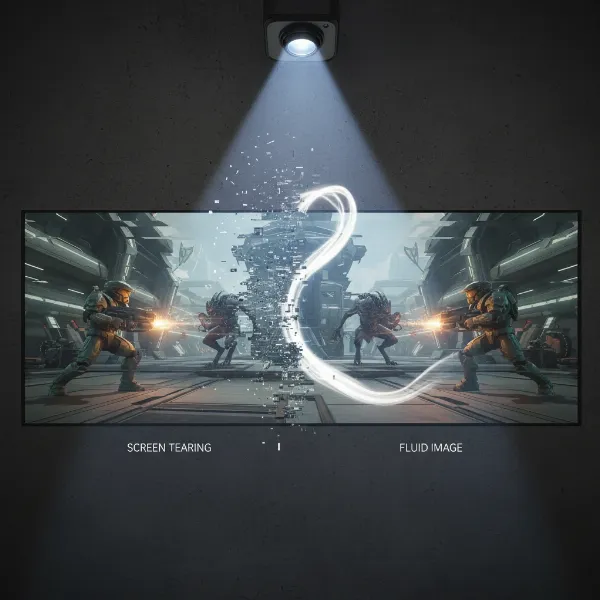 A split screen showing screen tearing on one side and a smooth, fluid gaming image with VRR on the other, highlighting the difference for projector gamers.
Enhanced Immersion
The primary allure of gaming on a projector is the sheer scale and immersion it offers. A 100-inch or 200-inch display pulls you into the game world like no other. However, if that immense canvas is plagued by visual glitches, the immersion is shattered. VRR fortifies this immersive potential by delivering consistently fluid motion, allowing you to get lost in the vibrant visuals and fast-paced action without distraction. Every sweeping vista, every explosive encounter, and every precise movement feels more natural and engaging.
Competitive Edge
For competitive gamers, where milliseconds can mean the difference between victory and defeat, smooth and consistent visuals are paramount. While a projector might not be the primary choice for esports pros in a tournament setting, VRR provides a significant advantage for those who enjoy competitive titles on their big home screen. By ensuring every frame is delivered cleanly and without interruption, VRR allows players to react more quickly and precisely to on-screen events, enhancing overall performance and enjoyment. The clarity and fluidity can lead to better target acquisition and smoother navigation, which are vital in fast-paced genres like first-person shooters and racing games.
The Evolution of VRR in Projectors
For many years, Variable Refresh Rate technology was a luxury primarily found in high-end gaming monitors and televisions. Projectors, while offering unparalleled screen sizes, often lagged behind in adopting advanced gaming-specific features like VRR. The technical complexities of adapting such dynamic display technologies to projection systems, combined with the traditional focus of projectors on home cinema rather than gaming, meant that gamers often had to compromise on visual fluidity if they chose the big screen.
However, the landscape for projector gaming is rapidly changing. In recent years, manufacturers have recognized the growing demand from gamers for an immersive, large-screen experience without sacrificing performance. This has led to a new generation of “next-gen” gaming projectors that are specifically engineered to meet the stringent demands of modern gaming. These advanced projectors are finally starting to incorporate VRR, making them a viable and exciting option for serious players.
A key enabler for this shift has been the widespread adoption of the HDMI 2.1 standard. HDMI 2.1 offers significantly increased bandwidth compared to its predecessors, which is crucial for handling the high data rates required for 4K resolution at high refresh rates (like 120Hz) and for supporting VRR pass-through. Without HDMI 2.1, achieving tear-free 4K/120Hz gaming on a projector would be technically challenging, if not impossible.
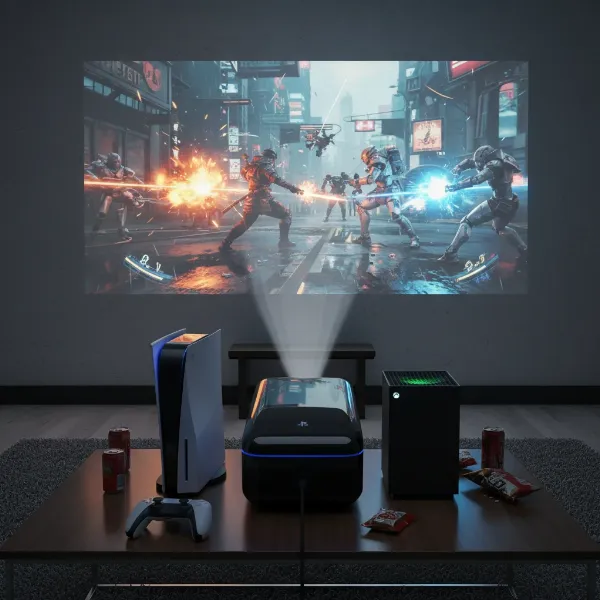 A high-end gaming projector displaying a vibrant game scene with a console and controller visible nearby, emphasizing VRR capabilities.
Despite these advancements, there are still some limitations and trade-offs to consider. While some cutting-edge projectors now boast impressive VRR capabilities, often the highest refresh rates (e.g., 240Hz) are still limited to 1080p resolution. If you desire 4K resolution with VRR, you might find that the maximum supported refresh rate is currently 60Hz or 120Hz, depending on the specific projector model. Full-bandwidth HDMI 2.1 implementations that support 4K/120Hz with VRR are becoming more common but can still be considered a premium feature. This means gamers often need to weigh the importance of ultra-high frame rates at lower resolutions against a more detailed 4K picture at slightly lower refresh rates when selecting a VRR-enabled projector.
Essential Features for a VRR Gaming Projector
Choosing the right VRR gaming projector goes beyond just confirming it has VRR. A truly exceptional gaming experience on the big screen hinges on a combination of critical features that work together to deliver responsiveness, clarity, and immersion.
HDMI 2.1 Connectivity
This is arguably the most non-negotiable feature for modern VRR gaming. As mentioned, HDMI 2.1 provides the necessary bandwidth for 4K resolutions at high refresh rates (like 120Hz) and is essential for HDMI VRR. Without it, you won’t be able to fully utilize the VRR capabilities of current-generation consoles and powerful gaming PCs, potentially limiting your experience to lower resolutions or refresh rates, or forcing you to contend with screen tearing. Ensure the projector explicitly states full HDMI 2.1 support, not just partial compatibility.
Low Input Lag
While VRR ensures smooth motion by synchronizing frames, low input lag ensures your actions register on screen almost instantaneously. Input lag measures the delay between your command (e.g., pressing a button) and the resulting action appearing on the display. For competitive and fast-paced games, input lag needs to be as low as possible, ideally in the single-digit millisecond (ms) range. Many dedicated gaming projectors now boast impressive input lag figures, some as low as 1ms at 1080p or 3-6ms at 4K, rivaling even top-tier gaming monitors. Always look for this specification, especially if responsiveness is a priority.
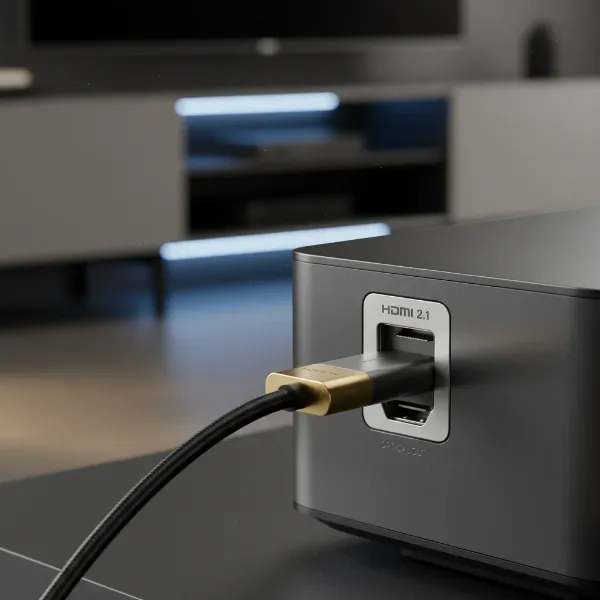 A close-up of an HDMI 2.1 port on the back of a projector, with an HDMI cable partially inserted, highlighting modern connectivity.
High Native Refresh Rate
Even before VRR kicks in, a projector’s native refresh rate is crucial. A higher refresh rate (e.g., 120Hz or 240Hz) inherently leads to smoother motion and often correlates with lower input lag, as the display can process and show frames more quickly. While VRR dynamically adjusts, having a high native ceiling means the projector can keep up with very high frame rates from your source when possible, and still provide a smooth experience when VRR is active across a wide range of frame rates. Look for projectors that offer at least 120Hz, with 240Hz being ideal for PC gaming at 1080p.
Resolution and VRR Compatibility
Understanding the interplay between resolution and VRR is vital. While 4K VRR is becoming more common, achieving 4K at 120Hz with VRR can still be a premium feature. Many projectors might offer 4K at 60Hz with VRR, or 1080p at 120Hz/240Hz with VRR. Determine which combination is more important for your gaming habits: absolute resolution or ultra-high frame rates. For competitive gamers, 1080p at 120Hz+ with VRR might be preferable, while cinematic single-player experiences could benefit more from 4K at 60Hz with VRR.
Brightness & Contrast for Gaming
While not directly related to VRR, brightness (measured in lumens) and contrast ratio significantly impact the visual quality of your projected games. A bright projector ensures a clear, vibrant image even in rooms with some ambient light, preventing washed-out visuals. High contrast ratios deliver deeper blacks and brighter whites, making game worlds appear more dynamic and detailed. Look for at least 2,000 ANSI lumens for casual gaming and 3,000+ for versatile use. Good contrast will make dark scenes more impactful.
Lens Quality and Throw Ratio
The optical components of your projector are paramount. High-quality lenses ensure a sharp, clear image across the entire screen. The throw ratio (the distance the projector needs to be from the screen to achieve a certain image size) determines placement flexibility. For gaming, avoid digital keystone correction or zoom whenever possible, as these can introduce additional processing and potentially increase input lag. Opt for a projector that naturally fits your space and allows for a perfectly aligned image without digital manipulation.
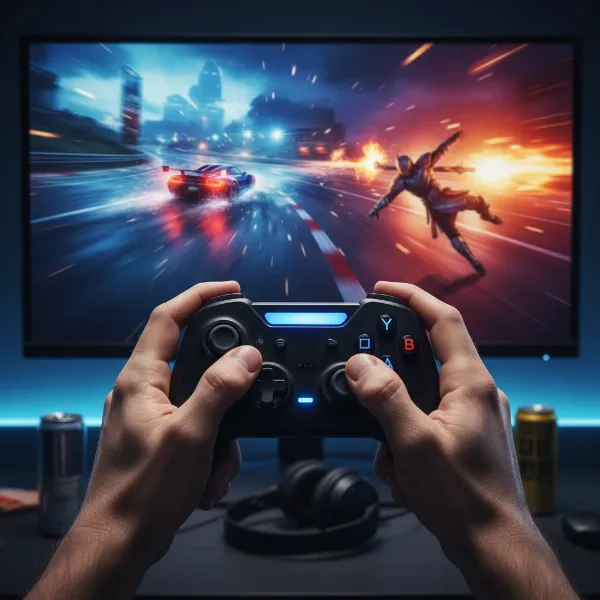 A gamer's hands on a controller, with the action reflected on a large, vibrant projected screen in the background, symbolizing responsiveness with low input lag.
Top VRR-Enabled Gaming Projectors to Consider
The market for gaming projectors with Variable Refresh Rate is still evolving, but several manufacturers are leading the charge, offering compelling options for gamers. While specific models can change frequently, focusing on brands known for pushing gaming-centric features is a good starting point.
Leading brands like Acer have introduced projectors that explicitly support VRR, catering to both PC and console gamers. For instance, certain Acer models are highlighted for offering 4K resolution at 60Hz with VRR, or an impressive 1080p at 240Hz for PC gamers and 1080p at 120Hz for console users, making them ideal for fast-paced competitive titles. These projectors often pair VRR with other critical gaming features like high brightness and dedicated game modes.
Another standout is the Xgimi Horizon 20 Max, which has been reviewed positively for its gaming capabilities. This projector boasts VRR support up to 240Hz at 1080p resolution, with an incredibly low latency of 1ms. Even at 4K, it maintains a reasonable 3ms latency, demonstrating that high-resolution, tear-free gaming is becoming a reality on projectors. The Xgimi Horizon 20 Max also incorporates specific gaming modes, such as FPS and RTS, to further optimize performance and visuals for different genres.
Emerging players and established home cinema brands like Sony are also beginning to integrate HDMI 2.1 and 4K/120Hz capabilities into their higher-end models, which often implies VRR support, particularly in their “Bravia” line of projectors designed for media consumption. While these might come at a premium, they signify a broader trend of VRR becoming a more standard feature in performance-oriented projectors.
When evaluating potential projectors, always look for those explicitly marketed towards “gaming” and verify their specifications for VRR support, HDMI 2.1 compliance, input lag figures (the lower, the better), and the maximum refresh rates available at different resolutions. Reading detailed reviews and professional benchmarks can provide real-world insights into a projector’s gaming performance.
Setting Up Your VRR Projector for Optimal Gaming
Acquiring a VRR-enabled projector is just the first step; proper setup is crucial to unlock its full potential and ensure a truly seamless gaming experience. Even the most advanced projector can underperform if not configured correctly.
Source Device Compatibility
First, confirm that your gaming source—whether it’s a PlayStation 5, Xbox Series X/S, or a PC with a modern graphics card (NVIDIA RTX 20-series or newer, AMD Radeon RX 5000-series or newer)—supports VRR. Console settings typically have a dedicated option to enable VRR under their display or video output menus. For PC, ensure your graphics drivers are up to date and VRR (G-SYNC Compatible or FreeSync) is enabled in your GPU’s control panel and Windows display settings.
Cable Matters
The importance of using high-quality cables cannot be overstated. For 4K/120Hz with VRR, a certified Ultra High Speed HDMI 2.1 cable is absolutely essential. Standard or older HDMI cables (e.g., HDMI 2.0) simply do not have the bandwidth required to pass through the necessary data, meaning you won’t be able to achieve the desired resolutions, refresh rates, or VRR functionality. Invest in a reputable, certified cable to avoid compatibility issues.
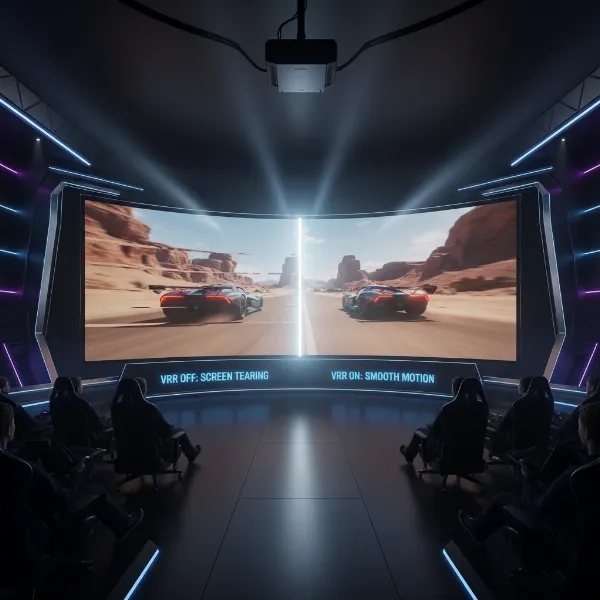 A side-by-side comparison of a game scene on a projected screen, one half showing screen tearing without VRR and the other half showing smooth motion with VRR enabled.
Projector Settings
Once everything is connected, delve into your projector’s settings menu. Most gaming projectors will have a dedicated “Game Mode” or a similar setting. Activating this mode is vital, as it typically bypasses image processing features that can introduce input lag and ensures the projector prioritizes responsiveness and low latency. Within this mode, or in a separate display section, you should find an option to enable VRR. Confirm it’s switched on to allow the projector to dynamically adjust its refresh rate. You may also need to manually select the highest available refresh rate and resolution that your projector and source combination supports.
Environment Optimization
Finally, consider your gaming environment. While VRR enhances visual smoothness, optimal picture quality still benefits from controlled lighting. A dark room will allow your projector’s contrast and colors to truly shine, making the immersive effect even more profound. If playing in a room with ambient light, a high-gain or ambient light rejecting (ALR) screen can significantly improve image vibrancy and combat washout, further enhancing your VRR-powered gaming sessions. Correctly positioning the projector to avoid keystone correction is also paramount to maintain image quality and prevent additional processing.
Is a VRR Projector Right for You?
The decision to invest in a VRR-enabled projector depends heavily on your gaming priorities, budget, and desired experience. While VRR brings significant enhancements, it’s important to weigh the pros and cons to determine if this technology is the right fit for your ultimate gaming setup.
Pros:
- Unparalleled Immersion: Projectors offer screen sizes that TVs simply cannot match at comparable prices, creating a truly cinematic and all-encompassing gaming environment. VRR ensures this grand scale isn’t marred by visual glitches.
- Smoother Gameplay: Eliminating screen tearing and stuttering directly translates to a more fluid, consistent, and enjoyable gaming experience, especially in dynamic, fast-paced titles where visual consistency is key.
- Competitive Advantage: For those who play competitively on a large screen, the improved visual clarity and responsiveness provided by VRR can lead to quicker reaction times and better overall performance.
- Eye Comfort: Gaming on a projector involves reflected light rather than direct light emission, which some studies suggest can be less strenuous on the eyes during long gaming sessions, potentially reducing blue light exposure compared to direct-view screens.
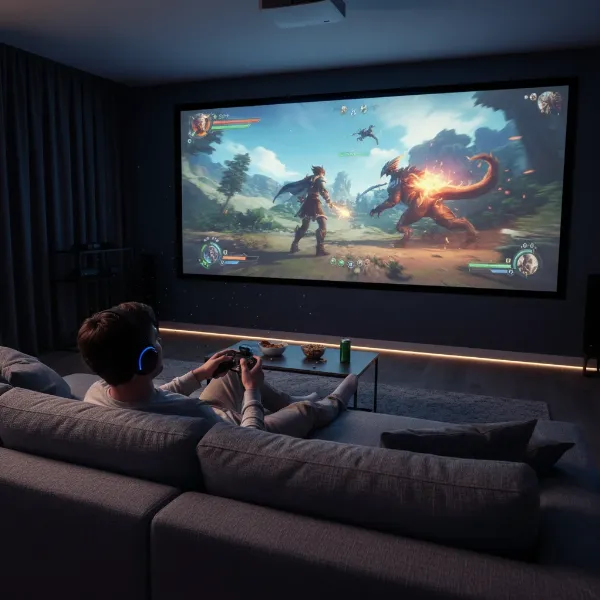 A gamer excitedly playing a video game on a massive projected screen with VRR active, showing smooth graphics and high immersion.
Cons:
- Higher Cost: VRR-enabled gaming projectors, particularly those with HDMI 2.1 and low input lag at high resolutions, tend to be premium devices with a steeper price tag than non-VRR counterparts or even many VRR-enabled TVs.
- Fewer Options: While the market is growing, the selection of VRR projectors is still more limited compared to VRR-equipped gaming monitors and televisions. This might mean fewer choices in terms of features, brands, or price points.
- Potential Resolution/Refresh Rate Compromises: As noted, achieving both 4K resolution and ultra-high refresh rates (like 120Hz+) with VRR simultaneously can still involve trade-offs on some models, often limiting the highest refresh rates to 1080p.
- Environmental Sensitivity: Projectors, by nature, are more sensitive to ambient light than TVs. While modern gaming projectors are brighter, optimal performance, especially for contrast and color, still requires some light control.
Who benefits most from a VRR projector? Competitive gamers who prioritize responsiveness and fluidity, enthusiasts seeking the most cinematic and immersive single-player experiences, and anyone who wants to enjoy multiplayer gaming on a truly epic scale without visual disruptions. If your budget allows, and you value a tear-free, super-sized gaming canvas, a VRR projector could be the ultimate upgrade for your entertainment setup.
Conclusion
The evolution of projector technology has brought us to an exciting juncture where the dream of expansive, immersive gaming is no longer marred by frustrating visual artifacts. Variable Refresh Rate (VRR) has emerged as a cornerstone feature, transforming the gaming experience on the big screen by eliminating screen tearing and stuttering. By synchronizing the projector’s refresh rate with your gaming device’s frame rate, VRR ensures a fluid, responsive, and deeply engaging journey into every virtual world.
As projectors continue to advance with features like HDMI 2.1, ultra-low input lag, and high native refresh rates, the gap between traditional gaming displays and projection systems is rapidly closing. Choosing a VRR-enabled gaming projector means embracing a future where cinematic scale meets competitive performance. With the right understanding and setup, you can enjoy a gaming experience that is not only bigger but also significantly smoother and more captivating. The time has come to rethink your gaming setup and unlock the full potential of your favorite titles on an epic scale. Are you ready to elevate your gaming to a cinematic scale with VRR?
Frequently Asked Questions
What is screen tearing and how does VRR fix it?
Screen tearing is a visual artifact where the display shows fragments of multiple frames simultaneously, appearing as a horizontal tear. This occurs when the game’s fluctuating frame rate doesn’t match the projector’s fixed refresh rate. VRR solves this by allowing the projector to dynamically adjust its refresh rate, displaying each complete frame as soon as it’s rendered by the source, thus eliminating the tearing effect and ensuring a smooth image.
Do all projectors support VRR?
No, not all projectors support VRR. While it’s becoming more common in newer gaming-focused projectors, many traditional or older models do not have this feature. To ensure VRR compatibility, always check the projector’s specifications for explicit mentions of Variable Refresh Rate (VRR) support, HDMI 2.1, and technologies like AMD FreeSync or NVIDIA G-SYNC.
Is HDMI 2.1 required for VRR on a projector?
For the most part, yes, HDMI 2.1 is crucial for VRR functionality on a projector, especially if you plan to game at 4K resolution with high refresh rates (e.g., 120Hz). HDMI 2.1 provides the necessary bandwidth and includes the HDMI VRR specification. While some VRR solutions exist on older HDMI 2.0 ports on specific TVs, for projectors and modern consoles/PCs, HDMI 2.1 is the standard for reliable VRR performance.
Can I get 4K at 120Hz with VRR on a projector?
Yes, it is now possible to get 4K at 120Hz with VRR on some advanced projectors, but it’s still a premium feature. These projectors must be equipped with full-bandwidth HDMI 2.1 ports and sufficient internal processing capabilities. Currently, the selection of projectors that fully support 4K/120Hz with VRR is limited compared to displays that prioritize 1080p at ultra-high refresh rates like 240Hz. Always confirm the specific capabilities of any model you consider.
What’s the difference between refresh rate and VRR?
Refresh rate refers to the fixed number of times a display updates its image per second (e.g., 60Hz, 120Hz). VRR (Variable Refresh Rate), however, is a technology that allows the display’s refresh rate to dynamically change in real-time to match the fluctuating frame rate output by the source device. While a high refresh rate provides a smoother baseline, VRR actively synchronizes to eliminate tearing and stuttering, leading to an even more fluid and consistent visual experience across varying frame rates.