Are you ready to transcend the boundaries of your small screen and immerse yourself in the vast, vibrant worlds of your favorite video games? For too long, the idea of gaming on a projector was dismissed due to concerns about lag and picture quality. However, the landscape of home entertainment has dramatically shifted, with modern projectors now engineered to deliver breathtaking visuals and ultra-responsive gameplay, rivaling even the most dedicated gaming monitors. If you’re a seasoned gamer seeking a truly cinematic and competitive edge, diving into the world of low input lag gaming projectors is your next quest.
This comprehensive guide, drawn from over a decade of hands-on experience in projection technology, will navigate you through the essential features, top contenders, and expert tips to help you choose the perfect gaming projector that not only fits your space and budget but also transforms your gaming sessions into epic adventures. Let’s illuminate the path to your ultimate gaming setup!
What is a Gaming Projector and Why Does it Matter?
A projector, at its core, is an optical device that projects an image or video onto a surface, typically a projection screen. From their early days in lecture halls and movie theaters, projectors have undergone significant evolution, becoming more compact, versatile, and sophisticated. Modern projectors now cater to a myriad of applications, including a specialized category designed specifically for the demanding needs of video gamers.
Gaming projectors distinguish themselves from standard home theater or business projectors by prioritizing factors critical to interactive entertainment. While a traditional projector might focus solely on cinematic color accuracy and high contrast for movies, a gaming projector elevates features like refresh rate, resolution, and, most importantly, input lag, to ensure a fluid and responsive gaming experience. This specialization is vital because the milliseconds between your command and the on-screen action can mean the difference between victory and defeat in fast-paced games.
Decoding Key Factors for Your Gaming Projector
Choosing the right gaming projector involves understanding several technical specifications. Each plays a role in how immersive, fluid, and responsive your gaming experience will be.
Input Lag: The Gamer’s Critical Metric
|
Our Picks for the Best projector in 2026
As an Amazon Associate I earn from qualifying purchases.
|
||
| Num | Product | Action |
|---|---|---|
| 1 | Astronaut Galaxy Projector with Bluetooth Speaker & White Noise, App & Remote Control Star Projector, Galaxy Projector for Bedroom Adults Kids, Spaceman Night Light for Gaming Room, Home Theater |

|
| 2 | Projector-4K with WiFi and Bluetooth:[3000 ANSI/40W Dolby Audio/Official Licensed Apps], Outdoor-Projector with Smart OS 2.0 & AI Auto Focus,ONOAYO ONO5Pro 2.0 Smart Movie Projector for Indoor/Outdoor |
|
| 3 | [Built-in Official Apps/4K Support] Smart Outdoor Projector with WiFi and Bluetooth, 800ANSI Movie Projector, DoIby Audio with Dual Speaker, Auto Focus w/ YouTube&PrimeVideo Proyector, Upgrad P62 Pro |
|
| 4 | [Officially-Licensed App & Auto Focus]Smart Mini Projector with WiFi and Bluetooth, XuanPad 4K Support Movie Projector, Portable Native 1080P Outdoor Projector with 360° Stand |
|
| 5 | 【Officially-Licensed APP & Native 1080P】Thinnest 1.81\" Smart Mini Projector with WiFi and Bluetooth, Auto Focus & Keystone Portable Outdoor Projector, VOPLLS 4K Support Home Movie Projector |
|
| 6 | Aurzen Roku TV Smart Projector with Wifi and Bluetooth, Roku Streaming Experience Built-in, 1080P FHD, Dolby Audio, Auto Focus & Keystone, Zoom, Movie Portable Outdoor Mini Projector, White |
|
| 7 | Mini Projector with Built-in Rechargeable Battery for Outdoor, Portable Projector with WiFi and Bluetooth, 4K Projector for Bedroom, Smart Projector |
|
| 8 | Mini Smart Projector, 1500 ANSI Portable Projector with WiFi and Bluetooth, HAPPRUN 4K Full HD Home Theater with 270° Stand, Dolby Sound, Built-in Apps,Compatible with Phone & PC, Indoor & Outdoor Use |
|
| 9 | Magcubic Mini Projector with WiFi 6 and Bluetooth 5.4, Portable Projector 4K Support, 5W Soundbase Speaker, Auto Vertical Keystone 180°Rotatable Smart Proyector for Movie Home Outdoor |
|
| 10 | HAPPRUN Native 1080P Bluetooth Mini Projector, Full HD Portable Outdoor Movie Projector with Built-in Speaker, Compatible with Smartphone, HDMI, USB, AV, Fire Stick, PS5 for Home, Bedroom, Outdoor Use |
|
Input lag, often referred to as latency, is arguably the most crucial specification for any serious gamer. It measures the delay between the time your input device (controller or keyboard) sends a signal and when that action is visibly displayed on the screen. For competitive gaming, where split-second reactions are paramount, lower input lag is always better.
Generally, an input lag under 20 milliseconds (ms) is considered excellent for competitive gaming. Casual gamers might find a range of 20-50ms acceptable, but anything above that can make games feel sluggish and unresponsive. Many dedicated gaming projectors today boast impressively low input lag times, often between 4ms and 16ms, especially at higher refresh rates and lower resolutions like 1080p. To achieve the lowest possible input lag, most gaming projectors include a “Game Mode” which bypasses unnecessary image processing that can add delay. It’s often recommended to disable other heavy image processing functions like keystone correction when prioritizing speed.
Refresh Rate: Smooth Motion for Fast Action
The refresh rate, measured in Hertz (Hz), indicates how many times per second the projector can update the image on the screen. A higher refresh rate translates to smoother motion, which is incredibly beneficial in fast-paced games. While 60Hz is standard, gaming projectors increasingly support 120Hz, 144Hz, and even 240Hz, mirroring the capabilities of high-end gaming monitors. For PC gamers, especially those playing competitive shooters, a 120Hz or 240Hz refresh rate at 1080p resolution offers a significant advantage, reducing motion blur and making targets easier to track. Console gamers with PlayStation 5 or Xbox Series X can also benefit from 120Hz support in compatible titles.
Resolution: Clarity and Detail
Resolution defines the number of pixels that make up the projected image, directly impacting clarity and detail. Common resolutions include SVGA (800×600), XGA (1024×768), 720p (1280×720), 1080p (1920×1080), and 4K UHD (3840×2160). For gaming, 1080p offers a great balance of detail and performance, often allowing for higher refresh rates and lower input lag. However, 4K UHD projectors, many of which use pixel-shifting technology to achieve a 4K image, are becoming increasingly popular for their stunning detail and immersive visuals, especially for cinematic games. Modern gaming projectors are adept at handling both resolutions, with many offering low input lag even at 4K/60Hz.
Brightness (Lumens): Conquering Ambient Light
Projector brightness is measured in ANSI lumens. The higher the lumen count, the brighter the image, which is crucial for maintaining image quality in rooms with ambient light. For gaming in a dedicated dark room, 1,500-2,500 lumens might suffice. However, for gaming in a living room with some ambient light, a projector with 3,000 ANSI lumens or more is highly recommended to ensure colors pop and details remain visible.
Contrast Ratio: Depth and Vibrancy
Contrast ratio describes the difference between the brightest whites and the darkest blacks a projector can produce. A higher contrast ratio results in more dynamic, vibrant images with greater depth and detail in both shadows and highlights. This is particularly important for games with dark environments, ensuring you don’t miss crucial details or enemies lurking in the shadows.
Lamp Life and Light Source: Longevity and Consistency
Projectors typically use one of three light sources: traditional lamps, LEDs, or lasers.
- Lamps: Offer good brightness but have a limited lifespan (often 2,000-6,000 hours) and brightness degrades over time. They also require replacement bulbs.
- LEDs: Provide longer lifespans (20,000+ hours), instant on/off, and consistent brightness throughout their life. They are typically found in more compact or portable projectors.
- Lasers: Offer the longest lifespans (20,000-30,000+ hours), exceptional brightness, superior color accuracy, and instant on/off. They are usually found in high-end projectors. For frequent or extended gaming sessions, LED or laser light sources are a significant advantage due to their durability and low maintenance.
Throw Ratio: Fitting Your Space
Throw ratio determines the distance a projector needs to be from the screen to produce a certain image size.
- Standard-throw projectors: Require a longer distance, suitable for larger rooms.
- Short-throw projectors: Can project a large image from a short distance (e.g., a few feet), ideal for smaller rooms or where space is limited.
- Ultra-short-throw (UST) projectors: Sit directly in front of the screen, almost touching it, perfect for living room setups where a traditional projector isn’t feasible.
Keystone Correction: Correcting Distortions
Keystone correction electronically adjusts the image to make it rectangular, even if the projector is not perfectly centered with the screen. While convenient, using extensive keystone correction can degrade image quality and, as noted, potentially add input lag. For optimal gaming performance, aim to position the projector as squarely as possible.
Connectivity: Plug-and-Play
Modern gaming projectors offer a variety of connection options.
- HDMI: Essential for connecting consoles, PCs, and streaming devices. Look for HDMI 2.1 ports if you plan to game at 4K resolution with 120Hz refresh rates, as these offer the necessary bandwidth.
- USB-C: Useful for connecting laptops or some handheld gaming devices with DisplayPort Alt Mode.
- Wireless Connectivity (Wi-Fi, Bluetooth): Allows for streaming content or connecting external audio devices, but wired connections are always preferred for gaming to minimize lag.
HDR and VRR: Enhanced Visuals and Smoothness
HDR (High Dynamic Range) support (HDR10, HLG, Dolby Vision) dramatically expands the range of colors and contrast, making games look more vibrant and realistic. VRR (Variable Refresh Rate) synchronizes the projector’s refresh rate with the gaming console or PC’s frame rate, eliminating screen tearing and stutter for exceptionally smooth gameplay, especially when frame rates fluctuate. These are premium features that elevate the gaming experience.
Navigating Projector Technologies for Gamers
Different projector technologies offer distinct advantages and disadvantages. Understanding these can help you align your choice with your gaming preferences.
DLP Projectors
DLP (Digital Light Processing) projectors use tiny mirrors on a chip to reflect light. Many popular gaming projectors utilize DLP technology due to its ability to produce sharp images and excellent motion handling, making it ideal for fast-paced games.
- Pros: Generally known for very low input lag, sharp images, and good contrast. Many can achieve high refresh rates.
- Cons: Some users may experience a “rainbow effect” (brief flashes of color) in high-contrast scenes, especially with single-chip DLP models.
- Gaming Suitability: Excellent for competitive and fast-paced gaming where low latency and sharp motion are paramount.
LCD Projectors
LCD (Liquid Crystal Display) projectors use three separate LCD panels (one each for red, green, and blue) to create the image.
- Pros: Known for excellent color accuracy, good brightness, and no rainbow effect. Often offer a good balance for both gaming and cinematic viewing.
- Cons: Historically, LCD projectors have had slightly higher input lag than their DLP counterparts, though newer models are closing this gap. They might also have slightly less native contrast.
- Gaming Suitability: Good for casual to mid-level gamers who prioritize color accuracy and cinematic visuals alongside responsive gameplay.
LED Projectors
LED (Light Emitting Diode) projectors use LED arrays as their light source. This technology can be combined with either DLP or LCD imaging chips.
- Pros: Very long lifespan (20,000+ hours), instant on/off, consistent brightness, and often a compact, portable form factor. Environmentally friendly.
- Cons: Can sometimes be less bright than lamp or laser projectors, which might be a consideration for gaming in brightly lit rooms.
- Gaming Suitability: Ideal for gamers who value longevity, portability, and convenience, and often game in dimmer environments.
Laser Projectors
Laser projectors use powerful lasers as their light source, often combined with DLP or 3LCD chips.
- Pros: Extremely long lifespan (20,000-30,000+ hours), exceptionally high brightness, superior color accuracy, and incredible contrast. Instant on/off.
- Cons: Typically the most expensive projector type.
- Gaming Suitability: The ultimate choice for premium gaming experiences, offering breathtaking visuals, extreme brightness, and often very low input lag, suitable for all types of gaming.
A Side-by-Side Look: Gaming Projector Technologies
To help you make an informed decision, here’s a detailed comparison of the key projector technologies relevant to gaming:
| Feature | DLP Projectors | LCD Projectors | LED Projectors (DLP/LCD based) | Laser Projectors (DLP/LCD based) |
|---|---|---|---|---|
| Input Lag | Often lowest (4-16ms) | Moderate (15-30ms, improving) | Low to Moderate (depends on chip, 10-30ms) | Low (often 10-20ms) |
| Refresh Rate | Excellent (up to 240Hz at 1080p) | Good (up to 120Hz at 1080p/4K) | Good (up to 120Hz/240Hz, chip dependent) | Excellent (up to 120Hz/240Hz, chip dependent) |
| Resolution | Up to 4K UHD (pixel-shifting common) | Up to 4K PRO-UHD (pixel-shifting common) | Up to 4K UHD | Up to 4K UHD (native or pixel-shifting) |
| Brightness | Very Good (2,000-3,500+ lumens) | Very Good (2,500-4,000+ lumens) | Good (400-3,000 lumens, varies) | Excellent (2,500-10,000+ lumens) |
| Contrast | Good to Very Good | Good | Good | Excellent (high native contrast) |
| Color Accuracy | Good, but can exhibit rainbow effect | Excellent (no rainbow effect) | Very Good (consistent, wide gamut) | Outstanding (wide gamut, accurate) |
| Lamp Life | Limited (2,000-6,000 hrs) | Limited (2,000-6,000 hrs) | Very Long (20,000-30,000+ hrs) | Extremely Long (20,000-30,000+ hrs) |
| Maintenance | Lamp replacement, filter cleaning | Lamp replacement, filter cleaning | Low (no lamp replacement) | Very Low (no lamp replacement) |
| Price Range | Mid to High | Mid to High | Entry to Mid-Range | High to Premium |
| Gaming Use | Ideal for competitive, fast-paced games | Great for balanced gaming/movies | Good for casual/portable gaming | Best for immersive, high-end gaming |
Top Gaming Projectors with Ultra-Low Input Lag
Based on extensive research and performance metrics, here are some of the most highly-regarded gaming projectors that deliver on the promise of low input lag and an immersive gaming experience. Please note that prices are approximate and can fluctuate.
Best Budget-Friendly Gaming Projectors (Under $1000)
Even on a tighter budget, you can find projectors that offer respectable gaming performance. These models prioritize speed without breaking the bank.
- ViewSonic PX701-4K: This projector is often hailed as one of the best budget 4K gaming projectors. It provides a sharp 4K pixel-shifted image and incredibly low input lag, often achieving 7.6ms at 4K/60Hz and as low as 4.2ms at 1080p/240Hz. While its brightness and color accuracy might not match premium models, its speed-to-price ratio is hard to beat for competitive gamers on a budget.
- Hisense M2 Pro: A strong contender in the budget category, the Hisense M2 Pro offers good gaming performance. It provides low input lag and reasonable brightness, making it a viable option for those looking to get into large-screen gaming without a significant investment.
Mid-Range Powerhouses for Gamers ($1000-$2000)
Stepping up in price brings significant improvements in brightness, contrast, and features, offering a more well-rounded gaming and entertainment experience.
- BenQ TK700STi: A popular choice for gamers, the BenQ TK700STi is a 4K short-throw projector specifically designed for gaming. It boasts ultra-low input lag (16ms at 4K/60Hz, 4.16ms at 1080p/240Hz) and comes with dedicated game modes for FPS, RPG, and SPG, optimizing audio, visuals, and latency for each genre. Its 3,000 ANSI lumens brightness also makes it suitable for rooms with some ambient light.
- Optoma UHD35: The Optoma UHD35 is another excellent mid-range option, offering true 4K UHD resolution and an impressive 3,600 ANSI lumens. It matches the BenQ TK700STi in input lag performance (16ms at 4K/60Hz, 4ms at 1080p/240Hz), making it a top pick for both immersive 4K cinematic gaming and fast-twitch competitive play.
- XGIMI Horizon S Max: For 60Hz-first console gamers who prioritize stunning image quality over ultra-high frame rates, the XGIMI Horizon S Max is a fantastic choice. It delivers a sharp 4K pixel-shifted image with Dolby Vision, HDR10, and HLG support, making games look rich and saturated. Its 60Hz input lag is low enough for responsive action games, and its smart OS and auto-correction features add to its living-room appeal.
Premium Gaming Projectors (Above $2000)
These projectors represent the pinnacle of gaming projection, combining cutting-edge technology, superior image quality, and exceptionally low input lag for the most demanding users.
- BenQ X3100i: Often regarded as a flagship gaming projector, the BenQ X3100i is a 4LED, 4K UHD model that excels in every aspect. It delivers 3,300 ANSI lumens of brightness, wide color gamut coverage (100% DCI-P3), and incredibly low input lag, down to 4.2ms at 1080p/240Hz and 16ms at 4K/60Hz. It also supports HDR10 and HLG, providing a truly immersive and competitive gaming experience.
- Hisense C2 Ultra: This short-throw 4K laser projector stands out for its combination of strong image quality and responsiveness. It’s bright enough for a living room, offers great contrast, and an extremely wide color gamut. In Game Mode, its input lag is comfortably low for 4K@60Hz console play and supports 1080p@120Hz and 1080p@240Hz for PC gaming, even offering Dolby Vision gaming for Xbox.
- XGIMI HORIZON 20 Max: If you seek the best-looking gaming projector and are willing to invest, the XGIMI HORIZON 20 Max delivers. Its 4K pixel-shifting and RGB laser light engine provide a brighter, more cinematic HDR presentation with wider, richer colors. It supports a comprehensive array of HDR formats (Dolby Vision, HDR10+, HDR10, HLG) and offers strong gaming responsiveness, including VRR support, making it an upgrade choice for discerning gamers.
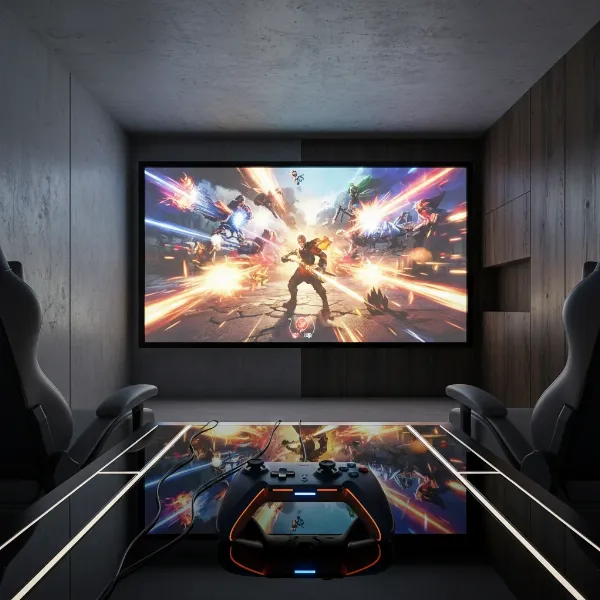 A high-end gaming projector displaying a vibrant video game on a large screen in a dimly lit room, with a game controller visible
Your Ultimate Gaming Projector Buying Guide
Navigating the options can be overwhelming, but by following a structured approach, you can confidently select the best gaming projector for your needs.
-
Identify Your Primary Use and Gaming Style:
- Competitive Gamer: Prioritize the absolute lowest input lag (under 20ms, ideally 4-8ms) and high refresh rate support (120Hz-240Hz). Resolution might be secondary to speed. Look at DLP models.
- Casual Gamer/Cinematic Experiences: Balance input lag (20-30ms is fine) with excellent image quality (4K, high contrast, good color accuracy). LCD or laser models might be appealing.
- All-Around Entertainment: Look for a projector that excels in both gaming and movies, balancing input lag, resolution, brightness, and color. Many mid-range to premium models offer this versatility.
-
Determine Your Budget: Projector prices vary widely. Set a realistic budget and focus on models within that range, understanding the trade-offs involved. You can find capable gaming projectors under $1000, but premium features and performance will require a larger investment.
-
Evaluate Your Room Environment and Space:
- Ambient Light: For bright rooms, aim for 3,000+ ANSI lumens. For dark rooms, 1,500-2,500 lumens can be sufficient.
- Throw Distance: Measure the available distance from where the projector will sit to your screen. This will dictate whether you need a standard-throw, short-throw, or ultra-short-throw model.
- Screen Size: Consider the maximum screen size you want and if your chosen projector can achieve it at your available throw distance.
-
Prioritize Input Lag and Refresh Rate: For gaming, these are non-negotiable. Always check the manufacturer’s specifications for input lag (preferably at different resolutions and refresh rates, e.g., 4K/60Hz and 1080p/120Hz/240Hz) and confirm refresh rate support.
-
Read Expert and User Reviews: Consult reputable tech review sites and read user feedback. Pay close attention to comments specifically regarding gaming performance, input lag measurements, and real-world brightness. Look for consistency in opinions.
-
Consider Light Source Longevity: If you plan on long gaming sessions or want a low-maintenance setup, LED or laser light sources offer significantly longer lifespans than traditional lamps.
-
Test if Possible: If you have the opportunity, see the projector in action. Visit a showroom or, if purchasing online, ensure there’s a flexible return policy. A live demonstration can give you a true sense of the image quality and responsiveness.
Maximizing Your Gaming Projector Experience
Once you’ve chosen your gaming projector, a few tips can help you get the most out of your setup.
- Optimal Placement: Position your projector as centrally and squarely to the screen as possible to minimize the need for digital keystone correction, which can degrade image quality and potentially add latency. Use optical lens shift if available, as it’s a superior solution.
- Screen Choice: A dedicated projector screen will significantly enhance image quality compared to a plain wall. Different screen materials can improve brightness, contrast, and ambient light rejection. Matte white screens are a good all-rounder, while ALR (Ambient Light Rejecting) screens are excellent for brighter rooms.
- Enable Game Mode: Always activate the projector’s dedicated “Game Mode.” This mode is designed to reduce input lag by bypassing image processing.
- Disable Unnecessary Processing: Turn off features like motion smoothing, noise reduction, or extensive keystone correction when gaming, as these can introduce delay.
- Cable Quality: Use high-quality HDMI cables, especially if you’re transmitting 4K/120Hz signals, as poor cables can lead to signal degradation or compatibility issues. For HDMI 2.1, ensure your cables are rated for 48Gbps.
- Sound Solution: While many projectors have built-in speakers, they often lack the depth needed for immersive gaming. Connect to a dedicated soundbar, AV receiver, or gaming headset for superior audio. Many gaming projectors offer eARC HDMI ports for easy integration with home theater systems.
- Keep it Clean: Regularly clean the projector’s lens with a microfiber cloth and ensure its air filters (if applicable) are free of dust to maintain optimal performance and prevent overheating.
- Proper Cooling: Ensure adequate ventilation around the projector to prevent overheating, especially during extended gaming sessions.
Conclusion
The world of gaming projectors has evolved dramatically, offering an unparalleled immersive experience that few other displays can match. With advancements in low input lag, high refresh rates, and stunning 4K visuals, these devices are no longer just for home theater enthusiasts but are now a serious contender for gamers seeking the ultimate large-screen experience. Whether you’re battling foes in a fast-paced shooter, exploring vast open worlds, or enjoying cinematic narratives, a dedicated gaming projector can elevate your play to epic proportions. By understanding key features like input lag, refresh rate, and resolution, and selecting a model tailored to your needs and budget, you can unlock a new dimension of gaming excitement.
Are you ready to swap your small screen for a massive, lag-free canvas and truly live the game? The future of immersive gaming is bright, literally!
Frequently Asked Questions
What is a good input lag for gaming projectors?
A good input lag for gaming projectors is generally considered to be under 20 milliseconds (ms). For competitive gamers, times as low as 4-8ms are ideal, especially at 1080p with high refresh rates. Casual gamers may find 20-30ms acceptable, but anything above 50ms can significantly impact responsiveness and make games feel sluggish.
Can I play competitive games on a projector?
Yes, you can absolutely play competitive games on a projector, provided you choose a model specifically designed for gaming with ultra-low input lag and high refresh rate support. Many modern gaming projectors offer performance comparable to gaming monitors, with input lag times as low as 4-16ms and support for up to 240Hz refresh rates, making them suitable for even the most demanding competitive titles.