Has the idea of transforming your living room into a true cinematic haven without the bulk of a large television ever appealed to you? In the ever-evolving world of home entertainment, projectors have moved beyond the boardroom, now offering immersive experiences right in your home. Among the most innovative solutions, ultra-short throw (UST) projectors stand out, promising massive screens from mere inches away. Today, we’re diving deep into the Optoma CinemaX P2, a projector that aims to redefine your home viewing, offering a blend of style, cutting-edge technology, and impressive performance designed to replace your traditional TV.
The Optoma CinemaX P2 isn’t just another projector; it’s a statement piece, meticulously crafted to deliver a stunning 4K HDR image and powerful sound, all from a discreet position at the foot of your wall or screen. This review will explore every facet of the CinemaX P2, from its core technology and picture prowess to its smart features and overall value, helping you decide if this ultra-short throw marvel is the upgrade your home cinema setup deserves.
An Overview of Projectors
Projectors, at their core, are optical devices that project an image (or moving images) onto a surface, commonly a projection screen or a wall. Their primary purpose is to display video, images, or computer data on a larger scale than a conventional television, making them ideal for home theaters, business presentations, educational settings, and large venues. The history of projection dates back centuries, evolving from simple shadow puppetry and magic lanterns to the sophisticated digital projectors we see today. Each iteration has brought advancements in light sources, resolution, and overall image quality, pushing the boundaries of what’s possible in visual display.
Modern projectors broadly fall into several categories based on their display technology and light source. Digital Light Processing (DLP) projectors, like the Optoma CinemaX P2, use tiny mirrors to create an image, known for their sharp visuals and deep blacks. Liquid Crystal Display (LCD) projectors employ panels to filter light, often praised for their vibrant colors and absence of “rainbow effect” for some sensitive viewers. Light Emitting Diode (LED) projectors offer long lamp life and instant on/off capabilities, while Laser projectors, which power the CinemaX P2, represent the pinnacle of modern projection, providing exceptional brightness, extended lifespan, and stable color performance over time.
Essential Factors When Choosing a Projector
Selecting the perfect projector involves understanding several crucial specifications that directly impact your viewing experience. These factors dictate how well a projector performs in various environments and for different types of content, ensuring you make an informed decision that aligns with your specific needs.
Brightness (Lumen): Measured in ANSI lumens, brightness indicates how much light a projector can produce. The Optoma CinemaX P2 boasts 3000 ANSI lumens, which is a significant figure. This level of brightness is generally sufficient to produce a legible image even in rooms with moderate ambient light, making it versatile for general use, watching sports, or casual gaming during the day. However, for the most immersive, “cinema-like” movie experience, particularly with darker scenes, dimming the room lights remains highly recommended to fully appreciate the projector’s contrast and color depth.
Resolution: This refers to the number of pixels a projector can display, determining the sharpness and detail of the image. The Optoma CinemaX P2 delivers stunning 4K UHD resolution (3840 x 2160 pixels). It achieves this by using a Texas Instruments DLP chip with XPR pixel-shifting technology, which rapidly shifts a native 1920×1080 pixel array four times to create a perceived 4K image. This method produces an image that is remarkably detailed and crisp, significantly enhancing the visual fidelity of 4K content like UHD Blu-rays and streaming services. The projector also ably upscales 1080p and 720p content to near-4K quality, ensuring older media still looks impressive on the big screen.
Contrast Ratio: The contrast ratio measures the difference between the brightest whites and the darkest blacks a projector can produce. A higher contrast ratio results in a more dynamic image with greater depth and detail in both bright and dark areas. The CinemaX P2 features a dynamic contrast ratio of 2,000,000:1, contributing to its solid black level performance and the impression of three-dimensionality. While it generally performs well, some reviews suggest that with 1080p SDR material, it might occasionally lose a little shadow detail in extremely dark scenes compared to its HDR counterparts, though this rarely detracts from the overall dramatic impact.
Lamp Life: The lifespan of a projector’s light source is a key consideration for long-term ownership. The Optoma CinemaX P2 utilizes a laser light engine, which offers a significantly longer lifespan compared to traditional lamps. Its laser is rated for approximately 20,000 hours in normal operating mode and extends to 30,000 hours in Eco mode. This translates to many years of use, even with daily viewing, virtually eliminating the need for costly and frequent lamp replacements. Furthermore, laser technology provides consistent brightness throughout its life and enables almost instant on/off functionality, mimicking the convenience of a television.
Keystone Correction: This feature allows a projector to correct trapezoidal distortion that occurs when the projector is not perfectly perpendicular to the screen. The CinemaX P2 includes warp correction, which can help adjust the image geometry. However, for the absolute best image quality, it is always recommended to physically position the projector as squarely as possible to the screen, as digital keystone correction can sometimes reduce brightness and introduce minor image artifacts.
Throw Ratio: Particularly vital for ultra-short throw (UST) projectors, the throw ratio defines the distance a projector needs to be from the screen to produce a given image size. With an impressive ultra-short throw ratio of 0.25:1, the Optoma CinemaX P2 can project a massive image (85 to 120 inches diagonally) from just 8 to 16.5 inches away from the projection surface. For instance, it can cast a 2.5-meter (approximately 100-inch) image from only 25 centimeters (less than 10 inches) away. This makes it an ideal solution for living rooms where space is limited, eliminating the need for complex ceiling mounts or long cable runs across the room.
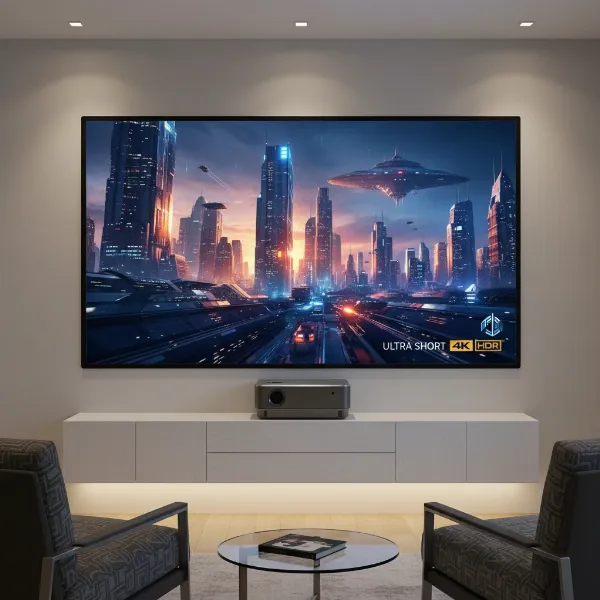 Ultra-short throw projector casting a large image on a wall from a very close distance.
Connectivity: Modern projectors require a variety of input and output options to connect to different sources. The Optoma CinemaX P2 is well-equipped in this regard, offering three HDMI inputs. Two of these are HDMI 2.0 (HDCP 2.2 compatible), with one supporting HDMI ARC for simplified audio passthrough to an external sound system. The third is an HDMI 1.4a port, compatible with Full HD 3D content. Additionally, it features multiple USB-A ports (for multimedia playback, powering streaming dongles, and service), an S/PDIF optical digital audio output, a 3.5mm mini-jack audio output for connecting a subwoofer, an Ethernet port for network connectivity, and built-in Wi-Fi and Bluetooth capabilities. This comprehensive suite ensures seamless integration with a wide range of devices, from Blu-ray players and game consoles to streaming sticks and external audio systems.
Comparing Popular Projector Technologies
The market offers a diverse range of projector technologies, each with its unique strengths and weaknesses. Understanding these differences can help clarify why a particular technology, such as the DLP and Laser combination found in the Optoma CinemaX P2, might be the right fit for your home cinema aspirations.
Projector DLP
Digital Light Processing (DLP) technology is at the heart of the Optoma CinemaX P2. DLP projectors use a DMD (Digital Micromirror Device) chip, which contains millions of microscopic mirrors that tilt rapidly to create the image.
- Advantages: DLP projectors are renowned for their exceptional sharpness, high contrast ratios, and “pixel-perfect” image alignment. They often produce natural, film-like images with excellent motion handling. The single-chip DLP design, as used in the CinemaX P2, effectively eliminates convergence issues that can sometimes affect multi-panel designs, leading to a consistently crisp picture. Furthermore, the CinemaX P2’s implementation with a laser light source and an RGBRGB color wheel ensures accurate color reproduction and minimizes the “rainbow effect” that some sensitive viewers might notice on less advanced DLP models.
- Disadvantages: While generally improved in modern projectors like the P2, some individuals can still perceive a “rainbow effect” (brief flashes of red, green, and blue) in certain high-contrast scenes. For casual viewers, this is rarely an issue, but those highly sensitive to it should consider trying a DLP projector before purchasing.
- Suitability: DLP projectors, particularly those with 4K resolution and laser light sources, are highly suitable for dedicated home theaters, living room setups (especially with UST designs), gaming, and business presentations where sharp, high-contrast images are paramount.
Projector LCD
Liquid Crystal Display (LCD) projectors use three separate LCD panels (one for red, one for green, and one for blue) to create the image.
- Advantages: LCD projectors are typically known for their excellent color saturation and brightness, often producing vibrant and well-defined colors. They generally do not exhibit the rainbow effect, making them a preferred choice for viewers sensitive to it.
- Disadvantages: Compared to DLP, LCD projectors can sometimes have slightly lower native contrast ratios, and individual pixels may be more visible, particularly in lower-resolution models. They also tend to be physically larger than comparable DLP projectors.
- Suitability: Ideal for viewers prioritizing vibrant color and who are sensitive to the rainbow effect. Good for bright rooms, presentations, and general home entertainment.
Projector LED
LED projectors utilize Light Emitting Diodes as their light source instead of traditional lamps or lasers.
- Advantages: The primary benefits of LED technology include an exceptionally long lifespan (often 20,000+ hours), instant on/off functionality, and a wide color gamut that can produce very rich and saturated colors. They are typically more energy-efficient and generate less heat.
- Disadvantages: Historically, LED projectors have struggled to match the brightness levels of lamp or laser-based projectors, making them less suitable for larger screens or brightly lit environments. However, advancements are continuously improving their output.
- Suitability: Best for portable projectors, smaller screen sizes, or environments where low maintenance, energy efficiency, and good color are prioritized over extreme brightness.
Projector Laser
Laser projectors, such as the Optoma CinemaX P2, use a laser diode array as their light source.
- Advantages: Laser technology offers unparalleled brightness and consistency over the projector’s lifespan, with minimal degradation. They provide incredibly long operating hours (20,000 to 30,000 hours), quick startup and shutdown times, and excellent color accuracy, often covering wide color gamuts like DCI-P3. They are also more energy-efficient than traditional lamps.
- Disadvantages: Laser projectors generally come with a higher initial price point compared to lamp-based models. While the P2 is remarkably quiet, some laser projectors can still generate a noticeable fan noise at full power.
- Suitability: Premium home cinema, large venues, TV replacement in living rooms, and any application where superior image quality, brightness, longevity, and low maintenance are critical.
Detailed Comparison Table of Projector Types
To provide a clearer picture of how these technologies stack up, here’s a comparative overview of the main projector types:
| Feature | DLP Projectors (e.g., Optoma CinemaX P2) | LCD Projectors | LED Projectors | Laser Projectors (e.g., Optoma CinemaX P2) |
|---|---|---|---|---|
| Image Sharpness | Excellent (often considered very crisp) | Very good (can be slightly softer than DLP) | Good to very good | Excellent (often combined with DLP for sharpness) |
| Color Accuracy | Very good, especially with advanced color wheels/laser light | Excellent (vibrant, saturated colors) | Excellent (wide color gamut, rich colors) | Excellent (consistent, wide color gamut coverage) |
| Contrast Ratio | High (deep blacks, good dynamic range) | Moderate to good (can appear less dynamic) | Moderate | Very high (excellent dynamic range, deep blacks) |
| Brightness | High to very high (can vary, P2 is 3000 lumens) | High to very high | Moderate (improving, but generally lower) | Very high (consistent over lifespan, P2 is 3000 lumens) |
| Lamp Life | Varies (often combined with laser for long life) | Moderate (typically 2,000-5,000 hours for lamps) | Very long (20,000+ hours) | Very long (20,000-30,000+ hours) |
| “Rainbow Effect” | Can be present for some sensitive viewers (minimized in P2) | Generally absent | Generally absent | Generally absent (if using 3-chip) or minimized (DLP Laser) |
| Maintenance | Low (especially with laser light source) | Moderate (lamp replacements, filter cleaning) | Very low (no lamp replacements) | Very low (no lamp replacements) |
| Instant On/Off | Yes (with laser light source) | No (warm-up/cool-down cycles) | Yes | Yes |
| Cost | Mid-range to high-end (P2 is mid-to-high) | Mid-range | Low to mid-range | High-end |
| Typical Use | Home cinema, gaming, business, education | Home cinema, business, education | Portable, casual home use | Premium home cinema, large venues, TV replacement |
Top Projectors in Demand Today: Focusing on the Optoma CinemaX P2
When it comes to high-end home cinema, the Optoma CinemaX P2 has carved out a significant niche as a compelling ultra-short throw laser projector. It stands as a strong contender, particularly for those seeking a large, immersive image without the installation complexities of traditional projectors.
Optoma CinemaX P2: A Detailed Look
The Optoma CinemaX P2 is widely lauded for delivering a truly “cinema-like” experience, making it a standout choice for movies and TV shows. Its precise and detailed 4K image, coupled with very accurate and natural colors in its “Reference” picture mode, truly brings content to life. The projector also manages HDR content effectively, utilizing its powerful laser lamp to produce intense highlights and nuanced dark areas, even though some minor caveats exist.
One of its most impressive features is its remarkably quiet operation, even when the laser lamp is at maximum power, which ensures a distraction-free viewing environment. The built-in NuForce soundbar, featuring two wideband drivers and two woofers with a total output of 40W, delivers surprisingly robust and clear audio, often negating the immediate need for an external sound system. Its stylish, white-finished design allows it to blend seamlessly into modern living spaces, sitting unobtrusively on a sideboard. Many reviewers highlight the P2 as offering arguably the best value for money in the 4K UST projector market, especially when considering its overall image quality, sound performance, and comprehensive connectivity options.
However, the P2 isn’t without its limitations. Its customized Android operating system, while functional, is noted as being somewhat dated compared to full Android TV platforms. Crucially, the pre-installed streaming applications like Netflix and Prime Video have been reported to be non-functional or to offer restricted video quality, often requiring users to invest in an external streaming dongle (like a Fire TV Stick or Apple TV) for a seamless smart TV experience. There have also been reports of its HDR not working with specific broadcast services like Sky Q HDR, and a slight delay (2-3 seconds) when the projector switches into or out of HDR mode. While it boasts a “Gaming Mode,” its input lag (around 65-73ms for 4K/60Hz) might be considered too high for serious competitive gamers, though it remains acceptable for casual play. Additionally, while the rainbow effect is minimized for a DLP projector, those particularly sensitive to it might still occasionally perceive it.
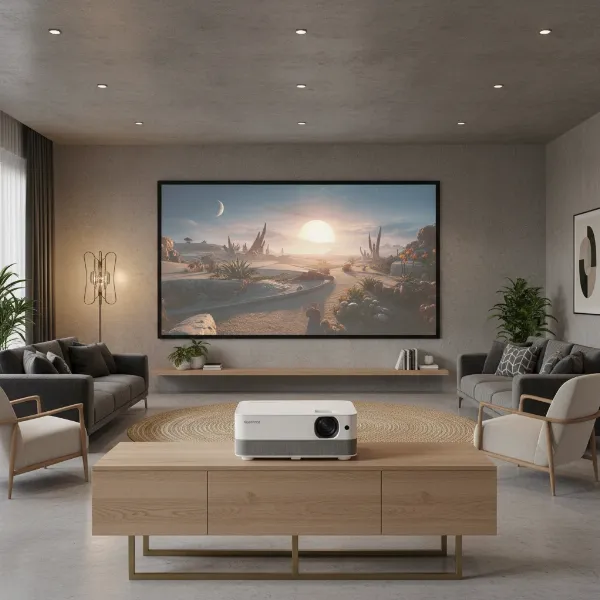 Optoma CinemaX P2 projector in a stylish living room projecting a large 4K image.
Alternative Projectors to Consider
While the Optoma CinemaX P2 offers compelling value, the market for 4K UST projectors is competitive. Here are a few notable alternatives that might appeal to different priorities or budgets:
Projector Tầm Trung (Mid-Range Competitors for the P2)
While the P2 itself isn’t a “budget” projector, its competitors in the 4K UST space often represent similar price points.
- Xgimi Aura 4K Ultra Short Throw Projector: Often praised as an Editors’ Choice, the Xgimi Aura is frequently seen as a slightly more budget-friendly option than the P2. It offers solid 4K image quality, fewer rainbow artifacts (for those sensitive to DLP’s potential issues), and a generally good enough performance for streaming and live video, also handling movies on disc nicely. Its integrated Android TV system provides a more robust app experience out of the box.
- Wemax Nova 4K UHD Projector: Another strong contender, the Wemax Nova also provides a good 4K image with fewer rainbow artifacts than some DLP models. It’s often positioned at a more accessible price point than the P2 or Aura, making it an attractive option for value-conscious buyers seeking a large UST display.
Projector Cao Cấp (Premium Competitors)
- BenQ V7050i: Directly competing with the CinemaX P2, the BenQ V7050i is often highlighted for its superior HDR performance, particularly in dark scenes, which might sway cinephiles. However, the P2 generally offers better out-of-box color accuracy, slightly higher brightness for both 2D and 3D content, and a more robust integrated sound system. The V7050i uses an Android TV dongle, offering a more complete smart platform experience.
- Epson EH-LS500W: This rival embraces a similar living room aesthetic but employs a 3LCD (Laser) light engine. With a higher brightness of 4,000 lumens, it excels in ambient light conditions and delivers highly accurate color fidelity. It also features instant-on capabilities and a decent 10W sound system, though its price point can be higher than the P2.
Buying Guide for Projectors
Navigating the projector market can be daunting, but a structured approach can simplify the process and ensure you find a projector that perfectly fits your requirements.
-
Identify Your Usage Needs: Start by defining what you’ll primarily use the projector for. Are you a cinephile seeking an immersive movie experience with deep blacks and accurate colors? Is it for casual TV viewing and sports in a living room with some ambient light? Or perhaps for gaming, where low input lag and smooth motion are crucial? Your primary use case will heavily influence the specifications you should prioritize. For instance, movie enthusiasts might prioritize contrast and color accuracy, while gamers will look for lower input lag.
-
Determine Your Budget: Projectors span a wide price range. Setting a realistic budget from the outset helps narrow down your options considerably. While entry-level models are available, quality 4K UST laser projectors like the Optoma CinemaX P2 typically fall into the mid-to-high price bracket. Remember to account for potential additional costs, such as a dedicated projection screen, external streaming devices, or professional installation.
-
Understand Key Technical Specifications: Dive into the details of brightness (lumens), resolution (e.g., 4K UHD), contrast ratio, lamp life, and throw ratio. For UST projectors, the throw ratio is particularly critical to ensure it fits your room’s layout and desired screen size. Consider the type of light source (lamp, LED, laser) and its implications for longevity and performance. Review connectivity options to ensure compatibility with all your existing and future devices.
-
Read Expert and User Reviews: Don’t just rely on manufacturer specifications. Thoroughly read reviews from reputable tech publications and, crucially, from actual users. These provide real-world insights into a projector’s performance, usability, and any potential quirks or limitations that might not be apparent from the spec sheet. Look for consistent feedback on picture quality, sound, smart features, and reliability.
-
Purchase from Reputable Retailers: Always buy your projector from an authorized and trusted retailer. This ensures you receive a genuine product, benefit from the manufacturer’s warranty, and have recourse for returns or exchanges if the product doesn’t meet your expectations or if you encounter issues. Local electronics stores often allow demonstrations, giving you the chance to see the projector in action.
Tips for Using and Maintaining Your Projector
Proper care and maintenance can significantly extend the life and optimal performance of your Optoma CinemaX P2 or any projector. A few simple practices can help ensure your investment continues to deliver stunning visuals for years to come.
- Clean Your Projector Regularly: Dust is a projector’s enemy. Regularly clean the exterior of your projector with a soft, lint-free cloth. Pay particular attention to the air vents to ensure proper airflow and prevent overheating, which can drastically reduce the lifespan of internal components, especially the laser engine. Avoid using abrasive cleaners or solvents. For the lens, use specialized lens cleaning solutions and microfiber cloths to gently wipe away dust or smudges without scratching the surface. Never spray cleaner directly onto the lens.
- Proper Placement and Ventilation: Ensure your projector is placed in a location with adequate ventilation. Avoid enclosed spaces or areas where airflow is restricted, as overheating can lead to performance degradation and premature failure. Maintain recommended clearance around the intake and exhaust vents. For UST projectors like the P2, ensure there are no obstructions in its light path to the screen, which could cast shadows or interfere with the image.
- Power Down Correctly: While laser projectors offer instant on/off, it’s still good practice to allow the unit to complete its internal shutdown cycle before unplugging it, especially if it’s been running for an extended period. This ensures all components, including the cooling systems, have fully powered down, protecting the internal electronics.
- Firmware Updates: Periodically check the manufacturer’s website for firmware updates. These updates can introduce new features, improve performance, enhance compatibility, and address any known bugs, particularly for smart features and streaming app functionality. Keeping your projector’s firmware up to date ensures you’re getting the best possible experience.
- Handle with Care: Projectors are sensitive optical instruments. Avoid moving them unnecessarily, and if you do need to relocate your Optoma CinemaX P2, do so gently. Sudden jolts or impacts can potentially misalign internal components or cause damage. When not in use for extended periods, consider covering it with a dust cover to prevent accumulation.
Conclusion
The Optoma CinemaX P2 truly stands as a compelling choice in the rapidly expanding market of 4K ultra-short throw projectors, offering a remarkable blend of sophisticated design, impressive image quality, and robust audio. It delivers a genuinely “cinema-like” experience, boasting accurate colors, excellent HDR management (with minor caveats for specific streaming services), and a super-sharp 4K picture, all driven by a long-lasting and quiet laser light engine. Its stylish, unobtrusive form factor makes it an ideal living room center piece, ready to transform any blank wall into a massive display at a moment’s notice.
While its integrated smart platform might require an external streaming device for optimal app performance, and competitive gamers might desire lower input lag, these are minor trade-offs for a projector that offers exceptional value for its performance. For those seeking to replace their large-screen TV with an even grander, more immersive display without the hassle of traditional projector installation, the Optoma CinemaX P2 presents a highly attractive and sophisticated solution. Are you ready to elevate your home entertainment to a truly cinematic scale?
Frequently Asked Questions
What is the actual 4K resolution of the Optoma CinemaX P2?
The Optoma CinemaX P2 utilizes a 1920×1080 DLP chip with Texas Instruments’ XPR pixel-shifting technology to achieve a perceived 4K UHD resolution of 3840 x 2160 pixels on screen. This method effectively quadruples the pixel count, delivering a picture that is remarkably sharp and detailed, closely replicating the look of native 4K.
Can the Optoma CinemaX P2 be used in a room with ambient light?
Yes, with its 3000 ANSI lumens brightness, the Optoma CinemaX P2 is designed to perform well in rooms with moderate ambient light. You can comfortably watch sports or general TV during the day. However, for the most immersive movie experience, especially with dark scenes, dimming the lights will significantly enhance contrast and color depth, allowing the projector to truly shine.
What are the main drawbacks of the Optoma CinemaX P2’s smart features?
The primary drawback of the CinemaX P2’s customized Android operating system is its limited and sometimes non-functional pre-installed streaming applications, such as Netflix and Prime Video. Many users find it necessary to connect an external streaming dongle (like an Apple TV or Fire TV Stick) via one of the HDMI ports to access a full suite of streaming services and a more polished smart TV experience.
Is the Optoma CinemaX P2 good for gaming?
The Optoma CinemaX P2 offers a “Gaming Mode” to reduce input lag. Measured lag times are around 65-73ms for 4K/60Hz, which is acceptable for casual gaming. However, serious competitive gamers who require extremely low input lag (typically under 30ms) might find this level to be a disadvantage, and may need to consider alternative projectors or use cases.
How does the Optoma CinemaX P2’s sound system perform?
The Optoma CinemaX P2 features an integrated NuForce soundbar with 40W of power (2x 10W digital amp modules each driving a full-range driver and a woofer). This system delivers impressive audio quality for a projector, providing clear, wide sound that can easily fill a large room. While it may not replace a dedicated surround sound system, it’s significantly superior to the audio found in most other projectors and many flat-screen TVs.