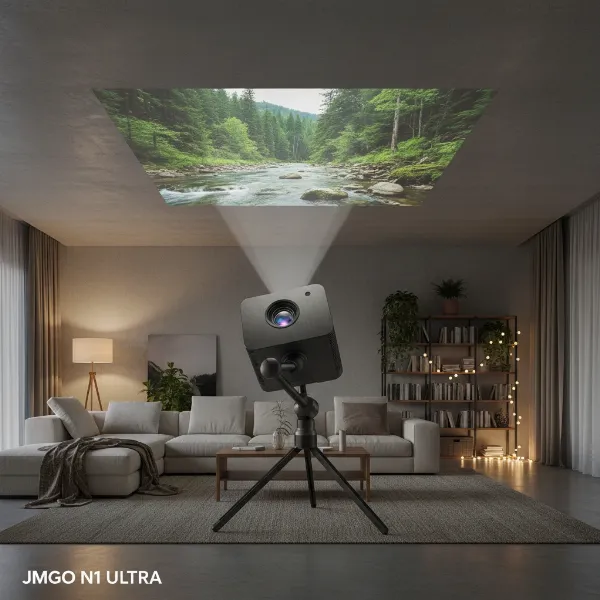
In an age where entertainment is increasingly on demand and on the move, the idea of a cinema that fits in your hand sounds like a dream. The Nebula Capsule 3 aims to turn that dream into reality, offering a full high-definition projection experience packed into a device no larger than a soda can. But does this compact projector truly deliver a captivating cinematic experience, or is it just a novelty? This comprehensive review dives deep into the Nebula Capsule 3, exploring its design, performance, smart features, and overall value to help you decide if this portable marvel is the right companion for your on-the-go entertainment needs.
Unboxing the “Soda Can” Cinema: Design and Portability
The first thing that strikes you about the Nebula Capsule 3 is its incredibly compact and sleek cylindrical design. Weighing approximately 0.85-0.95 kg (1.9-2.1 lbs) and standing about 16 cm (6.7 inches) tall with an 8 cm (3.3 inches) diameter, it lives up to its “cinema in a soda can” moniker, making it genuinely pocketable for easy transport. This ultra-portable form factor means you can effortlessly toss it into a backpack, purse, or even a jacket pocket, ready to transform any space into a big-screen venue at a moment’s notice.
The robust build quality of the Capsule 3 assures you it’s designed for travel and frequent use. Its matte black finish not only looks modern but also resists fingerprints and minor scratches, maintaining its pristine appearance even with regular handling. For anyone who values portability above all else, the Capsule 3’s design is a clear standout, offering unmatched convenience for impromptu movie nights, camping trips, or business presentations on the fly.
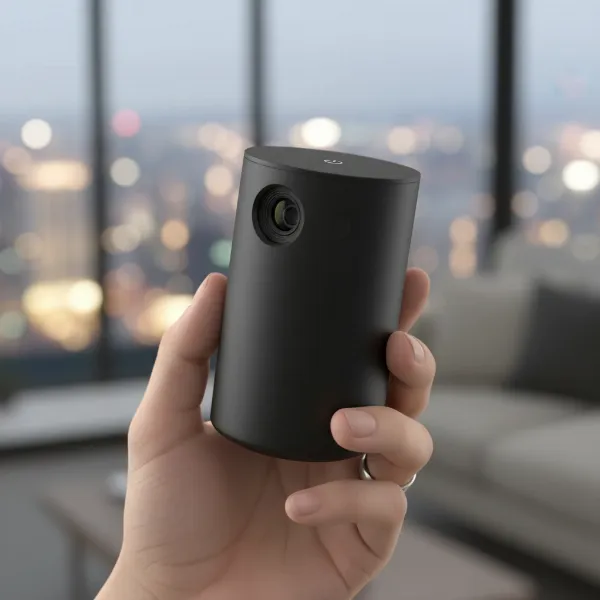 A hand holding the Anker Nebula Capsule 3, comparing its size to a soda can, emphasizing its portability and sleek design.
Picture Perfect? Diving into Display and Visuals
When it comes to the visual experience, the Nebula Capsule 3 delivers a native 1080p (1920×1080) resolution, ensuring sharp and detailed images for its class. It can also accept up to a 4K input signal, which it then intelligently downscales to its native Full HD resolution, providing a surprisingly crisp picture for such a small device. However, a key factor in any projector’s performance is its brightness.
The Capsule 3 features an LED light source rated at 200 ANSI Lumens, which, while respectable for its size, means it truly shines in dark environments. In a dimly lit or completely dark room, the picture quality is vibrant, with colors that are generally considered acceptable by most users, especially in SDR (Standard Dynamic Range) content. While out-of-the-box color accuracy can be mediocre, some reviews indicate it can be improved with calibration, though a dedicated calibration system is not available. The projector boasts a 400:1 contrast ratio, contributing to a decent sense of depth in images, particularly noticeable in well-lit scenes.
Despite its capabilities, the lower brightness means that darker scenes can lack significant punch, and shadow details may blend together, making certain movies (like a famous night battle in a fantasy series) challenging to watch. Its LED light source offers an impressive lifespan of over 30,000 hours, virtually eliminating the need for lamp replacements over the projector’s lifetime. The Capsule 3 can project an image from 40 up to 120 inches diagonally, with a throw ratio of 1.2:1, providing flexibility in screen size depending on your setup distance.
Smart & Seamless: Google TV and Intelligent Features
Beyond its compact hardware, the Nebula Capsule 3 truly excels with its integrated smart features and updated operating system. It runs on Google TV (Android TV 11.0), which offers a significantly enhanced and intuitive streaming experience compared to its predecessors. A major advantage of this upgrade is the inclusion of native, licensed Netflix support, eliminating the need for cumbersome workarounds often associated with portable projectors.
The Google TV interface aggregates content from various streaming services, making it easy to search for and discover shows and movies across all your subscriptions from a single platform. This smart projector also comes equipped with Nebula’s Intelligent Environment Adaptation 3.0 (IEA3) technology, which revolutionizes setup with its hassle-free automated adjustments. This includes rapid auto-focus, gridless auto keystone correction (vertical and horizontal ±40°), auto screen fit, and obstacle avoidance, ensuring a perfectly aligned and clear picture in just seconds, regardless of the surface or angle.
Under the hood, the Capsule 3 is powered by a Quad-Core ARM Cortex-A55 CPU and G52MP2/G52MC1 GPU, paired with 2GB of RAM and 16GB of internal storage (approximately 11GB usable). While the processor is not cutting-edge, it handles Google TV navigation and streaming apps smoothly for general entertainment. Connectivity is robust, featuring HDMI 2.1 with ARC, USB-C, USB-A, dual-frequency Wi-Fi (2.4/5GHz), and Bluetooth 5.1, along with built-in Chromecast for seamless content sharing from your devices.
Sound That Fills the Room (or Tent): Audio Performance & Battery Life
A truly immersive cinematic experience isn’t just about visuals; sound plays a crucial role. The Nebula Capsule 3 incorporates an 8W speaker with Dolby Sound, delivering surprisingly robust audio for its diminutive size. Reviews often highlight its ability to provide clear, crisp sounds with a respectable amount of bass, preventing audio from sounding tinny or flat. This makes it suitable for casual movie watching or background music without immediately needing external speakers.
Perhaps one of the most compelling aspects of the Capsule 3 is its impressive battery life, essential for true portability. Powered by a 52Wh battery, it offers up to 2.5 hours of continuous movie playback on a single charge, typically enough to complete most feature films. When used solely as a Bluetooth speaker, its battery can last an impressive 10 hours, transforming it into a versatile audio device for parties or background music. Furthermore, the Capsule 3 supports Power Delivery (PD) charging via USB-C, allowing users to extend its usage time by connecting it to a compatible power bank.
One important consideration, however, is that the projector’s brightness automatically drops by about 40% when operating on battery power compared to being plugged into a wall outlet. This trade-off is common in portable projectors to conserve energy and prolong battery life, but it means that for the best visual experience, plugging it in is recommended whenever possible.
Nebula Capsule 3 Against the Odds: Comparisons
Understanding where the Nebula Capsule 3 stands in the crowded portable projector market often requires comparing it to its siblings and key competitors.
Nebula Capsule 3 vs. Capsule 2
|
Our Picks for the Best projector in 2026
As an Amazon Associate I earn from qualifying purchases.
|
||
| Num | Product | Action |
|---|---|---|
| 1 | [Built-in Official Apps/4K Support] Smart Outdoor Projector with WiFi and Bluetooth, 800ANSI Movie Projector, DoIby Audio with Dual Speaker, Auto Focus w/ YouTube&PrimeVideo Proyector, Upgrad P62 Pro |
![Check [Built-in Official Apps/4K Support] Smart Outdoor Projector with WiFi and Bluetooth, 800ANSI Movie Projector, DoIby Audio with Dual Speaker, Auto Focus w/ YouTube&PrimeVideo Proyector, Upgrad P62 Pro on Amazon](https://projectorcam.com/wp-content/plugins/amazon-tables/assets/images/buy.png)
|
| 2 | 【Officially-Licensed APP & Native 1080P】Thinnest 1.81\" Smart Mini Projector with WiFi and Bluetooth, Auto Focus & Keystone Portable Outdoor Projector, VOPLLS 4K Support Home Movie Projector |
|
| 3 | Projector-4K with WiFi and Bluetooth:[3000 ANSI/40W Dolby Audio/Official Licensed Apps], Outdoor-Projector with Smart OS 2.0 & AI Auto Focus,ONOAYO ONO5Pro 2.0 Smart Movie Projector for Indoor/Outdoor |
|
| 4 | Mini Projector with Built-in Rechargeable Battery for Outdoor, Portable Projector with WiFi and Bluetooth, 4K Projector for Bedroom, Smart Projector |
|
| 5 | HAPPRUN Native 1080P Bluetooth Mini Projector, Full HD Portable Outdoor Movie Projector with Built-in Speaker, Compatible with Smartphone, HDMI, USB, AV, Fire Stick, PS5 for Home, Bedroom, Outdoor Use |
|
| 6 | Magcubic Mini Projector with WiFi 6 and Bluetooth 5.4, Portable Projector 4K Support, 5W Soundbase Speaker, Auto Vertical Keystone 180°Rotatable Smart Proyector for Movie Home Outdoor |
|
| 7 | Mini Smart Projector, 1500 ANSI Portable Projector with WiFi and Bluetooth, HAPPRUN 4K Full HD Home Theater with 270° Stand, Dolby Sound, Built-in Apps,Compatible with Phone & PC, Indoor & Outdoor Use |
|
| 8 | Aurzen Roku TV Smart Projector with Wifi and Bluetooth, Roku Streaming Experience Built-in, 1080P FHD, Dolby Audio, Auto Focus & Keystone, Zoom, Movie Portable Outdoor Mini Projector, White |
|
| 9 | Astronaut Galaxy Projector with Bluetooth Speaker & White Noise, App & Remote Control Star Projector, Galaxy Projector for Bedroom Adults Kids, Spaceman Night Light for Gaming Room, Home Theater |
|
| 10 | [Officially-Licensed App & Auto Focus]Smart Mini Projector with WiFi and Bluetooth, XuanPad 4K Support Movie Projector, Portable Native 1080P Outdoor Projector with 360° Stand |
|
The Capsule 3 represents a significant upgrade from its predecessor, the Capsule 2. The most notable improvements include a bump in native resolution from 720p to 1080p, delivering a much sharper image. It also upgrades the operating system from Android TV 9.0 to the more modern Google TV (Android TV 11.0) with crucial native Netflix certification, which was a cumbersome workaround on the Capsule 2. While both share a similar 200 ANSI Lumens brightness, the Capsule 3 offers enhanced intelligent environment adaptation features like obstacle avoidance. The Capsule 2 remains a viable, more budget-friendly option, but the Capsule 3 offers a noticeably superior user experience and picture quality.
Nebula Capsule 3 vs. Capsule 3 Laser
Anker also offers a “Capsule 3 Laser” variant. The primary difference lies in the light source and brightness: the Capsule 3 Laser boasts 300 ANSI Lumens thanks to its laser engine, making it brighter than the LED-based Capsule 3 (200 ANSI Lumens). However, the LED Capsule 3 often comes at a lower price point and, importantly, includes licensed Netflix support out of the box, which the initial Capsule 3 Laser versions lacked (though software updates may vary). The LED model maintains the core portability and smart features, making it a strong contender if maximum brightness isn’t your absolute top priority or if a dedicated Netflix app is essential.
Nebula Capsule 3 vs. XGIMI Halo+
The XGIMI Halo+ is a direct competitor that often comes up in discussions about portable projectors. The Halo+ is typically brighter, often rated around 800-900 ANSI Lumens, offering a more vibrant image, especially in situations with some ambient light. It also generally provides better high-light contrast. However, the Capsule 3 often demonstrates better low-light contrast, with deeper blacks that can appear almost as if the light source turns off in dark scenes. The Halo+ generally runs on Android TV and may lack licensed Netflix, whereas the Capsule 3 with Google TV excels in this regard. Ultimately, the choice depends on your priority: pure brightness (Halo+) or a more compact form factor with superior streaming app integration (Capsule 3).
Who is the Nebula Capsule 3 For? A Buyer’s Guide
Deciding if the Nebula Capsule 3 is the right projector for you boils down to your specific needs and priorities. This projector excels in scenarios where portability, ease of setup, and integrated smart streaming are paramount.
- For the Traveler or Camper: Its “soda can” size, robust battery, and automatic adjustment features make it an ideal companion for outdoor movie nights, hotel room entertainment, or presenting on the go.
- For Casual Home Entertainment: If you’re looking to occasionally project movies or shows in a bedroom, living room (especially in a darkened one), or even host a backyard movie night without a permanent setup, the Capsule 3 offers excellent flexibility.
- Netflix Enthusiasts: The native Google TV with licensed Netflix is a huge plus, eliminating the frustrations of sideloading or using external devices for your favorite streaming service.
- Not for Bright Rooms or Serious Gaming: Due to its 200 ANSI Lumens brightness, it struggles significantly in well-lit environments. Serious gamers might also find the input lag at 60Hz a bit high for fast-paced competitive titles, though it’s acceptable for casual or turn-based games.
Consider your budget, primary viewing environment, and specific streaming platform requirements. If ultimate brightness is your main concern, other, larger projectors might be better suited, but if compact, smart, and convenient entertainment is your goal, the Capsule 3 is a compelling choice.
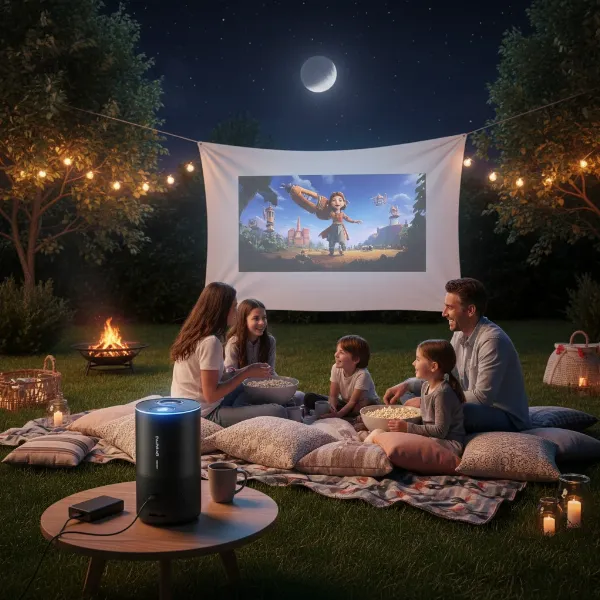 A family watching a movie projected by the Nebula Capsule 3 in a dimly lit backyard, emphasizing outdoor entertainment.
Maximizing Your Experience: Tips for Use and Maintenance
To truly get the most out of your Nebula Capsule 3 and ensure its longevity, a few tips can enhance your overall experience.
- Optimize Your Viewing Environment: Remember, the Capsule 3 performs best in dark rooms. Dimming the lights or using it after sunset will significantly improve image contrast and vibrancy. For optimal picture, avoid stretching the image size too far if you’re in a room with any ambient light.
- Manage Battery Life: While the 2.5-hour battery life is great, for longer viewing sessions, always try to keep it plugged in to maintain maximum brightness. When unplugged, consider adjusting power settings to eco-mode for extended playback, especially for music.
- Leverage Smart Features: Don’t hesitate to move the projector around. Its intelligent auto-focus and keystone correction are designed to handle changes in placement quickly, making setup effortless. You can also turn off the automatic re-focusing in settings if you want to avoid minor interruptions when simply repositioning it slightly.
- Regular Cleaning: Keep the lens free of dust and smudges using a soft, lint-free cloth designed for optics. Gently wipe the exterior to prevent dust accumulation from affecting ventilation. Proper maintenance ensures optimal performance and extends the life of your device.
- Explore Google TV: Take advantage of the comprehensive Google TV interface to discover new content and utilize features like Chromecast and voice commands via Google Assistant for a truly smart entertainment hub.
By following these simple guidelines, you can ensure your Nebula Capsule 3 consistently delivers its best performance, providing countless hours of portable cinematic enjoyment.
Conclusion
The Nebula Capsule 3 stands out as an exceptionally designed ultra-portable projector that genuinely lives up to the promise of “cinema in a soda can.” Its compact size, robust build, and sophisticated Google TV platform with native Netflix support make it an ideal companion for anyone seeking convenient, on-the-go entertainment. While its 1080p resolution provides a sharp picture, the 200 ANSI Lumens brightness necessitates a dark viewing environment for the best experience, and it won’t replace a dedicated, high-brightness home theater projector.
However, for its intended purpose—transforming almost any space into a big-screen venue with minimal fuss, powered by a respectable battery and smart auto-adjustments—the Capsule 3 is a compelling device. It’s not just a projector; it’s an all-in-one entertainment hub, perfect for casual movie nights, camping trips, or adding a unique touch to your presentations. Are you ready to carry your cinema wherever you go?
Frequently Asked Questions
How bright is the Nebula Capsule 3?
The Nebula Capsule 3 (LED version) is rated at 200 ANSI Lumens. This brightness is excellent for a projector of its size and category, but it means the device performs best in dark or dimly lit rooms. In environments with significant ambient light, the image may appear washed out.
Can I watch Netflix directly on the Nebula Capsule 3?
Yes, absolutely! One of the significant advantages of the Nebula Capsule 3 is its updated Google TV operating system, which includes a natively licensed Netflix application. You can download and stream Netflix content directly from the projector without needing external devices or complicated workarounds.
What is the battery life of the Capsule 3?
The Nebula Capsule 3 offers approximately 2.5 hours of movie playback on a single charge, which is generally sufficient for most films. If used as a Bluetooth speaker, the battery life extends significantly to about 10 hours. Note that brightness decreases when operating on battery power to conserve energy.
Is the Nebula Capsule 3 good for gaming?
For casual gaming or slower-paced titles, the Nebula Capsule 3 is quite enjoyable, especially given its portability. However, for serious, fast-paced competitive gaming, the input lag at 60Hz might be on the higher side. It supports up to 4K@60Hz input, which it downscales to 1080p.
What’s the difference between Capsule 3 and Capsule 3 Laser?
The primary difference lies in their light sources and brightness. The standard Nebula Capsule 3 uses an LED light source and offers 200 ANSI Lumens, while the Nebula Capsule 3 Laser uses a laser light source and provides 300 ANSI Lumens. The LED version often features native Netflix support and a slightly lower price point.