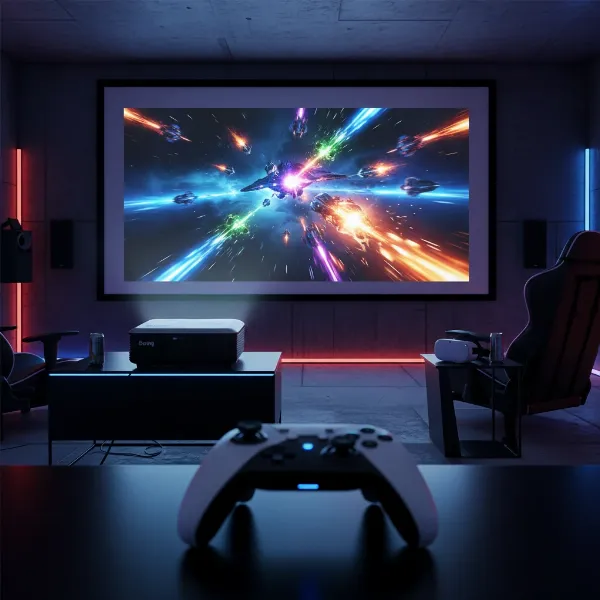
Dreaming of cinematic experiences at home without breaking the bank? The world of projectors can seem daunting, with myriad specifications and price points. But for under $500, a high-quality 1080p projector is no longer just a dream. You can transform your living space into an immersive entertainment hub for movies, gaming, and presentations. This comprehensive guide will navigate the best options available, helping you understand crucial features and make an informed decision to find the perfect budget-friendly projector for your needs.
What is a Projector and How Does It Work?
At its core, a projector is an optical device that takes an image signal and projects it onto a surface, typically a screen or wall. It functions by shining a light through a small, transparent lens. This process magnifies the image, allowing for a much larger display than traditional televisions. From the early “magic lanterns” to today’s sophisticated digital models, projectors have evolved dramatically, becoming essential tools for both professional and personal use.
Historically, projectors relied on simple light sources and film. Modern projectors, however, utilize advanced technologies to produce stunning visuals. The primary light source, whether a traditional lamp, LED, or laser, generates light that passes through an imaging chip (like DLP or LCD). This chip creates the image by modulating the light, which is then projected through the lens onto your chosen surface. The result is an expansive, dynamic image that can rival the theater experience right in your home.
Modern projectors largely fall into a few key categories based on their display technology and light source:
- DLP (Digital Light Processing): These projectors use millions of tiny mirrors on a chip to reflect light, creating a crisp and often highly contrasted image. They are known for their fast response times, making them popular for gaming.
- LCD (Liquid Crystal Display): Utilizing three separate LCD panels for red, green, and blue light, these projectors blend the colors before projecting them. They typically offer excellent color saturation and are free from the “rainbow effect” sometimes seen on DLP models.
- LED (Light Emitting Diode): LED projectors use powerful LEDs as their light source. They boast an exceptionally long lifespan, quick on/off times, and are often found in more compact, portable designs. While generally less bright than lamp-based projectors, their efficiency and durability are significant advantages in the budget category.
- Laser: High-end projectors often employ laser light sources for superior brightness, color accuracy, and even longer lifespans than LEDs. While most laser projectors fall outside the sub-$500 budget, the technology is becoming more accessible and is the future of projection.
Essential Factors When Choosing a Budget 1080p Projector
Selecting the right 1080p projector under $500 involves understanding several key specifications. While budget models naturally come with some trade-offs, focusing on these factors will help you find the best value for your money and ensure it meets your expectations.
Brightness (Lumens)
Projector brightness is measured in lumens, specifically ANSI lumens for standardized comparison. This metric determines how well your projector’s image will stand up to ambient light in the room.
- For dark rooms (dedicated home theaters): You can get by with lower ANSI lumens, perhaps 300-800, as there’s minimal light interference.
- For rooms with some ambient light: Aim for 1,000 ANSI lumens or more to maintain a clear and vibrant image.
|
Our Picks for the Best projector in 2026
As an Amazon Associate I earn from qualifying purchases.
|
||
| Num | Product | Action |
|---|---|---|
| 1 | Projector-4K with WiFi and Bluetooth:[3000 ANSI/40W Dolby Audio/Official Licensed Apps], Outdoor-Projector with Smart OS 2.0 & AI Auto Focus,ONOAYO ONO5Pro 2.0 Smart Movie Projector for Indoor/Outdoor |
![Check Projector-4K with WiFi and Bluetooth:[3000 ANSI/40W Dolby Audio/Official Licensed Apps], Outdoor-Projector with Smart OS 2.0 & AI Auto Focus,ONOAYO ONO5Pro 2.0 Smart Movie Projector for Indoor/Outdoor on Amazon](https://projectorcam.com/wp-content/plugins/amazon-tables/assets/images/buy.png)
|
| 2 | [Built-in Official Apps/4K Support] Smart Outdoor Projector with WiFi and Bluetooth, 800ANSI Movie Projector, DoIby Audio with Dual Speaker, Auto Focus w/ YouTube&PrimeVideo Proyector, Upgrad P62 Pro |
|
| 3 | Astronaut Galaxy Projector with Bluetooth Speaker & White Noise, App & Remote Control Star Projector, Galaxy Projector for Bedroom Adults Kids, Spaceman Night Light for Gaming Room, Home Theater |
|
| 4 | HAPPRUN Native 1080P Bluetooth Mini Projector, Full HD Portable Outdoor Movie Projector with Built-in Speaker, Compatible with Smartphone, HDMI, USB, AV, Fire Stick, PS5 for Home, Bedroom, Outdoor Use |
|
| 5 | Magcubic Mini Projector with WiFi 6 and Bluetooth 5.4, Portable Projector 4K Support, 5W Soundbase Speaker, Auto Vertical Keystone 180°Rotatable Smart Proyector for Movie Home Outdoor |
|
| 6 | Mini Projector with Built-in Rechargeable Battery for Outdoor, Portable Projector with WiFi and Bluetooth, 4K Projector for Bedroom, Smart Projector |
|
| 7 | Mini Smart Projector, 1500 ANSI Portable Projector with WiFi and Bluetooth, HAPPRUN 4K Full HD Home Theater with 270° Stand, Dolby Sound, Built-in Apps,Compatible with Phone & PC, Indoor & Outdoor Use |
|
| 8 | 【Officially-Licensed APP & Native 1080P】Thinnest 1.81\" Smart Mini Projector with WiFi and Bluetooth, Auto Focus & Keystone Portable Outdoor Projector, VOPLLS 4K Support Home Movie Projector |
|
| 9 | [Officially-Licensed App & Auto Focus]Smart Mini Projector with WiFi and Bluetooth, XuanPad 4K Support Movie Projector, Portable Native 1080P Outdoor Projector with 360° Stand |
|
| 10 | Aurzen Roku TV Smart Projector with Wifi and Bluetooth, Roku Streaming Experience Built-in, 1080P FHD, Dolby Audio, Auto Focus & Keystone, Zoom, Movie Portable Outdoor Mini Projector, White |
|
Many budget LED projectors are rated in “lux” or “LED lumens,” which can be misleadingly higher than ANSI lumens. Always look for ANSI lumens for an accurate comparison of actual brightness.
Resolution
For this guide, we’re focusing on 1080p projectors, which means a native resolution of 1920 x 1080 pixels. This delivers crisp, Full HD images, perfect for movies, TV shows, and gaming. Be cautious of projectors advertised as “1080p supported” but having a lower native resolution (e.g., 720p). While they can accept a 1080p signal, the actual projected image will be downscaled, resulting in a less sharp picture.
Contrast Ratio
Contrast ratio measures the difference between the brightest whites and the darkest blacks a projector can display. A higher contrast ratio results in more dynamic images with greater depth and detail, especially in dark scenes. Budget projectors generally have more limited contrast compared to high-end models, so manage your expectations. However, a decent contrast ratio is still crucial for an enjoyable viewing experience.
Light Source Lifespan
The light source is the heart of your projector, and its lifespan is a significant consideration.
- LED projectors: Offer excellent longevity, typically ranging from 20,000 to 30,000 hours. This means years of use without needing to replace a bulb, making them very cost-effective in the long run.
- Lamp-based projectors: While often brighter for their price, traditional lamps have a shorter lifespan, usually 3,000 to 5,000 hours, requiring periodic and costly replacements.
Keystone Correction & Throw Ratio
- Keystone Correction: This feature allows you to correct the trapezoidal distortion that occurs when a projector is not perfectly perpendicular to the screen. Both vertical and horizontal correction can be manual or automatic. Automatic keystone correction offers convenience, squaring the image effortlessly.
- Throw Ratio: This is the ratio between the distance from the projector to the screen and the width of the projected image. It determines how far back your projector needs to be placed to achieve a certain screen size. Understanding the throw ratio is vital for planning your projector setup in your specific room.
Connectivity
A projector’s connectivity options dictate what devices you can connect. Common and essential ports include:
- HDMI: The standard for connecting Blu-ray players, gaming consoles, streaming sticks, and laptops. Multiple HDMI ports are always a plus.
- USB: Useful for playing media directly from a flash drive or powering streaming devices.
- Wireless Connectivity (Wi-Fi/Bluetooth): Allows for screen mirroring from smartphones or tablets, and connecting external Bluetooth speakers. Many budget projectors now include built-in smart platforms (like Android TV or Google TV) for direct access to streaming apps.
Fan Noise
All projectors generate heat and require a fan for cooling. Budget projectors can sometimes be noisier than their premium counterparts due to less advanced cooling systems. While fan noise is subjective, it’s worth considering, especially if the projector will be close to your seating area during quiet movie scenes.
Built-in Audio
Most budget projectors come with integrated speakers. While convenient for casual viewing or portability, they often lack the richness and volume for an immersive cinematic experience. For the best audio, budgeting for external speakers or a soundbar is highly recommended.
Comparing Projector Technologies for Budget Buyers
Understanding the core technologies helps you weigh the pros and cons within the sub-$500 price range, where LED and DLP often dominate.
Projector DLP
DLP projectors are a prevalent choice in the budget segment. They use a single Digital Micromirror Device (DMD) chip that contains millions of tiny mirrors.
- Pros: Often produce sharp images with good contrast, and are known for fast response times, making them suitable for gaming. They can also be quite compact.
- Cons: Some sensitive viewers might perceive a “rainbow effect,” where brief flashes of red, green, and blue are visible, especially when moving eyes quickly across the screen.
- Best for: Gamers, users prioritizing sharpness and contrast in a dark room.
Projector LCD
LCD projectors use three separate liquid crystal panels to process red, green, and blue light simultaneously.
- Pros: Generally offer excellent color accuracy and brightness, and are immune to the “rainbow effect” sometimes associated with DLP. They can produce vibrant and natural-looking images.
- Cons: Can sometimes have visible pixel structure at closer viewing distances, and black levels might not be as deep as some DLP or higher-end technologies.
- Best for: Color-sensitive applications, users prone to the rainbow effect, or those who prioritize vibrant colors over absolute contrast.
Projector LED
LED projectors utilize Light Emitting Diodes as their illumination source, often paired with DLP technology.
- Pros: Exceptional lamp life (20,000-30,000 hours), making them virtually maintenance-free. They also offer instant on/off capabilities and often boast a compact, portable design. Energy efficient.
- Cons: Typically have lower brightness output compared to lamp-based or laser projectors, making them best suited for darker environments.
- Best for: Portability, long-term value due to lamp life, casual home viewing, outdoor use at night.
Projector Laser
Laser projectors use laser diodes as their light source. While predominantly found in higher price brackets, awareness of this technology is beneficial for understanding the broader projector landscape.
- Pros: Offer superior brightness, incredible color accuracy, very long lifespans (up to 30,000 hours or more), and quick on/off.
- Cons: Significantly higher cost, generally placing them outside the under-$500 budget.
- Best for: Premium home theater setups where budget is not a primary constraint, delivering the ultimate picture quality and longevity.
Bảng So Sánh Chi Tiết Các Loại Projector
| Feature | DLP Projector (Budget) | LCD Projector (Budget) | LED Projector (Budget) | Laser Projector (High-End) |
|---|---|---|---|---|
| Light Source | Lamp (older), LED (newer) | Lamp (older), LED (newer) | LED | Laser |
| Lifespan | 3,000-5,000 hrs (Lamp); 20,000+ hrs (LED) | 3,000-5,000 hrs (Lamp); 20,000+ hrs (LED) | 20,000 – 30,000+ hrs | 20,000 – 30,000+ hrs |
| Brightness | Moderate to High (Lamp); Low to Moderate (LED) | Moderate to High (Lamp); Low to Moderate (LED) | Low to Moderate (best in dark rooms) | Very High |
| Contrast Ratio | Often good for price | Good | Good to Moderate | Excellent |
| Color Accuracy | Good, can vary | Very good | Good | Excellent |
| Rainbow Effect | Possible for some viewers | Not present | Not present | Not present |
| Maintenance | Lamp replacement (if applicable) | Lamp replacement (if applicable) | Very Low (no lamp changes) | Very Low |
| Portability | Can be compact | Varies | Often highly portable | Generally less portable |
| Typical Price | Low to Mid | Low to Mid | Low to Mid | High |
| Best Use | Gaming, general viewing | Presentations, vibrant colors | Portable, casual viewing, long-term value | Premium home theater |
Top 1080p Projectors Under $500
Finding a truly excellent 1080p projector for under $500 requires careful selection and managing expectations. Here are some models that frequently appear in recommendations for balancing performance and affordability within this budget, categorized by their strengths.
Portable Projectors (Under $500)
Portable projectors offer flexibility, allowing you to enjoy a big screen experience almost anywhere. They are often LED-based, ensuring long lamp life and compact designs.
- Anker Nebula Mars 3 Air: This model is highly regarded for its portability, offering a native 1080p resolution and around 400 ANSI Lumens of brightness. It features Google TV for easy access to streaming apps and surprisingly good built-in sound for a portable unit. It strikes a balance between picture quality and convenience, making it ideal for outdoor movie nights or impromptu viewing sessions. The Mars 3 Air is often found around $469.99.
- XGIMI MoGo 2: Another popular portable option, the XGIMI MoGo 2 delivers a respectable 1080p image and features Android TV for seamless smart functionality. Its ease of setup and user-friendly interface make it a strong contender for those who value convenience and a smooth streaming experience.
- XG Elephant Flip: Often available for under $300, the XG Elephant Flip offers vivid colors and convenient auto-screen adaptation, which automatically adjusts the image to fit your screen perfectly. While not the brightest, it’s a great value pick for dark environments or casual use where setup simplicity is a priority.
Home Theater Projectors (Under $500)
For a more stationary setup, these projectors prioritize image quality and brightness suitable for dedicated viewing spaces.
- NexiGo PJ40 (Gen 3): Praised as a “Best Dark Room Projector Under $500,” the NexiGo PJ40 (Gen 3) offers strong performance for its price point in light-controlled environments. It delivers a sharp 1080p image and solid contrast, making it a good choice for movie enthusiasts on a budget.
- Epson EpiqVision Flex CO-W01: If you need a projector that can handle some ambient light, the Epson EpiqVision Flex CO-W01 stands out as a “Best Bright Room Projector Under $500.” Epson’s 3LCD technology provides good color brightness, which helps maintain image quality even with some lights on.
- Optoma HD146X: The Optoma HD146X is a robust home theater projector often available for around $499. It boasts 1080p resolution and a high brightness of 3600 ANSI lumens, thanks to its lamp-based light source. This makes it a powerful option for larger screens or rooms with moderate ambient light, though its lamp will eventually need replacement.
- Elephas W1K: This model is noted for its good image processing and tone mapping, delivering a strong viewing experience with approximately 735 ANSI lumens and a 2883:1 contrast ratio. While its input lag is around 50ms, it offers good picture quality for general home cinema use and has tolerable fan noise.
Your Ultimate Buying Guide for a Budget 1080p Projector
Navigating the market for an affordable 1080p projector can be tricky, but by following a structured approach, you can confidently choose a model that aligns with your expectations and budget.
-
Define Your Primary Use: What will you primarily use the projector for?
- Movies & TV: Prioritize native 1080p resolution, good contrast, and decent color accuracy.
- Gaming: Look for low input lag (ideally under 50ms, lower is better) for a responsive experience.
- Presentations/Casual Use: Brightness and ease of setup might be more important.
- Outdoor: Portability, built-in battery, and sufficient brightness for evening use are key.
-
Assess Your Environment: The room where you’ll use the projector greatly impacts your needs.
- Room Darkness: Dedicated dark rooms allow for lower brightness projectors. Rooms with ambient light require higher ANSI lumen ratings.
- Throw Distance: Measure the distance from where the projector will sit to your screen or wall. Use online throw calculators (available on sites like Projector Central) to ensure a projector can achieve your desired screen size within your available space.
- Screen Type: While not strictly necessary for budget projectors, a proper projector screen will significantly enhance image quality compared to a bare wall.
-
Understand Specs vs. Real-World Performance: Be wary of inflated specifications, especially for very cheap models. Native 1080p resolution (not just “1080p supported”) and ANSI lumens are the most reliable figures. Reviews often highlight how a projector performs in real-world scenarios, which can differ from advertised numbers.
-
Read User Reviews and Expert Opinions: Leverage feedback from other buyers and professional reviewers. These insights can reveal common issues, true performance characteristics, and overall user satisfaction. Look for consistent positive feedback on image quality, fan noise, and reliability.
-
Consider the Total Cost of Ownership: Beyond the initial purchase price, factor in potential additional costs:
- Replacement Lamps: If choosing a lamp-based projector, research the cost and availability of replacement bulbs. LED projectors eliminate this concern.
- Accessories: A projector screen, external speakers, streaming devices, and mounting hardware can add to the overall investment.
-
Buy from Reputable Retailers: Purchase from trusted stores with good return policies and customer support to ensure you receive a genuine product and have recourse if issues arise.
Tips for Maximizing Your Projector’s Lifespan and Performance
To ensure your 1080p projector under $500 provides years of reliable entertainment, proper care and maintenance are essential.
- Vệ sinh projector đúng cách (Clean Your Projector Properly): Dust is the enemy of projectors. Regularly clean the lens with a microfiber cloth and lens cleaning solution. Use compressed air to clear dust from vents, being careful not to blast dust further inside. Refer to your projector’s manual for specific cleaning instructions for internal filters, if present. Keeping the projector free of dust prevents overheating and maintains optimal image clarity.
- Bảo quản projector khi không sử dụng (Store Your Projector When Not in Use): When not in use, especially for extended periods, store your projector in a cool, dry place. If it’s a portable model, keep it in its original packaging or a protective carrying case to shield it from dust, moisture, and accidental bumps. For lamp-based projectors, ensure the lamp has fully cooled down before moving or storing to prevent damage.
- Khắc phục các lỗi thường gặp (Troubleshoot Common Issues): Familiarize yourself with basic troubleshooting steps.
- No image: Check all cable connections (HDMI, power), ensure the correct input source is selected, and verify the lamp/LED is functioning.
- Overheating warning: Ensure vents are not blocked, clean dust, and operate in a well-ventilated area.
- Blurred image: Adjust focus ring, check for lens smudges, and ensure the projector is within its recommended throw distance.
- Fan noise: While some noise is normal, excessive noise could indicate dust buildup or an issue with the fan itself. Regular cleaning helps.
Taking these simple steps will extend the life of your projector and ensure you continue to enjoy a high-quality big-screen experience for years to come.
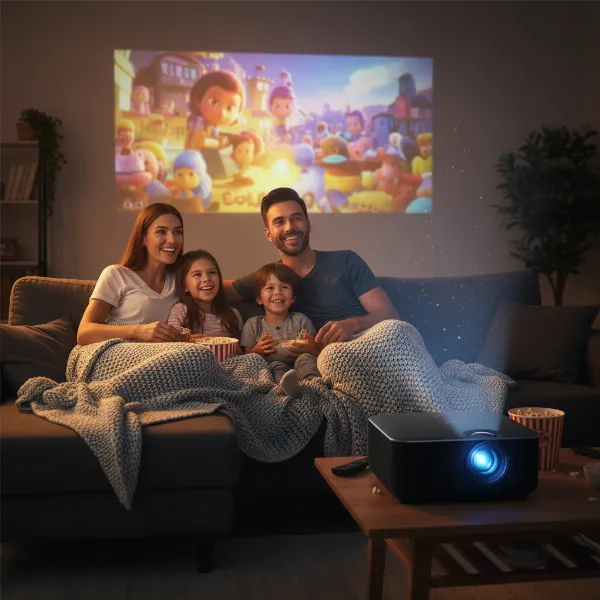 A family enjoying a movie night with a budget 1080p projector in a cozy home theater setting under 0
Conclusion
Finding the best 1080p projector under $500 doesn’t mean sacrificing quality entirely. While you’ll need to make smart trade-offs and manage expectations compared to premium models, the market offers several compelling options that deliver genuine Full HD entertainment. Key factors like native resolution, ANSI lumens, light source longevity, and connectivity are crucial for making an informed choice that fits your specific viewing environment and usage needs. Whether you prioritize portability for outdoor adventures or a more permanent setup for immersive home cinema, a budget-friendly 1080p projector can bring the magic of the big screen into your life. So, what kind of cinematic moments are you ready to create with your new projector?
Frequently Asked Questions
Are 1080p projectors under $500 good for gaming?
Yes, many 1080p projectors under $500 can be good for casual gaming, especially if you prioritize screen size over competitive performance. Look for models with a low input lag, ideally under 50ms, to ensure a responsive gaming experience. While high-end projectors offer lower latency, budget options can still provide an enjoyable and immersive gaming environment.
What is the ideal brightness (lumens) for a budget 1080p projector?
For a budget 1080p projector, the ideal brightness depends on your viewing environment. In a completely dark room, 300-800 ANSI lumens can suffice. However, for rooms with some ambient light, aiming for 1,000 ANSI lumens or more is recommended to ensure a clear and vibrant image. Always look for ANSI lumens for an accurate comparison.
Can I use a budget 1080p projector outdoors?
Yes, many portable 1080p projectors under $500 are suitable for outdoor use, particularly for evening movie nights. Their compact size and often LED light sources make them convenient. However, ensure the environment is dark enough, as their brightness typically can’t compete with daylight. Consider models with built-in batteries for true portability.
Do budget projectors need a special screen?
While budget projectors don’t strictly require a special screen to function, using one will significantly enhance your viewing experience. A dedicated projector screen improves image brightness, contrast, and color accuracy compared to projecting onto a bare wall. However, for initial setup and casual use, a smooth, light-colored wall can work adequately.
What are the main differences between lamp, LED, and laser light sources in budget projectors?
In budget projectors, you’ll mostly find lamp and LED light sources. Lamp-based projectors can be brighter but have shorter lifespans (3,000-5,000 hours) and require costly bulb replacements. LED projectors offer exceptional longevity (20,000-30,000+ hours) and are often more portable, but typically have lower brightness. Laser light sources are generally found in higher-end models due to their cost.
How important is contrast ratio for a cheap 1080p projector?
Contrast ratio is important for a cheap 1080p projector as it impacts the depth and realism of the image, especially in dark scenes. A higher contrast ratio results in more defined shadows and brighter highlights. While budget projectors won’t match the contrast of expensive models, a respectable contrast ratio still contributes significantly to a more immersive and enjoyable visual experience.