There’s nothing quite as frustrating as preparing for a movie night, an important presentation, or a gaming session, only for your projector to turn on for a brief moment and then immediately shut down. That sudden blackout can be a major inconvenience, leaving you staring at a blank screen and wondering what went wrong. Fortunately, this common issue often has fixable causes.
This comprehensive guide will explore the primary reasons why your projector might be experiencing immediate shutdowns and provide actionable troubleshooting steps to get your device back in action. We’ll delve into everything from simple power supply issues to more complex internal component failures, ensuring you have the knowledge to diagnose and resolve the problem.
Understanding Why Your Projector Shuts Down Unexpectedly
When a projector powers on only to shut down moments later, it’s often activating a built-in safety mechanism. Modern projectors are designed with sophisticated internal sensors that monitor critical operating conditions, such as temperature, power stability, and lamp status. If any of these conditions fall outside the acceptable range, the projector will automatically shut off to prevent further damage to its sensitive components. Think of it like a circuit breaker tripping to protect your home’s electrical system; it’s an annoyance, but it prevents a larger, more costly problem.
The key to resolving this issue lies in identifying which specific condition is triggering the shutdown. Most problems stem from a few common culprits, which we’ll detail below.
Common Causes and Solutions for Immediate Shutdowns
Identifying the root cause is the first step toward a solution. Here are the most frequent reasons your projector might be turning on then immediately off, along with practical steps you can take.
Overheating: The Silent Killer
Overheating is arguably the most common reason a projector will shut down shortly after powering on. Projectors generate a significant amount of heat, and they rely heavily on their cooling systems to dissipate it. If the internal temperature rises too high, the projector will automatically shut off to protect its delicate internal components, especially the lamp or LED light source, from damage.
Why it happens:
- Clogged Vents and Filters: Dust, pet hair, and debris can accumulate in the air filters and ventilation openings, blocking airflow and trapping heat inside the projector.
- Insufficient Ventilation: Placing the projector in an enclosed space, against a wall, or covered by objects can restrict proper air circulation.
- Malfunctioning Fans: The internal cooling fans may be faulty, obstructed, or no longer spinning efficiently, leading to inadequate heat dispersion.
- High Ambient Temperature: Operating the projector in a very warm room can make it difficult for the cooling system to bring the internal temperature down.
Solutions:
- Clean Filters and Vents: Regularly clean your projector’s air filters. Most projectors have removable filters that can be gently brushed or vacuumed. Use compressed air to clear any dust from the external ventilation openings.
- Ensure Proper Airflow: Always place your projector in an open, well-ventilated area, away from walls or other obstructions. Ensure there’s at least 6-12 inches of clear space around all ventilation points.
- Check Fans: Listen for the cooling fans when the projector attempts to power on. If you hear no fan noise or if it sounds unusual, a fan might be failing and require professional attention.
- Cool Down: Allow the projector to cool completely before attempting to restart it, especially if it feels hot to the touch.
|
Our Picks for the Best projector in 2026
As an Amazon Associate I earn from qualifying purchases.
|
||
| Num | Product | Action |
|---|---|---|
| 1 | Projector-4K with WiFi and Bluetooth:[3500 ANSI/60W Dolby Audio/Official Licensed Apps], Outdoor-Projector with Smart OS 2.0 & AI Auto Focus,ONOAYO ONO5Pro 2.0 Smart Movie Projector for Indoor/Outdoor |
![Check Projector-4K with WiFi and Bluetooth:[3500 ANSI/60W Dolby Audio/Official Licensed Apps], Outdoor-Projector with Smart OS 2.0 & AI Auto Focus,ONOAYO ONO5Pro 2.0 Smart Movie Projector for Indoor/Outdoor on Amazon](https://projectorcam.com/wp-content/plugins/amazon-tables/assets/images/buy.png)
|
| 2 | 1500 ANSI Official Licensed Google TV Smart Projector, HAPPRUN 4K Full HD Home Theater with Auto Focus, Dolby Sound, Wi-Fi Bluetooth, Built-in Apps, Compatible with Phone & PC, Indoor & Outdoor Use |
|
| 3 | HAPPRUN Native 1080P Bluetooth Mini Projector, Full HD Portable Outdoor Movie Projector with Built-in Speaker, Compatible with Smartphone, HDMI, USB, AV, Fire Stick, PS5 for Home, Bedroom, Outdoor Use |
|
| 4 | [3500 ANSI/ Official Apps/65W Audio] Outdoor 4K Projector with WiFi and Bluetooth, Auto Focus, Auto Keystone Smart Projector Support DoIby Audio, 2026 Upgrade GO2 Short Throw Projector with 360°Stand |
|
| 5 | Aurzen Roku TV Smart Projector with Wifi and Bluetooth, Roku Streaming Experience Built-in, 1080P FHD, DoIby Audio, Auto Focus & Keystone, Zoom, Movie Portable Outdoor Mini Projector, White |
|
| 6 | Epson Pro EX11000 3-Chip 3LCD Full HD 1080p Wireless Laser Projector, 4,600 Lumens Color/White Brightness, Miracast, 2 HDMI Ports, USB Power for Streaming, Built-in 16W Speaker |
|
| 7 | 【Official Licensed Google TV】4K Smart Projector with WiFi and Bluetooth, VOPLLS Outdoor Projectors with Dolby/Auto Focus, Portable Movie Phone Wireless Gaming Wifi Proyector for Bedroom/Home/Celling |
|
| 8 | 【Officially-Licensed APP & Native 1080P】Thinnest 1.81\" Smart Mini Projector with WiFi and Bluetooth, Auto Focus & Keystone Portable Outdoor Projector, VOPLLS 4K Support Home Movie Projector |
|
| 9 | [Built-in Official Apps/4K Support] Smart Outdoor Projector with WiFi and Bluetooth, 800ANSI Movie Projector, DoIby Audio with Dual Speaker, Auto Focus w/ YouTube&PrimeVideo Proyector, Upgrad P62 Pro |
|
| 10 | Epson Pro EX9270 Wireless 1080p 3LCD Projector 4,100 Lumens Color and White Brightness, Apple AirPlay, Miracast, Stream from Phone or Laptop, 2 HDMI Ports, 1.6x Optical Zoom, Built-In Speaker |
|
Power Supply Problems: The Interruption
An inconsistent or insufficient power supply can prevent a projector from maintaining power. Even if it briefly flashes on, a lack of stable power will cause an immediate shutdown.
Why it happens:
- Loose or Damaged Power Cord: The power cable might not be securely plugged into the projector or the wall outlet, or it could be physically damaged.
- Faulty Outlet or Power Strip: The electrical outlet or power strip you’re using might not be providing consistent power.
- Unstable Electrical Supply: Power surges, brownouts, or general instability in your home’s electrical grid can disrupt the projector’s operation.
- Internal Power Board Issue: Components within the projector’s internal power supply board can fail over time.
Solutions:
- Verify Connections: Ensure the power cord is firmly seated in both the projector’s power input and the wall outlet.
- Try Different Outlet/Cord: Plug the projector into a different wall outlet that you know is working. If possible, try a different power cord that is compatible with your projector.
- Bypass Power Strips/Surge Protectors: Temporarily plug the projector directly into a wall outlet to rule out issues with power strips or surge protectors.
- Inspect Power Switch: If your projector has a physical power switch, ensure it’s not loose or damaged.
- Professional Diagnosis: If these steps don’t resolve the issue, the internal power supply may be at fault, requiring a technician.
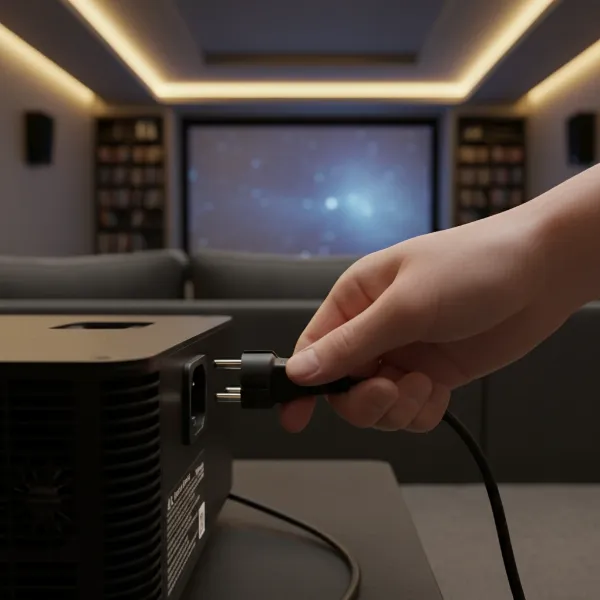 An image of a hand checking a projector's power cable connection at the rear of the device, emphasizing secure fit and stability.
Failing Lamp or LED Light Source: End of Life
For lamp-based projectors, the lamp itself is a consumable part with a finite lifespan. When a lamp is nearing its end or experiences an internal fault, it can cause the projector to power off prematurely. LED and laser projectors have much longer lifespans, but their light sources can still encounter rare failures.
Why it happens:
- Lamp Nearing End of Life: As projector lamps accumulate hours, their efficiency decreases, and they become more prone to failure. The projector often detects this and shuts down.
- Faulty Lamp (Especially Aftermarket): Non-genuine or poorly manufactured aftermarket lamps may not dissipate heat effectively or can have manufacturing defects, leading to early failure and shutdowns.
- Loose Lamp Module: The lamp module might not be correctly installed or secured, causing an intermittent connection.
- LED/Laser Module Failure: While less common, the LED or laser light engine can develop faults that trigger an immediate shutdown.
Solutions:
- Check Lamp Hours: Consult your projector’s menu or user manual to check the lamp’s accumulated operating hours. If it’s near or past its recommended lifespan, replacement is likely needed.
- Replace with Genuine Lamp: If you suspect a lamp issue, always replace it with a genuine, manufacturer-approved lamp module. Aftermarket lamps, while cheaper, often lead to performance issues and early shutdowns.
- Re-seat the Lamp: Carefully open the lamp compartment (refer to your manual for instructions) and ensure the lamp module is securely seated.
- Contact Support for LED/Laser: If you have an LED or laser projector experiencing this, it’s best to contact the manufacturer’s support or a professional service center.
Internal Component Malfunctions: Deeper Issues
While less common for an immediate “on then off” scenario, a failure in other critical internal components can also cause a projector to shut down as a protective measure.
Why it happens:
- Mainboard Failure: Issues with the projector’s main circuit board can disrupt communication and control, leading to unexpected shutdowns.
- Ballast Failure (Lamp Projectors): The ballast is responsible for providing power to the lamp. A faulty ballast can prevent the lamp from igniting or staying lit.
- Damaged Sensors: A malfunctioning temperature sensor, for example, could incorrectly report overheating, triggering a shutdown.
Solutions:
- Professional Repair: If you’ve ruled out overheating, power issues, and lamp problems, an internal component malfunction is likely. These typically require specialized tools and expertise. Contact the manufacturer’s support or a reputable projector repair service.
- Do Not Self-Repair: Unless you have advanced electronics repair experience, attempting to fix internal component issues yourself can cause further damage and void warranties.
Step-by-Step Troubleshooting Guide
When your projector begins its on-then-off dance, follow these steps systematically to pinpoint the problem:
- Initial Power Check:
- Ensure the power cord is securely plugged into both the projector and a wall outlet.
- Try a different wall outlet and a different power cord if available.
- Bypass any power strips or surge protectors temporarily.
- Ventilation and Cleaning:
- Check all ventilation openings for obstructions.
- Clean the air filters and vents thoroughly using a soft brush, vacuum, or compressed air.
- Ensure the projector is in an open, well-ventilated space.
- Allow the projector to cool down for at least 30 minutes before attempting to restart.
- Lamp/Light Source Assessment (for lamp projectors):
- Check your projector’s menu for lamp hours. If high, consider replacement.
- If you recently replaced the lamp, ensure it’s a genuine part and properly installed. Re-seat it if necessary.
- Listen for Clues:
- Pay attention to any error lights (e.g., “temp” or “lamp” indicators) that may flash before shutdown. Consult your manual for their meaning.
- Listen for fan noise. A lack of fan noise or unusual sounds can indicate a fan malfunction.
- Factory Reset (Last Software Step):
- As a last resort before professional repair, you might consider a factory reset (consult your manual). This can sometimes clear software glitches, though it’s less likely for immediate hardware shutdowns.
- Seek Professional Help:
- If all troubleshooting steps fail, it’s time to contact the projector manufacturer’s support or a certified repair technician. Describe all the steps you’ve already taken.
Prevention is Key: Keeping Your Projector Healthy
Proactive maintenance can significantly extend your projector’s life and prevent frustrating sudden shutdowns.
- Regular Cleaning: Make filter cleaning a routine task, especially if your projector is in a dusty environment or used frequently.
- Optimal Placement: Always position your projector in a location with ample space for ventilation. Avoid placing it on carpets or soft surfaces that can block vents.
- Allow Cool-Down: Never unplug your projector immediately after use. Most projectors have a cool-down cycle; allow it to complete before disconnecting power.
- Use Genuine Parts: When replacing lamps, always opt for genuine OEM (Original Equipment Manufacturer) parts to ensure compatibility and longevity.
- Protect from Power Surges: Use a good quality surge protector to shield your projector from electrical fluctuations.
“Many projector shutdowns are simply the device protecting itself. Addressing overheating and stable power supply often resolves 80% of immediate power-off issues.” – Tech Expert, ProjectorCam.com
Conclusion
A projector that turns on then immediately off is undoubtedly a frustrating experience, but it’s often a signal that your device needs attention, not necessarily replacement. By systematically investigating common culprits such as overheating due to blocked ventilation, issues with the power supply, or a failing lamp, you can diagnose and often resolve the problem yourself. Remember, prevention through regular cleaning and proper usage is your best defense against such occurrences. Don’t let a sudden shutdown dim your viewing pleasure; with a little troubleshooting, you can get your projector back to projecting brilliant images.
What steps will you take first to troubleshoot your projector’s immediate shutdown issue?
Frequently Asked Questions
Why does my projector turn on for a second then turn off?
This usually indicates a critical error detected at startup. The most common reasons are severe overheating, an immediate power supply interruption, or a lamp that fails to ignite or is at the very end of its life. The projector initiates its startup sequence, detects an unsafe condition, and immediately powers down to prevent damage.
How often should I clean my projector’s filter?
The frequency depends on usage and environment. In a typical home setting with moderate use, cleaning the projector’s filter every 1-3 months is a good practice. If you use your projector heavily, have pets, or live in a dusty area, you might need to clean it monthly to ensure optimal airflow and prevent overheating.
Can a dirty lamp cause my projector to shut off?
While a dirty lamp itself might not be the direct cause of a shutdown, dust and debris around the lamp and within the lamp compartment can contribute to overheating. The cooling system needs to effectively dissipate heat from the lamp; if dust impedes this process, the projector’s thermal sensors can trigger a shutdown.