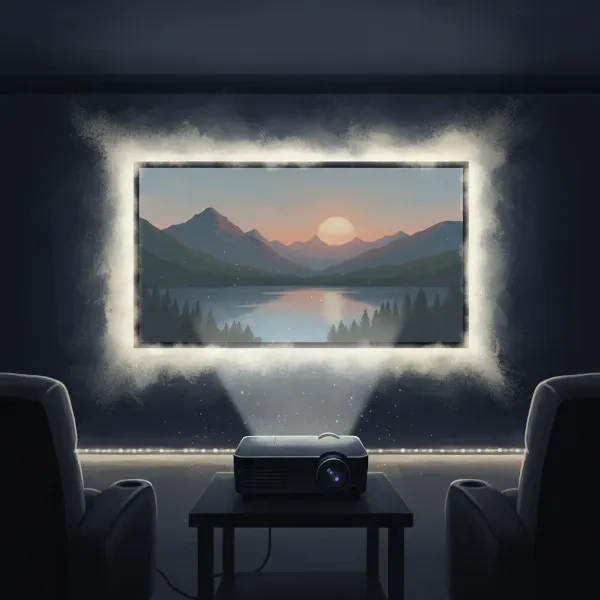
Projectors have transformed how we consume media, offering cinematic visuals far beyond the confines of a traditional TV screen. Whether you’re setting up a dedicated home theater, planning an outdoor movie night, or preparing for a professional presentation, your projector is just the beginning. To truly unlock its full potential and craft an immersive experience, a thoughtful selection of essential projector accessories is paramount. These additions can significantly enhance picture quality, audio fidelity, portability, and the longevity of your valuable equipment.
Projector Screens: The Canvas for Your Visuals
While projecting directly onto a bare wall might seem convenient, a dedicated projector screen is a game-changer for picture quality. It provides a uniform, optimized surface designed to maximize color accuracy, contrast, and sharpness, making every pixel pop with clarity. Screens are meticulously engineered to reflect light efficiently, delivering a far superior image than most walls can offer.
Types of Projector Screens
Choosing the right screen depends on your space and usage:
- Fixed-Frame Screens: Ideal for dedicated home theater rooms where the screen remains permanently installed. They offer a perfectly flat surface, ensuring a consistently taut and smooth image.
- Motorized/Electric Screens: Perfect for multi-purpose rooms. These screens can retract into a ceiling or wall-mounted casing when not in use, keeping your space versatile. Many can be controlled remotely for seamless operation.
- Portable/Folding Screens: Designed for flexibility, these lightweight screens are easy to set up and take down, making them perfect for outdoor movies, presentations in various locations, or temporary setups. Tripod screens fall into this category, offering a sturdy base for mobile use.
- Ambient Light Rejecting (ALR) & Ceiling Light Rejecting (CLR) Screens: These advanced screens are engineered with special optical layers to reject ambient light from the room, significantly improving contrast and color saturation even in well-lit environments. ALR screens work well against side light, while CLR screens are specifically designed to combat overhead light, making them ideal for ultra-short throw projectors.
|
Our Picks for the Best projector in 2026
As an Amazon Associate I earn from qualifying purchases.
|
||
| Num | Product | Action |
|---|---|---|
| 1 | 【Official Licensed Google TV】4K Smart Projector with WiFi and Bluetooth, VOPLLS Outdoor Projectors with Dolby/Auto Focus, Portable Movie Phone Wireless Gaming Wifi Proyector for Bedroom/Home/Celling |

|
| 2 | Epson Pro EX9270 Wireless 1080p 3LCD Projector 4,100 Lumens Color and White Brightness, Apple AirPlay, Miracast, Stream from Phone or Laptop, 2 HDMI Ports, 1.6x Optical Zoom, Built-In Speaker |
|
| 3 | 1500 ANSI Official Licensed Google TV Smart Projector, HAPPRUN 4K Full HD Home Theater with Auto Focus, Dolby Sound, Wi-Fi Bluetooth, Built-in Apps, Compatible with Phone & PC, Indoor & Outdoor Use |
|
| 4 | Epson Pro EX11000 3-Chip 3LCD Full HD 1080p Wireless Laser Projector, 4,600 Lumens Color/White Brightness, Miracast, 2 HDMI Ports, USB Power for Streaming, Built-in 16W Speaker |
|
| 5 | [3500 ANSI/ Official Apps/65W Audio] Outdoor 4K Projector with WiFi and Bluetooth, Auto Focus, Auto Keystone Smart Projector Support DoIby Audio, 2026 Upgrade GO2 Short Throw Projector with 360°Stand |
|
| 6 | Projector-4K with WiFi and Bluetooth:[3500 ANSI/60W Dolby Audio/Official Licensed Apps], Outdoor-Projector with Smart OS 2.0 & AI Auto Focus,ONOAYO ONO5Pro 2.0 Smart Movie Projector for Indoor/Outdoor |
|
| 7 | HAPPRUN Native 1080P Bluetooth Mini Projector, Full HD Portable Outdoor Movie Projector with Built-in Speaker, Compatible with Smartphone, HDMI, USB, AV, Fire Stick, PS5 for Home, Bedroom, Outdoor Use |
|
| 8 | [Built-in Official Apps/4K Support] Smart Outdoor Projector with WiFi and Bluetooth, 800ANSI Movie Projector, DoIby Audio with Dual Speaker, Auto Focus w/ YouTube&PrimeVideo Proyector, Upgrad P62 Pro |
|
| 9 | Aurzen Roku TV Smart Projector with Wifi and Bluetooth, Roku Streaming Experience Built-in, 1080P FHD, DoIby Audio, Auto Focus & Keystone, Zoom, Movie Portable Outdoor Mini Projector, White |
|
| 10 | 【Officially-Licensed APP & Native 1080P】Thinnest 1.81\" Smart Mini Projector with WiFi and Bluetooth, Auto Focus & Keystone Portable Outdoor Projector, VOPLLS 4K Support Home Movie Projector |
|
When selecting a screen, consider the screen gain – its reflective property – and the aspect ratio (e.g., 16:9 for movies, 4:3 for presentations) that matches your projector and primary content.
Mounting and Positioning Your Projector
Proper placement is critical for achieving a perfectly aligned and stable image. Whether you need a permanent setup or a flexible solution, the right mount or stand ensures optimal viewing angles and prevents accidental bumps.
Types of Projector Mounts and Stands
- Ceiling Mounts: Provide a permanent, clutter-free solution, freeing up floor space and creating a professional, theater-like aesthetic. They typically offer tilt, swivel, and roll adjustments to perfectly align the image with your screen. When choosing a ceiling mount, always verify its weight capacity to ensure it can safely support your projector, often recommending a mount rated for at least double your projector’s weight.
- Tripods/Floor Stands: Offer portability and versatility, allowing you to easily move your projector between rooms or take it outdoors. They are especially popular for mini and portable projectors, providing quick setup and adjustable height. Look for models with a stable base and secure projector attachment.
- Wall Mounts: Similar to ceiling mounts but affix the projector to a wall, which can be advantageous depending on your room’s layout or if ceiling installation isn’t feasible.
When installing any mount, carefully consider your ceiling type and throw ratio, ensuring the mount’s extension length aligns the projector to the ideal screen height. Built-in cable routing channels are a great feature for a clean, streamlined look.
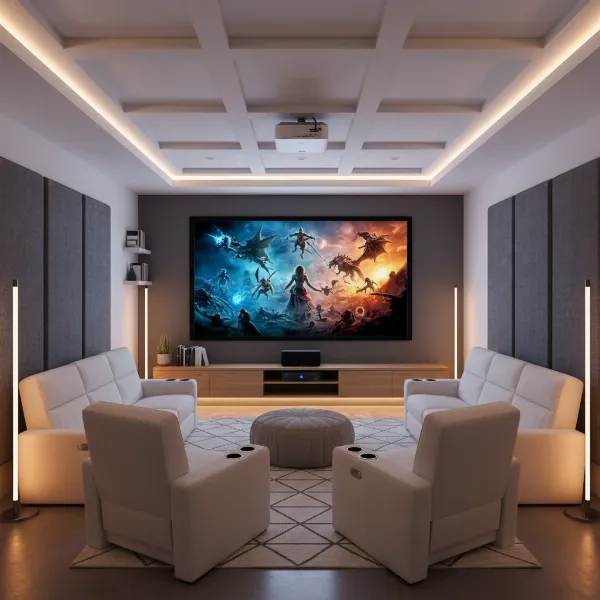 A projector ceiling mounted above a sofa, projecting a bright image onto a large screen in a modern living room.
Enhancing Your Audio Experience
While many modern projectors come with built-in speakers, they often fall short in delivering a truly immersive sound experience. The limited size of integrated speakers means they struggle to produce the rich bass, clear dialogue, and expansive soundstage that elevates movies, games, and presentations. External audio solutions are indispensable for a captivating audio-visual journey.
Options for Projector Audio Enhancement
- Bluetooth Speakers: A convenient wireless solution for enhanced audio, especially for portable setups. They are easy to connect and offer a significant upgrade over most built-in projector speakers.
- Soundbars: A popular choice for their compact design and ability to deliver surprisingly robust sound. Many soundbars feature virtual surround sound capabilities and are easy to integrate into an existing setup via HDMI ARC/eARC or optical audio.
- Full Home Theater Systems: For the ultimate cinematic experience, a dedicated sound system with external speakers (e.g., bookshelf speakers, tower speakers), a subwoofer, and an AV receiver provides unparalleled audio quality. Receivers act as a central hub, managing multiple audio and video sources and amplifying sound for larger spaces.
When choosing an audio solution, ensure compatibility with your projector’s output options, such as HDMI, optical audio, or a 3.5mm audio jack.
Seamless Connectivity and Streaming
The quality of your cables and the versatility of your streaming options can drastically affect your viewing experience. Avoid signal degradation and expand your content sources with the right accessories.
Connectivity Essentials
- High-Quality HDMI Cables: Essential for transmitting high-definition video and audio. Opt for appropriate lengths to reach your projector comfortably, and consider flat or right-angle cables for cleaner installations. For 4K content, ensure your cables support the necessary bandwidth.
- HDMI Switches: If your projector has limited HDMI ports and you have multiple devices (gaming console, Blu-ray player, streaming stick), an HDMI switch allows you to connect several sources and easily switch between them.
- Wireless HDMI Transmitters: These devices eliminate cable clutter, offering greater flexibility in projector placement without compromising signal quality. They transmit video and audio wirelessly, ideal for aesthetically pleasing setups.
- Display Adapters: For connecting smartphones, tablets, or laptops that don’t have direct HDMI output, adapters (like USB-C to HDMI or Lightning to HDMI) are crucial for mirroring your device’s screen.
- Streaming Devices: Gadgets like Amazon Fire TV Stick, Google Chromecast, or Roku Streaming Stick transform any projector into a smart projector, providing access to a vast library of streaming apps and content, often connecting via HDMI.
- AUX Cables: If your projector or external speakers don’t support Bluetooth, an AUX cable provides a reliable analog audio connection for sound output. High-quality cables with gold plating can help prevent sound interference.
Portable Power Solutions for On-the-Go Projection
For those who love outdoor movie nights, camping trips, or presentations in unconventional locations, a reliable power source is non-negotiable. Many portable projectors have limited battery life, making external power solutions indispensable.
Power Up Your Adventures
- High-Capacity Power Banks/Portable Power Stations: These devices can significantly extend your projector’s runtime, doubling or tripling its battery life. Look for power banks with a minimum capacity of 10,000mAh, preferably 30,000mAh or higher for extended use.
- Key Specifications: Ensure the power bank supports Power Delivery (PD) via USB-C, with an output of at least 45W to 65W to efficiently charge and power most projectors. Some robust power stations also offer AC outlets for standard projector power bricks.
- Solar Charging: For multi-day off-grid adventures, pairing a power bank or portable power station with a solar charger can provide continuous power, allowing you to recharge during the day and enjoy movies at night.
Protecting Your Investment: Maintenance and Care
Your projector is a delicate piece of technology, and like any investment, it requires proper care and protection to ensure its longevity and optimal performance.
Essential Protection and Cleaning Tools
- Carrying Cases/Bags: A sturdy carrying case or bag is vital for protecting your projector during transport and storage. These cases shield against bumps, drops, dust, and moisture, often featuring custom-fit compartments for the projector and its accessories.
- Lens Cleaning Kits: The projector lens is the heart of your visual experience. Dust and smudges can significantly degrade image clarity. A specialized lens cleaning kit is essential to maintain optical integrity without causing damage.
> “Projector lenses are not like regular glass; they have multiple delicate layers of anti-reflective and protective coatings that can be easily damaged by abrasive materials, harsh chemicals, or even paper products.” – Projector Maintenance Expert, YouTube Channel
Your kit should include:
- Lens Blower: An air pump (often called a “rocket blower”) is crucial for removing loose dust and debris without touching the lens surface, preventing accidental scratches.
- Soft Lens Brush: Designed specifically for optics, these brushes gently sweep away remaining particles.
- Microfiber Cleaning Cloths: Use specialized microfiber cloths made for lenses, as they are soft, lint-free, and effective at removing fingerprints and smudges.
- Optical Lens Cleaning Fluid/Wipes: For stubborn smudges, a small amount of optical lens cleaning fluid or pre-moistened lens wipes (specifically for optics) can be used, applied gently to a microfiber cloth.
Important Tip: Always turn off and cool down your projector before cleaning, and never use abrasive materials, harsh chemicals, or paper towels, as these can permanently damage the delicate lens coatings. Avoid using compressed air directly into vents, as it can push dust further into the optical path.
Conclusion
Maximizing your projector’s capabilities goes beyond the device itself. By thoughtfully integrating the right projector accessories—from high-quality screens and stable mounts to robust audio systems, versatile connectivity options, portable power, and diligent cleaning kits—you transform a simple projection into an extraordinary experience. Each accessory plays a vital role in refining visuals, enhancing sound, and ensuring your equipment remains in pristine condition for years to come. What will be the first accessory you add to elevate your projector setup?
Frequently Asked Questions
Do I really need a projector screen or can I just use a wall?
While you can project onto a wall, a dedicated projector screen offers significantly better image quality, including enhanced color accuracy, contrast, and sharpness, due to its specialized reflective surface. Walls often have texture, uneven color, or imperfections that can detract from the projected image.
How do I choose the right projector mount?
Consider your projector’s weight, the type of ceiling or wall you have, and your need for adjustability (tilt, swivel, roll). Ensure the mount’s weight capacity exceeds your projector’s by a safe margin and that it provides the necessary extension length for optimal image alignment.
Can I use any external speaker with my projector?
Most projectors can connect to external speakers via Bluetooth, HDMI ARC/eARC, optical audio, or a 3.5mm audio jack. Check your projector’s available output ports and ensure your chosen speakers are compatible with at least one of these connection methods for the best audio experience.
What’s the best way to clean my projector lens?
To clean your projector lens safely, first use a lens blower to remove loose dust. Then, gently wipe with a soft lens brush. For smudges, use a specialized microfiber cloth with a small amount of optical lens cleaning fluid. Avoid harsh chemicals, abrasive materials, or paper products to prevent damage.
Are portable power banks suitable for all projectors?
Portable power banks are excellent for extending the battery life of portable projectors. However, they need to support Power Delivery (PD) via USB-C with sufficient wattage (e.g., 45W-65W+) and a high mAh capacity (e.g., 30,000mAh) to power or charge your projector effectively. Always check your projector’s power requirements and the power bank’s specifications for compatibility.