Stepping into the world of home projection can feel like navigating a maze, especially when faced with two industry giants: BenQ and Epson. Both brands have carved out significant niches, offering a vast array of projectors designed to transform your viewing experience. Whether you’re a cinephile chasing cinematic perfection, a gamer demanding ultra-responsive visuals, or a professional needing crisp presentations, understanding the core philosophies and technological strengths of each brand is crucial. This guide will meticulously compare BenQ and Epson, helping you discern which projector powerhouse aligns best with your specific needs and preferences, ensuring your investment truly enhances your visual world.
Projector Essentials: What Every Buyer Should Know
A projector, at its heart, is an optical device that projects an image or moving images onto a surface, commonly a projection screen. From simple slideshows to immersive home cinema experiences, projectors serve a multitude of purposes, bridging the gap between small screens and grand visuals. Their evolution has been remarkable, moving from cumbersome, lamp-based machines to sleek, high-definition devices utilizing advanced light sources and imaging technologies.
Today’s market is dominated by several key projector types, each with distinct advantages. Digital Light Processing (DLP) projectors, often favored by BenQ, use millions of microscopic mirrors to create an image. Liquid Crystal Display (LCD) and Liquid Crystal on Silicon (LCoS) projectors, primarily utilized by Epson, employ three separate LCD or LCoS panels to generate red, green, and blue light, which are then combined to form the final image. Beyond these, LED and Laser projectors represent newer technologies offering extended light source lifespan and often better color performance.
Essential Considerations When Selecting a Projector
Choosing the perfect projector involves more than just picking a brand; it requires a deep dive into technical specifications that directly impact your viewing experience. Understanding these factors will empower you to make an informed decision.
- Brightness (Lumens): Measured in lumens, brightness dictates how well a projector performs in different lighting conditions. Higher lumens are essential for rooms with ambient light, ensuring the image doesn’t appear washed out. For dedicated dark home theaters, fewer lumens can be sufficient, allowing for deeper blacks.
- Resolution: This refers to the number of pixels a projector can display, determining image sharpness and detail. Common resolutions range from SVGA (800×600) and XGA (1024×768) for basic presentations, to 720p, 1080p (Full HD), and 4K UHD (3840×2160) for high-definition movies and gaming. Higher resolution generally means a clearer, more detailed picture.
- Contrast Ratio: This specification describes the difference between the brightest whites and the darkest blacks a projector can produce. A higher contrast ratio results in images with greater depth, richer colors, and more nuanced shadow details, creating a more dynamic and engaging picture.
- Light Source Life (Lamp Life): Traditional lamp-based projectors have a finite lamp life, typically between 2,000 to 6,000 hours, requiring periodic replacement. Newer LED and laser light sources offer significantly longer lifespans, often exceeding 20,000 hours, drastically reducing maintenance and long-term costs.
- Keystone Correction: This feature allows the projector to adjust the image shape if the projector is not perfectly perpendicular to the screen. It can correct trapezoidal distortion, ensuring a rectangular image, though optical keystone correction is always preferable to digital for image quality.
- Throw Ratio: The throw ratio defines the distance required for a projector to produce a certain screen size. A “short-throw” projector can cast a large image from a very close distance, ideal for smaller rooms, while “long-throw” projectors need more distance.
- Connectivity: Modern projectors offer a variety of input options. HDMI is standard for high-definition video and audio. VGA is still present for legacy computers. USB ports can facilitate media playback or power streaming sticks. Wireless connectivity (Wi-Fi, Bluetooth) allows for easier screen mirroring and integration with smart devices.
Diving Deeper: BenQ vs. Epson Projector Technologies
The fundamental difference between BenQ and Epson often boils down to their preferred imaging technologies: BenQ typically champions DLP, while Epson primarily utilizes 3LCD. This distinction influences many aspects of their projectors’ performance.
BenQ: The DLP Advantage
BenQ projectors predominantly use DLP (Digital Light Processing) technology. This single-chip mirror-based system is renowned for delivering sharp, pixel-dense images and excellent motion handling.
- Advantages:
- Sharpness: DLP projectors often produce exceptionally sharp images, making them a favorite for gaming where crisp details are paramount.
- Contrast in Dark Rooms: Many BenQ DLP models excel in dedicated dark rooms, delivering strong native contrast for deep blacks.
- Factory Calibration: BenQ is known for offering projectors with impressive color accuracy right out of the box, thanks to careful factory calibration.
- 3D Capability: DLP technology is often favored for its robust 3D performance.
- Disadvantages:
- Brightness in Ambient Light: While having good native contrast, some DLP projectors, particularly in BenQ’s range, might struggle to maintain image vibrancy in rooms with significant ambient light compared to their 3LCD counterparts.
- Rainbow Effect: A small percentage of individuals might perceive a “rainbow effect” (brief flashes of red, green, and blue) with single-chip DLP projectors, especially during fast-moving scenes or when shifting gaze.
|
Our Picks for the Best projector in 2026
As an Amazon Associate I earn from qualifying purchases.
|
||
| Num | Product | Action |
|---|---|---|
| 1 | [3500 ANSI/ Official Apps/65W Audio] Outdoor 4K Projector with WiFi and Bluetooth, Auto Focus, Auto Keystone Smart Projector Support DoIby Audio, 2026 Upgrade GO2 Short Throw Projector with 360°Stand |
![Check [3500 ANSI/ Official Apps/65W Audio] Outdoor 4K Projector with WiFi and Bluetooth, Auto Focus, Auto Keystone Smart Projector Support DoIby Audio, 2026 Upgrade GO2 Short Throw Projector with 360°Stand on Amazon](https://projectorcam.com/wp-content/plugins/amazon-tables/assets/images/buy.png)
|
| 2 | [Built-in Official Apps/4K Support] Smart Outdoor Projector with WiFi and Bluetooth, 800ANSI Movie Projector, DoIby Audio with Dual Speaker, Auto Focus w/ YouTube&PrimeVideo Proyector, Upgrad P62 Pro |
|
| 3 | Aurzen Roku TV Smart Projector with Wifi and Bluetooth, Roku Streaming Experience Built-in, 1080P FHD, DoIby Audio, Auto Focus & Keystone, Zoom, Movie Portable Outdoor Mini Projector, White |
|
| 4 | 【Official Licensed Google TV】4K Smart Projector with WiFi and Bluetooth, VOPLLS Outdoor Projectors with Dolby/Auto Focus, Portable Movie Phone Wireless Gaming Wifi Proyector for Bedroom/Home/Celling |
|
| 5 | Epson Pro EX11000 3-Chip 3LCD Full HD 1080p Wireless Laser Projector, 4,600 Lumens Color/White Brightness, Miracast, 2 HDMI Ports, USB Power for Streaming, Built-in 16W Speaker |
|
| 6 | 1500 ANSI Official Licensed Google TV Smart Projector, HAPPRUN 4K Full HD Home Theater with Auto Focus, Dolby Sound, Wi-Fi Bluetooth, Built-in Apps, Compatible with Phone & PC, Indoor & Outdoor Use |
|
| 7 | 【Officially-Licensed APP & Native 1080P】Thinnest 1.81\" Smart Mini Projector with WiFi and Bluetooth, Auto Focus & Keystone Portable Outdoor Projector, VOPLLS 4K Support Home Movie Projector |
|
| 8 | Epson Pro EX9270 Wireless 1080p 3LCD Projector 4,100 Lumens Color and White Brightness, Apple AirPlay, Miracast, Stream from Phone or Laptop, 2 HDMI Ports, 1.6x Optical Zoom, Built-In Speaker |
|
| 9 | HAPPRUN Native 1080P Bluetooth Mini Projector, Full HD Portable Outdoor Movie Projector with Built-in Speaker, Compatible with Smartphone, HDMI, USB, AV, Fire Stick, PS5 for Home, Bedroom, Outdoor Use |
|
| 10 | Projector-4K with WiFi and Bluetooth:[3500 ANSI/60W Dolby Audio/Official Licensed Apps], Outdoor-Projector with Smart OS 2.0 & AI Auto Focus,ONOAYO ONO5Pro 2.0 Smart Movie Projector for Indoor/Outdoor |
|
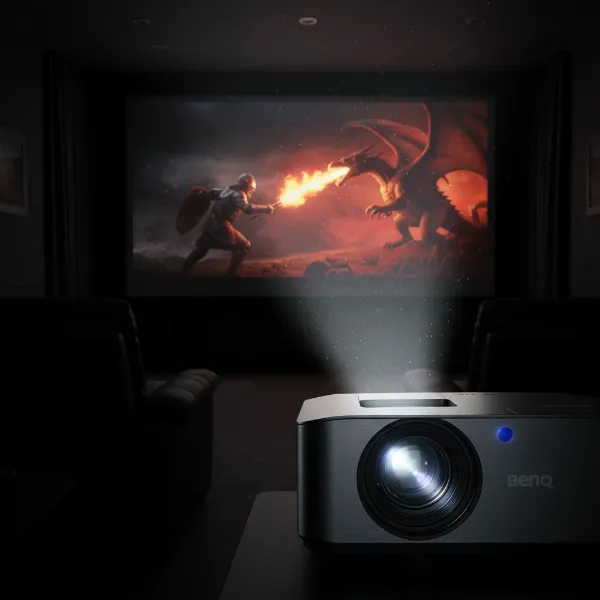 A detailed close-up of a BenQ DLP projector lens showcasing crisp image output on a screen in a dark room
Epson: The 3LCD Prowess
Epson projectors primarily employ 3LCD (3-chip Liquid Crystal Display) technology. This system uses three separate LCD panels for red, green, and blue, combining them to create a full-color image.
- Advantages:
- High Color Brightness: 3LCD projectors are known for their equally high white and color brightness, meaning colors remain vibrant even in brighter environments. This makes them versatile for various room conditions.
- Excellent Black Levels and Contrast: Epson’s premium 3LCD (and sometimes LCoS) projectors are often celebrated for their superior black levels and dynamic contrast, delivering a “film-like” cinematic experience. They handle HDR content very well.
- No Rainbow Effect: Since 3LCD uses three chips to process colors simultaneously, it completely eliminates the possibility of the rainbow effect, offering a smooth viewing experience for all users.
- Flexible Lens Shift: Many Epson models provide extensive vertical and horizontal lens shift, offering greater flexibility in projector placement without distorting the image.
- Disadvantages:
- Perceived Sharpness: While highly detailed, some users might perceive BenQ’s DLP models as having a slightly sharper image, particularly for certain types of content or gaming.
- Menu System Complexity: Some reviews indicate that certain Epson projector models can have a somewhat complex or unintuitive menu system for fine-tuning.
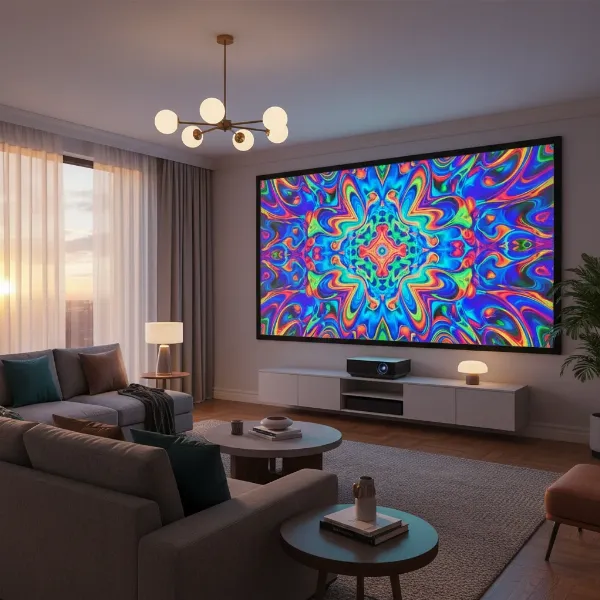 A vibrant image projected by an Epson 3LCD projector in a living room with some ambient light, showing rich colors and good brightness
Detailed Feature Comparison: BenQ vs. Epson
To truly understand the difference, let’s look at a comparative breakdown of key features:
| Feature | BenQ (DLP) | Epson (3LCD) |
|---|---|---|
| Imaging Technology | Single-Chip DLP | 3LCD (three separate LCD panels) |
| Color Brightness | Typically good, but can be lower than white brightness in some models. Often excellent color accuracy out of the box. | Equal white and color brightness, resulting in vibrant, saturated colors. |
| Contrast & Black Levels | Strong native contrast, especially in dark rooms. Deeper blacks are achievable in controlled environments. | Often superior dynamic contrast and black levels, creating a very cinematic, film-like image quality. Excellent HDR handling. |
| Sharpness | Frequently lauded for exceptional sharpness and detail, particularly beneficial for text and gaming. | Very detailed, but some may perceive DLP as marginally sharper. |
| Ambient Light Perf. | Can struggle more in rooms with significant ambient light. | Generally performs better in rooms with some ambient light due to high color brightness. |
| Rainbow Effect | Possible for sensitive viewers due to sequential color processing. | Not present due to simultaneous three-chip color processing. |
| Motion Handling | Generally very good, with quick response times suitable for gaming. | Excellent motion handling, often with interpolation options for smoother video. |
| Lens Shift | More limited or often digital, requiring precise placement. | Often features extensive optical vertical and horizontal lens shift, providing greater installation flexibility. |
| Best Use Cases | Dedicated dark home theaters, gaming, presentations where sharpness is key. | Versatile home entertainment, rooms with moderate ambient light, cinematic movie viewing, business presentations requiring vivid colors. |
| Light Source | Lamp, LED, or Laser | Lamp, LED, or Laser |
How to Choose the Right Projector for Your Needs
Deciding between BenQ and Epson ultimately comes down to your primary use case, viewing environment, and personal preferences.
-
Define Your Usage:
- Movies & Cinematic Experience: If your priority is a rich, film-like experience with deep blacks and vibrant, accurate colors in a dedicated home theater, Epson often has an edge, especially with their higher-end 3LCD models.
- Gaming: For competitive gamers who prioritize razor-sharp images and low input lag, BenQ’s DLP projectors are frequently a top choice.
- Versatile Home Entertainment (Movies, TV, Sports in varying light): Epson’s strong color brightness and better performance in ambient light make them highly versatile for everyday use in living rooms.
- Presentations & Education: Both brands offer excellent business and education projectors. BenQ often excels with crisp text, while Epson provides bright, colorful images suitable for diverse content.
-
Consider Your Viewing Environment:
- Dedicated Dark Room: Both brands offer fantastic options. BenQ might impress with native contrast, while Epson could deliver superior dynamic range and black levels.
- Room with Ambient Light: Epson projectors generally perform better here due as their color brightness holds up against room lighting.
-
Set Your Budget: Both brands offer projectors across various price points, from entry-level to high-end home theater models. Knowing your budget will help narrow down the options significantly.
-
Read Reviews and Experience Demos: Always consult independent reviews and, if possible, see projectors in action. Your eyes are the ultimate judge. Pay attention to how different technologies render colors, motion, and black levels.
-
Look for Reputable Sellers: Purchase from authorized dealers to ensure genuine products, valid warranties, and reliable customer support.
Mastering Your Projector: Usage and Maintenance Tips
Once you’ve made your choice, proper usage and maintenance will extend your projector’s life and maintain its performance.
- Clean Regularly: Dust is the enemy of projectors. Regularly clean the air filters (if removable) and gently wipe the lens with a microfiber cloth designed for optics. Never spray cleaning solutions directly onto the lens.
- Optimal Placement: Ensure adequate ventilation around your projector. Overheating is a common cause of failure. Keep it away from walls and enclosed spaces that restrict airflow.
- Proper Shutdown: Allow lamp-based projectors to cool down completely after use before unplugging them or moving them. This cooling cycle is crucial for lamp longevity. LED and laser projectors generally have quicker shutdown times.
- Careful Storage: When not in use for extended periods, store your projector in a cool, dry place, ideally covered to protect it from dust.
- Troubleshooting Common Issues: If your image is blurry, check the focus ring. If the image is trapezoidal, adjust keystone correction. For no signal, confirm your source device is on and correctly connected. Consult your projector’s manual for specific troubleshooting steps.
Conclusion
Both BenQ and Epson stand as titans in the projector industry, each bringing unique strengths to the table. BenQ, with its DLP technology, often excels in delivering razor-sharp images, strong native contrast in dark rooms, and is a favorite among gamers and those prioritizing out-of-the-box color accuracy. Epson, on the other hand, leverages its 3LCD technology to provide exceptionally bright, vibrant colors and superior black levels, making it an excellent choice for cinematic viewing and more versatile environments with ambient light.
Ultimately, neither brand is definitively “better” across the board; it’s about finding the projector that best aligns with your specific viewing habits, room conditions, and budget. By understanding the core differences and focusing on your individual needs, you can confidently choose the projector that will bring your visual content to life. Which aspects of projector performance matter most to your ideal viewing experience?
Frequently Asked Questions
Should I choose a BenQ or Epson projector for a bright living room?
For a bright living room, Epson projectors are generally recommended. Their 3LCD technology delivers equally high white and color brightness, ensuring that colors remain vibrant and the image stays clear even with ambient light, providing a more satisfying viewing experience in less-than-ideal dark conditions.
Which brand offers better projectors for competitive gaming: BenQ or Epson?
BenQ projectors, particularly those utilizing DLP technology, are often favored by competitive gamers. They are known for their exceptional sharpness and typically offer lower input lag, which is crucial for fast-paced gaming where quick response times and crisp visual detail can make a significant difference.
What is the main difference between BenQ’s DLP and Epson’s 3LCD technology?
The main difference lies in how they produce color. BenQ’s DLP uses a single chip with a spinning color wheel to create colors sequentially, while Epson’s 3LCD uses three separate LCD chips (one each for red, green, and blue) to project colors simultaneously. This often gives 3LCD an edge in color brightness and eliminates the “rainbow effect” sometimes associated with single-chip DLP.