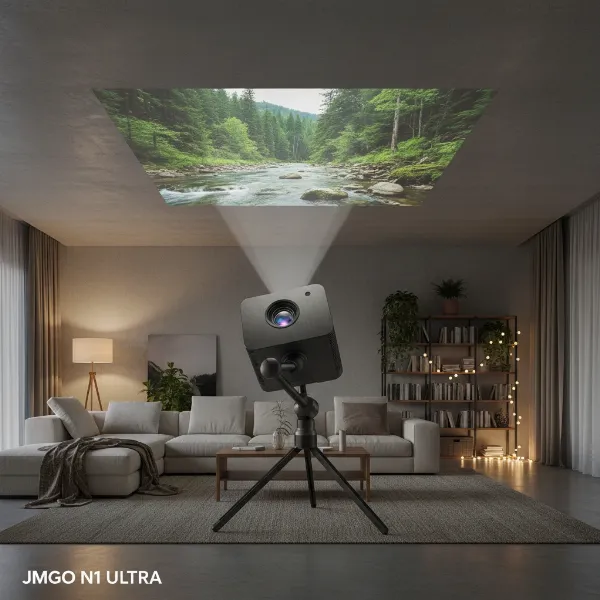
Stepping into the world of projectors can feel like navigating a complex maze of technical terms and specifications. If you’ve ever wondered how these incredible devices transform light into breathtaking large-screen images, or which technology offers the best experience for your needs, you’re in the right place. Choosing the ideal projector often boils down to understanding the core imaging technologies: Digital Light Processing (DLP), Liquid Crystal Display (LCD), and Liquid Crystal on Silicon (LCoS). Each offers a distinct approach to image creation, bringing unique strengths and considerations to your home theater, office, or gaming setup. Let’s demystify these technologies to help you make an informed decision and discover the projection perfect for you.
An Overview of Projector Technology
At its heart, a projector is a sophisticated optical instrument designed to cast a still or moving image onto a surface, typically a projection screen. From historical magic lanterns to the cinematic marvels we enjoy today, projectors have continuously evolved, leveraging various light sources and imaging systems to deliver ever-improving visual fidelity.
Modern projectors primarily rely on one of three main imaging technologies: DLP, LCD, or LCoS. These technologies act as the “artist” within the projector, taking raw light from a lamp, LED, or laser source and converting it into the vibrant, detailed images that fill your screen. While the fundamental goal remains the same—to display a compelling image—the methods employed by each technology lead to significant differences in performance characteristics.
Essential Factors When Choosing a Projector
Before diving into the specifics of DLP, LCD, and LCoS, it’s crucial to understand the universal metrics that define a projector’s performance. These factors will guide your decision regardless of the underlying technology.
- Brightness (Lumens): Measured in ANSI lumens, brightness indicates how much light a projector can produce. Higher lumens are essential for maintaining image vibrancy in rooms with ambient light, while darker environments allow for lower lumen projectors.
- Resolution: This refers to the number of pixels displayed, determining the image’s sharpness and detail. Common resolutions include SVGA (800×600), XGA (1024×768), 720p (1280×720), 1080p (1920×1080), and 4K (3840×2160 or 4096×2160). Higher resolution typically means a clearer, more immersive picture.
- Contrast Ratio: This measures the difference between the brightest whites and the darkest blacks a projector can produce. A higher contrast ratio results in more image depth, richer blacks, and better shadow detail, which is crucial for cinematic viewing.
- Lamp Life / Light Source: Traditional lamp-based projectors have a finite lamp life (often 2,000-5,000 hours), necessitating replacements. Newer LED and laser light sources offer significantly longer lifespans (20,000+ hours) and often quicker startup times and consistent brightness.
- Keystone Correction: This feature corrects trapezoidal distortion that occurs when the projector isn’t perfectly perpendicular to the screen. Both vertical and horizontal keystone correction can offer flexibility in placement.
- Throw Ratio: This is the ratio of the throw distance (distance from projector to screen) to the image width. It helps determine where you can place the projector in your room to achieve a desired screen size. Short-throw and ultra-short-throw projectors are designed for limited spaces.
- Connectivity: Modern projectors offer various connection options, including HDMI (the most common for digital video and audio), VGA (for older computers), USB, and increasingly, wireless connectivity (Wi-Fi, Bluetooth) for streaming and screen mirroring.
Comparing Popular Projector Technologies
Each projection technology has its unique characteristics, making it more suitable for certain applications and user preferences.
DLP Projectors
Digital Light Processing (DLP) technology, developed by Texas Instruments, is renowned for its sharpness and fast response times.
- How it Works: DLP projectors utilize a Digital Micromirror Device (DMD) chip, which contains millions of microscopic mirrors. Each mirror, about the size of a red blood cell, can tilt rapidly to reflect light either towards the lens (creating a lit pixel) or away from it (creating a dark pixel). In most consumer DLP projectors, a spinning color wheel cycles through red, green, and blue light, creating colors sequentially so fast that your brain perceives a full-color image. Higher-end DLP systems use three DMD chips, one for each primary color, eliminating the need for a color wheel.
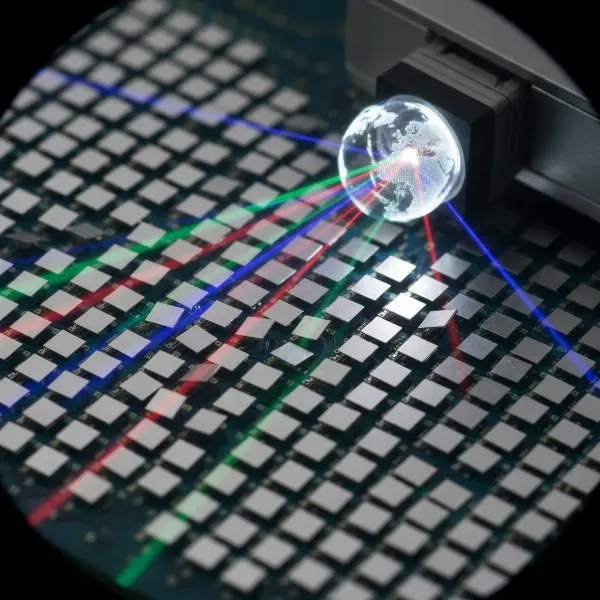 A close-up view of a Digital Micromirror Device (DMD) chip with tiny mirrors reflecting light, representing how DLP projectors create images.
 - Advantages:
- Sharp, Clear Images: DLP chips have minimal gaps between pixels, resulting in a very smooth, “filmlike” image with excellent clarity and sharp text.
- Fast Response Time: The rapid tilting of micromirrors makes DLP ideal for fast-moving content like sports and video games, minimizing motion blur.
- Portability: Single-chip DLP designs are often compact and lightweight, making them common in portable and pico projectors.
- Sealed Optical Path: Many DLP projectors feature a sealed optical engine, reducing the risk of dust accumulating on internal components and causing “dust blobs.”
- Deeper Blacks (in some models): DLP can achieve strong contrast, particularly in dynamic scenes, leading to impressive black levels for its class.
- Disadvantages:
- Rainbow Effect: In single-chip DLP projectors, some sensitive viewers may perceive brief flashes of red, green, and blue, especially in high-contrast scenes. This “rainbow effect” is due to the sequential color display.
- Color Brightness: Some single-chip DLP models may have lower color brightness compared to their white brightness, which can affect the vibrancy of colors in well-lit rooms.
- Limited Lens Shift: Many entry-level and portable DLP projectors offer less lens shift flexibility compared to other technologies, making installation more precise.
|
Our Picks for the Best projector in 2026
As an Amazon Associate I earn from qualifying purchases.
|
||
| Num | Product | Action |
|---|---|---|
| 1 | Projector-4K with WiFi and Bluetooth:[3500 ANSI/60W Dolby Audio/Official Licensed Apps], Outdoor-Projector with Smart OS 2.0 & AI Auto Focus,ONOAYO ONO5Pro 2.0 Smart Movie Projector for Indoor/Outdoor |
![Check Projector-4K with WiFi and Bluetooth:[3500 ANSI/60W Dolby Audio/Official Licensed Apps], Outdoor-Projector with Smart OS 2.0 & AI Auto Focus,ONOAYO ONO5Pro 2.0 Smart Movie Projector for Indoor/Outdoor on Amazon](https://projectorcam.com/wp-content/plugins/amazon-tables/assets/images/buy.png)
|
| 2 | Epson Pro EX11000 3-Chip 3LCD Full HD 1080p Wireless Laser Projector, 4,600 Lumens Color/White Brightness, Miracast, 2 HDMI Ports, USB Power for Streaming, Built-in 16W Speaker |
|
| 3 | HAPPRUN Native 1080P Bluetooth Mini Projector, Full HD Portable Outdoor Movie Projector with Built-in Speaker, Compatible with Smartphone, HDMI, USB, AV, Fire Stick, PS5 for Home, Bedroom, Outdoor Use |
|
| 4 | 1500 ANSI Official Licensed Google TV Smart Projector, HAPPRUN 4K Full HD Home Theater with Auto Focus, Dolby Sound, Wi-Fi Bluetooth, Built-in Apps, Compatible with Phone & PC, Indoor & Outdoor Use |
|
| 5 | 【Officially-Licensed APP & Native 1080P】Thinnest 1.81\" Smart Mini Projector with WiFi and Bluetooth, Auto Focus & Keystone Portable Outdoor Projector, VOPLLS 4K Support Home Movie Projector |
|
| 6 | [3500 ANSI/ Official Apps/65W Audio] Outdoor 4K Projector with WiFi and Bluetooth, Auto Focus, Auto Keystone Smart Projector Support DoIby Audio, 2026 Upgrade GO2 Short Throw Projector with 360°Stand |
|
| 7 | Aurzen Roku TV Smart Projector with Wifi and Bluetooth, Roku Streaming Experience Built-in, 1080P FHD, DoIby Audio, Auto Focus & Keystone, Zoom, Movie Portable Outdoor Mini Projector, White |
|
| 8 | 【Official Licensed Google TV】4K Smart Projector with WiFi and Bluetooth, VOPLLS Outdoor Projectors with Dolby/Auto Focus, Portable Movie Phone Wireless Gaming Wifi Proyector for Bedroom/Home/Celling |
|
| 9 | Epson Pro EX9270 Wireless 1080p 3LCD Projector 4,100 Lumens Color and White Brightness, Apple AirPlay, Miracast, Stream from Phone or Laptop, 2 HDMI Ports, 1.6x Optical Zoom, Built-In Speaker |
|
| 10 | [Built-in Official Apps/4K Support] Smart Outdoor Projector with WiFi and Bluetooth, 800ANSI Movie Projector, DoIby Audio with Dual Speaker, Auto Focus w/ YouTube&PrimeVideo Proyector, Upgrad P62 Pro |
|
LCD Projectors
Liquid Crystal Display (LCD) technology is widely known for its vibrant color reproduction and efficiency.
- How it Works: LCD projectors typically use a 3LCD system, meaning they have three separate liquid crystal panels—one each for red, green, and blue light. White light from the lamp is split into these primary colors using dichroic mirrors. Each colored beam then passes through its dedicated LCD panel, where liquid crystals act like tiny shutters, controlling how much light passes through each pixel. Finally, a prism recombines the three colored images into a single, full-color image that is projected onto the screen.
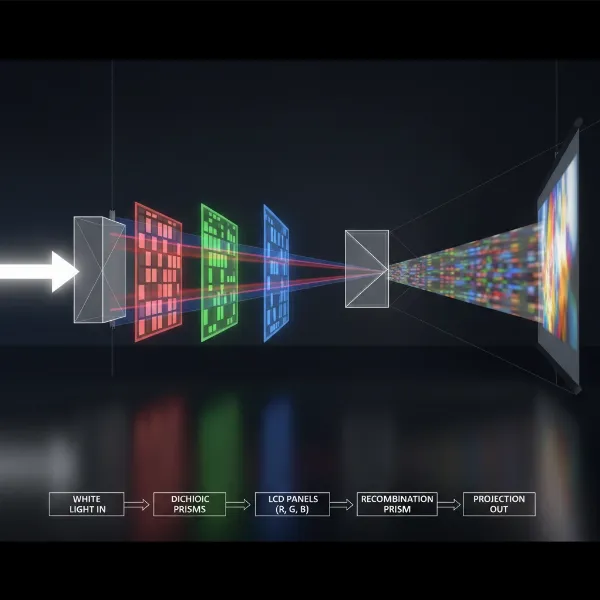 An illustration showing white light being split into red, green, and blue beams, passing through three separate LCD panels, and then recombined by a prism.
 - Advantages:
- High Color Brightness: 3LCD projectors excel at producing equally bright white and color light, resulting in vibrant, saturated colors even in ambient light.
- No Rainbow Effect: Since all three primary colors are displayed simultaneously, LCD projectors do not suffer from the “rainbow effect” seen in some single-chip DLP models.
- Good Value: LCD projectors often offer a balance of performance and affordability, providing good image quality at competitive prices.
- Excellent Light Efficiency: These projectors can often achieve higher ANSI lumen output for a given wattage compared to many DLP counterparts.
- Disadvantages:
- Lower Native Contrast: Historically, LCD projectors have struggled to achieve the deep black levels of reflective technologies, often appearing as hazy gray in dark scenes.
- Screen Door Effect: At closer viewing distances or with lower resolutions, the grid-like structure between pixels can sometimes be visible, known as the “screen door effect.”
- Dust Accumulation: The open airflow path required for cooling can make LCD projectors more susceptible to dust settling on the LCD panels, potentially causing “dust blobs” or spots.
- Potential for Panel Alignment Issues: Over time, the three separate LCD panels can sometimes go out of perfect alignment, leading to slight color fringing at the edges of objects.
LCoS Projectors
Liquid Crystal on Silicon (LCoS) is a hybrid technology that seeks to combine the best aspects of both LCD and DLP.
- How it Works: LCoS is a reflective technology, similar to DLP, but it uses liquid crystals like LCD. Here, liquid crystal layers are applied to a mirrored silicon backplane. Light passes through the liquid crystal layer, reflects off the silicon mirror, and then passes back through the liquid crystals. The liquid crystals modulate the light by opening or closing, controlling how much light is reflected for each pixel. Like 3LCD, LCoS projectors typically use three LCoS chips—one for each primary color—which are then combined by a prism. Manufacturers like Sony (with SXRD) and JVC (with D-ILA) are prominent users of LCoS technology.
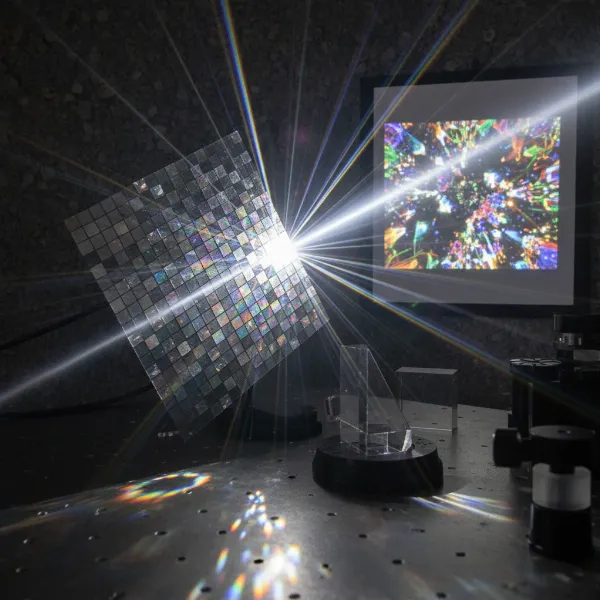 A diagram illustrating light passing through a liquid crystal layer, reflecting off a silicon mirror, and then being modulated to create a pixel.
 - Advantages:
- Superior Native Contrast and Black Levels: LCoS technology excels at producing incredibly deep, nuanced blacks and high contrast ratios, making it ideal for cinematic viewing in dark rooms.
- High Resolution and Smooth Images: With a very high pixel density and minimal gaps between pixels, LCoS projectors deliver exceptionally sharp images without visible pixel structure, easily achieving native 4K and even 8K resolutions.
- Excellent Color Accuracy: The three-chip design ensures accurate and vibrant color reproduction.
- No Rainbow Effect: Like LCD, LCoS projectors do not exhibit the rainbow effect.
- Disadvantages:
- Highest Cost: LCoS projectors are generally the most expensive of the three technologies due to their complex manufacturing process and superior performance.
- Larger Size and Weight: They tend to be larger and heavier, often designed for permanent installations in dedicated home theaters rather than portability.
- Slower Response Time (compared to DLP): While excellent overall, LCoS pixels may respond slightly slower than DLP, potentially introducing minor motion blur in very fast-paced content for some discerning viewers.
- Potential for Convergence Issues: As a three-panel system, there is a minor potential for panel misalignment over time, similar to LCD.
Detailed Comparison Table: DLP vs. LCD vs. LCoS
To help you quickly grasp the key differences, here’s a comparative overview of these projection technologies:
| Feature | DLP (Digital Light Processing) | LCD (Liquid Crystal Display) | LCoS (Liquid Crystal on Silicon) |
|---|---|---|---|
| Mechanism | Reflective micromirrors (DMD chip) | Transmissive liquid crystal panels (3LCD) | Reflective liquid crystals on silicon |
| Color Generation | Color wheel (1-chip); 3 separate chips (3-chip) | 3 dedicated panels (RGB) | 3 dedicated panels (RGB) |
| Image Sharpness | Very sharp, minimal pixel gaps | Good, but pixel grid can be visible | Excellent, virtually no visible pixel structure |
| Contrast Ratio | High, good blacks | Moderate, good color contrast | Superior, deepest blacks |
| Color Accuracy | Good (can be excellent with 3-chip/laser) | Excellent, high color brightness | Excellent, rich and natural |
| Motion Handling | Fastest response, minimal blur | Good, but some blur possible | Very good, but slightly slower than DLP |
| “Rainbow Effect” | Yes (in 1-chip models) | No | No |
| Dust Susceptibility | Low (sealed optical path) | Moderate to High (requires filters) | Low (sealed optical path) |
| Size & Weight | Often compact and lightweight (1-chip) | Generally moderate | Usually larger and heavier |
| Cost | Entry-level to high-end | Entry-level to mid-range | Premium to ultra-high-end |
| Ideal Use | Gaming, business, portable, brightly lit rooms | General home theater, classrooms, presentations | Dedicated home theaters, critical viewing, simulation |
Top Projector Choices Across Budgets (Technology Focus)
Finding the right projector means aligning its technology and features with your specific budget and use case.
Budget-Friendly Projectors (Generally under $500)
In this segment, you’ll predominantly find DLP and LCD projectors. Many affordable DLP models offer surprising sharpness and portability, making them great for casual movie nights or presentations on the go. Entry-level LCD projectors can deliver vibrant colors for mixed-use environments. Expect resolutions typically around 1080p, sometimes with pixel-shifting for simulated 4K, and often LED light sources for longevity. Examples might include compact DLP units designed for ease of use or certain 3LCD models that prioritize brightness for everyday viewing.
Mid-Range Projectors (Typically $500 – $1500)
This price bracket offers a blend of advanced DLP and LCD models. Here, you’ll see DLP projectors with improved color wheels (or even triple-laser light sources) to reduce the rainbow effect and boost color accuracy, alongside LCD projectors that boast enhanced contrast and better black levels. Many in this range offer true 1080p resolution, with some employing pixel-shifting to achieve a perceptually sharper 4K image. These projectors often provide a significant step up in image quality, offering features like better lens shift and more robust build quality for a superior home theater experience.
High-End Projectors (Above $1500)
The premium segment is where LCoS technology truly shines, often alongside high-performance 3-chip DLP and advanced LCD systems. LCoS projectors from brands like Sony (SXRD) and JVC (D-ILA) are celebrated for their native 4K resolution, unparalleled contrast, and deep black levels, providing an immersive, cinematic experience that rivals commercial theaters. High-end DLP projectors, especially 3-chip configurations, also offer exceptional brightness, color accuracy, and razor-sharp images, often used in large venues and digital cinemas. Advanced LCD projectors in this category also push boundaries with impressive contrast and color volume. These models are typically larger, designed for dedicated home cinema rooms, and offer extensive installation flexibility and customization options.
Buying Guide: Making the Right Choice
Choosing a projector isn’t just about picking a technology; it’s about aligning that technology with your real-world needs.
- Define Your Primary Use:
- Movies/Home Theater (Dark Room): LCoS is often the king for deep blacks and contrast. High-end LCD and 3-chip DLP are also excellent.
- Gaming: DLP’s fast response time is a huge advantage for competitive gaming.
- Presentations/Classrooms (Ambient Light): High-brightness DLP or 3LCD projectors excel in these conditions due to their strong light output and color performance.
- Portable Use: Compact 1-chip DLP projectors are usually the best choice.
- Set Your Budget: This will naturally narrow down your options across technologies. Remember to factor in potential lamp replacement costs for non-LED/laser models.
- Prioritize Key Specifications: Do you need ultimate black levels (LCoS)? The brightest colors (LCD)? Or super-sharp, fast motion (DLP)? Understanding your priorities will guide your selection.
- Read Reviews and See Demos: Expert reviews offer technical insights, while user reviews provide real-world experiences. If possible, try to see projectors in action to get a sense of image quality.
- Consider the Environment: The amount of ambient light in your viewing space, your throw distance, and installation flexibility will all influence which projector type and features are most suitable.
- Purchase from Reputable Retailers: Ensure you have warranty support and access to customer service.
Tips for Projector Care and Maintenance
To ensure your projector provides years of brilliant performance, proper care and maintenance are key.
- Keep it Clean: Dust is a projector’s enemy. Regularly clean the exterior with a soft, damp cloth. For the lens, use a microfiber cloth and specialized lens cleaner, or a lens brush. Avoid abrasive materials that can scratch the delicate surface.
- Maintain Filters: If your projector has air filters (common in LCD models), check and clean them monthly, especially in dusty environments. Clogged filters restrict airflow and can lead to overheating. Replace them if damaged.
- Ensure Proper Ventilation: Projectors generate heat. Always ensure adequate space around the vents for air circulation. Avoid placing the projector in enclosed cabinets without proper ventilation.
- Power Down Correctly: Always allow the projector to cool down properly before unplugging or moving it. Most projectors have a cool-down cycle after you turn them off; interrupting this can shorten lamp life or damage components.
- Handle with Care: Projectors contain sensitive optical components. Avoid dropping or shaking the unit, particularly when it’s hot. If you’re transporting a portable projector, use a protective case.
- Monitor Lamp Life: For lamp-based projectors, keep an eye on the lamp hour counter and replace the lamp before it reaches its recommended lifespan to prevent sudden failure and maintain optimal brightness.
Conclusion
Choosing between DLP, LCD, and LCoS projector technologies involves weighing a balance of image quality, cost, and specific application requirements. DLP excels in sharpness, motion handling, and portability, albeit with the potential for a “rainbow effect” in some models. LCD offers vibrant colors and high light output at competitive prices, making it a strong all-rounder for diverse viewing environments. LCoS stands out for its superior contrast, deep blacks, and exceptional resolution, making it the preferred choice for discerning home theater enthusiasts willing to invest in premium performance.
Ultimately, the “best” technology is the one that aligns most closely with your individual preferences and viewing setup. By understanding these core differences, you can confidently navigate the projector market and find the perfect device to bring your visual content to life. What truly matters in your ideal projector experience: ultimate contrast, vivid color, or lightning-fast motion?
Frequently Asked Questions
What is the “rainbow effect” in projectors?
The “rainbow effect” is a visual artifact sometimes seen in single-chip DLP projectors. It appears as brief, fleeting flashes of red, green, and blue light, especially noticeable in high-contrast scenes or when moving your eyes across the screen. It occurs because these projectors display colors sequentially using a spinning color wheel.
Are 4K projectors always better than 1080p projectors?
While 4K projectors offer significantly more pixels and can deliver a sharper, more detailed image, whether they are “always better” depends on factors like screen size, viewing distance, and source content. For smaller screens or longer viewing distances, the difference may be less noticeable. However, for large screens and immersive viewing, 4K provides a superior experience.
How often should I clean my projector’s filter?
If your projector has a removable air filter, it’s generally recommended to check and clean it every 30-60 days, especially in dusty environments. Regular cleaning prevents dust buildup, maintains optimal airflow, and helps prevent overheating, extending the projector’s lifespan.
Can I use a projector in a room with a lot of ambient light?
Using a projector in a brightly lit room can wash out the image, making it appear dim and colors less vibrant. For such environments, you should prioritize projectors with high ANSI lumen ratings and good color brightness, such as many 3LCD or brighter DLP models, along with an ambient light rejecting (ALR) screen.
Is a laser light source always superior to a lamp?
Laser light sources offer several advantages over traditional lamps, including significantly longer lifespan (20,000+ hours), quicker startup/shutdown, consistent brightness over time, and a wider color gamut. While typically more expensive initially, their lower maintenance and superior performance often make them a preferred choice for many users, particularly in higher-end models.